October 29, 2026
Labor and Burden Rates for Cleaning Estimates
Labor and burden is more than the wage. Calculate cleaning burden rates, billable hours, and estimates that hold margin.

Friday, July 24, 2026
Build a cleaning invoice template that speeds up payments, prevents disputes, and scales with your business. Includes fields, examples, and automation tips.
You finish a cleaning job, the client does a quick walk-through, and then the work starts. If you're hunting for a blank form, typing totals into your phone, or texting a hand-written amount that never quite matches the service, you've already created the delay that turns a normal invoice into a payment chase. A solid cleaning invoice template fixes that at the source, because it gives you the same structure every time, the same scope language every time, and the same payment expectations every time.
The best templates aren't just prettier paperwork. They act like a cash flow control document, because they capture the job, justify the price, and create a clean trail for bookkeeping and disputes. That's the same logic behind the standard field set recommended by QuickBooks, which keeps invoices organized and supports cash-flow tracking, and it's why invoice layout matters just as much as pricing itself in the guide from Polaris Marketing Solutions. If you're also tightening accounting on the back end, keep your books aligned with cleaning business accounting.
A cleaner who sends a clear invoice the same day doesn't just look more professional. They reduce questions, shorten follow-up, and make it harder for a customer to dispute what was done. That's the difference between a template that sits in a folder and one that protects revenue.
The weakest invoice I see is the one built after the fact, when the job is already done and the cleaner is trying to remember what was included. The strongest invoice is built before the job starts, with the fields ready to fill in, so the moment work ends, billing can go out without retyping or guesswork. That gap matters because the invoice is where scope, price, and payment timing become real.
Practical rule: if the invoice can't explain the charge without a phone call, it isn't finished yet.
A cleaning business owner usually feels this when a job ends late in the day. The client wants the total, the cleaner has no template open, and the invoice becomes a text message with a number and no context. That may get a polite acknowledgment, but it often sits unpaid because the client still doesn't have the service breakdown, due date, or payment instructions they need to act quickly.
The right template works like a control system. It captures the approved scope, shows how the price was built, sets the payment expectation, and leaves an audit trail if anything gets questioned later. QuickBooks recommends a structured set of fields, including business header, client information, unique invoice number, invoice date, line-item services, taxes, discounts, total due, payment terms, and terms and conditions, precisely because that structure keeps cleaning invoices organized and supports cash-flow tracking QuickBooks cleaning invoice template guide.
A useful way to think about it is this, the template is not the receipt, it's the payment system. It tells the client what happened, tells you what to collect, and tells your books where the money belongs. If your current version doesn't do all three, it's costing you time every week.
The field I'd never skip is the unique invoice number. Without it, bookkeeping turns messy fast, and a commercial client has nothing clean to match against an internal approval record. Once two jobs look similar on paper, that number is what keeps the paperwork from turning into a puzzle.
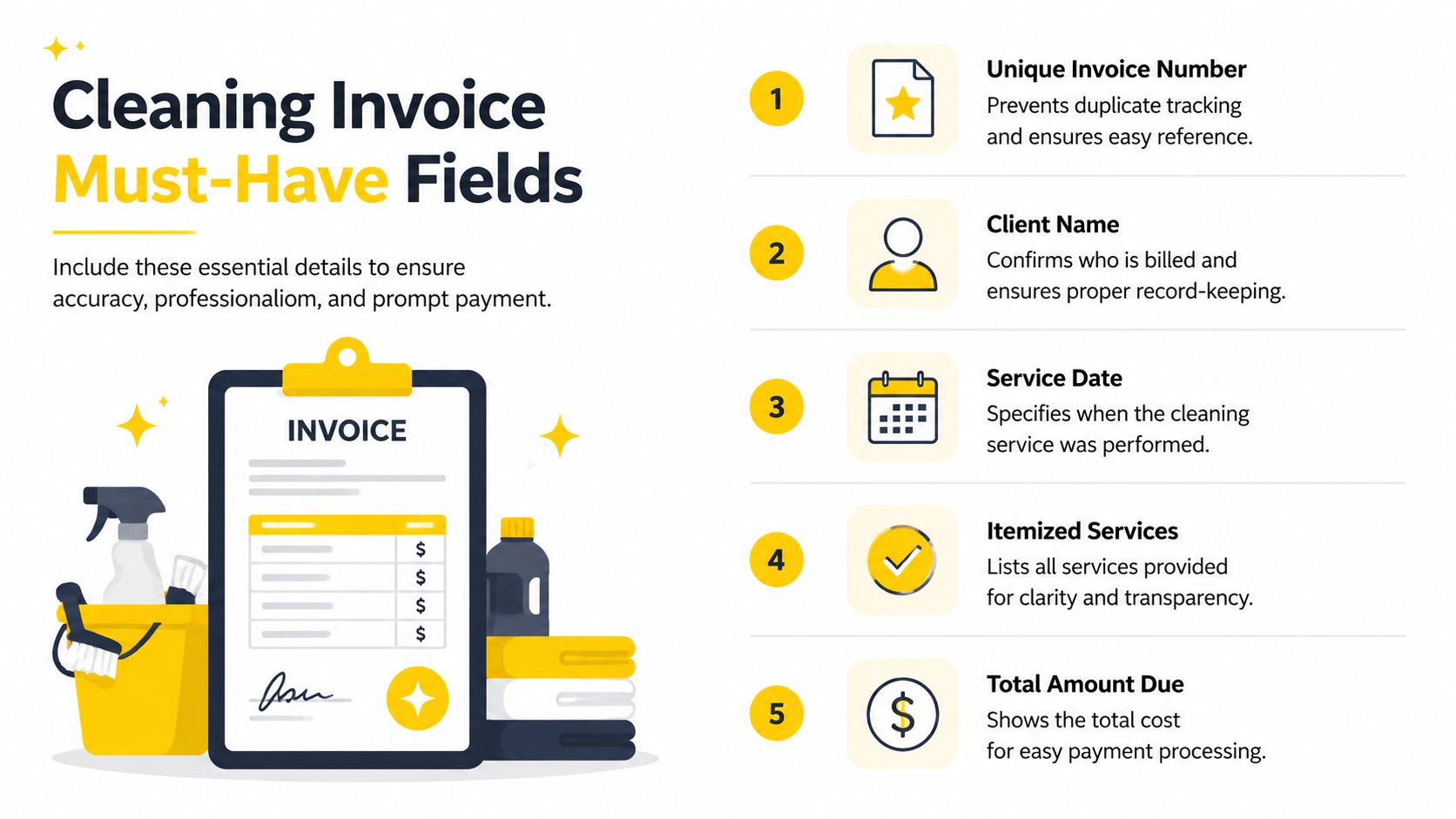
Start with the business header, then move to customer details. Put your company name, contact details, and, where needed, license or tax identifiers at the top, because commercial clients often ask for proof before they release payment. On the customer side, use the client name, service address, and, when the billing entity is different, a separate billing address so accounts payable does not have to guess where the charge belongs. That separation matters most on property-managed work, and the scope also needs to be tight enough to match the contract language in this contract guide.
After the header, add the invoice date, due date, and itemized line items with quantity and unit price. Keep the body specific enough to show square footage, room count, hourly time on site, or flat-rate service, depending on how you sold the job. The more you collapse into one “miscellaneous” line, the more likely you are to get reconciliation calls later.
Your template should end with subtotal, tax, discounts, total due, accepted payment methods, and a clear late-fee or reminder note. SumUp also lists the title “Invoice,” unique invoice number, issue date, due date, business and customer names and addresses, detailed service description, price and quantity, sales tax if applicable, and total amount due as core invoice elements SumUp cleaning invoice template essentials.
| Field | Required? | Captures | Prevents |
|---|---|---|---|
| Unique invoice number | Yes | Traceability | Duplicate tracking and bookkeeping confusion |
| Service and billing addresses | Yes for commercial jobs | Who did the work, who pays | AP rejection and misrouted payment |
| Itemized services | Yes | Scope and price logic | “What was this charge for?” calls |
| Subtotal, tax, discounts, total due | Yes | Final calculation | Disputes over the amount owed |
| Payment terms and late-fee note | Strongly recommended | When and how to pay | Ambiguous due dates and slow collections |
A complete invoice template is also a dispute-prevention document. Housecall Pro's example shows why line-item detail, full contact information, and explicit terms matter, because vague bundles and missing identifiers slow payment Housecall Pro cleaning invoice template example. If you want the template to work like a control sheet, each field has to answer one question the customer might later ask.
Operational habit: if a commercial client asks for a license number or proof of insurance, do not wait to add it later. Put it in the header template now so the invoice never leaves incomplete.
The biggest payoff is fewer callback emails. A good field map gives the client what they need on the first read and gives your business a record that stands on its own.
The same template can handle four job types if the wording changes cleanly. Keep the structure fixed, then adjust the line items and payment block so the invoice matches a one-time residential visit, a recurring clean, a commercial account, or a deep clean with add-ons. That is what makes the template useful in practice, because the paper trail stays consistent while the wording still reflects the job you performed.
For a one-off home job, keep the description simple and visible. A strong line looks like Standard clean, 3-bed, 2-bath home, followed by the quantity and unit price that match your pricing model. If you charge by the visit, the client sees one flat line and the due date is clear, often due on completion or due on receipt.
A short description also helps when the customer is comparing it against the estimate. If the scope says what was cleaned, the invoice does not need extra explanation to justify the charge.
Recurring work should say so in plain language. Use wording like Weekly recurring cleaning service, main living areas and bathrooms, then note frequency or service period in the description block. That tells the customer the invoice belongs to an ongoing arrangement, not a one-time rescue clean.
It also helps your office when a client asks why the bill looks the same each cycle. The wording shows that the service is repeated on purpose, with the same scope unless you add a change.
Commercial invoices need more structure. Separate service address from billing address, because the building where you cleaned is often not the office that pays the bill. Use a description such as Nightly common-area cleaning, lobby, restrooms, and touchpoint sanitizing, then keep any property manager approval reference nearby so accounts payable does not stall the payment cycle.
That extra reference matters in real billing workflows. If the invoice lands without a job number, purchase order, or manager sign-off, it often sits untouched until someone chases it.
Deep cleans should never bury extras. Put the base service on one line, then add separate lines for approved extras like inside-oven cleaning, inside-fridge cleaning, or supply charges. That separate treatment matters because a bundled extra becomes much harder to defend if a customer questions the invoice later.
It also makes the invoice easier to audit after the job. If the base clean was approved first and the extras were added later, the client can see exactly what changed and why the total moved.
A practical template also needs to fit the pricing model. Most cleaning invoices are written for hourly billing or square-foot-based pricing, and that is the format reflected in the Invoicemaker cleaning template, along with standard payment terms such as Net 14 and Net 30 for cleaning businesses and commercial clients. If your template already supports those pricing styles, you can reuse the same document across the jobs you book.
For a cleaner who wants one template instead of four separate files, the trick is to standardize the wording blocks. The line-item labels change, but the header, totals, and payment terms stay familiar, which makes the whole invoice easier for the client to approve. It also gives your team a cleaner handoff from estimate to billing, and it makes it easier to push approved jobs from a scheduler or CRM into invoicing through Estimatty CRM and Zapier integration guidance.
The cleanest workflow is to build your estimate so it can become the invoice with almost no editing. Estimates and invoices share most of the same fields, client details, scope description, quantities, unit price, and add-ons, so the goal is to flip the document, not rebuild it. That protects the audit trail and reduces the chance that someone accidentally changes a price on the way to billing.
The field mapping is simple in practice. The approved estimate should already hold the client name, service address, scope language, line items, and add-ons, so the invoice only needs the invoice number, invoice date, due date, and the total-due block to be finalized. If tax applies, that stays visible as a separate calculation, not buried inside a blended total.
Best practice: never retype an approved scope into a fresh invoice if you can carry it forward from the estimate. Re-entry is where mismatches start.
That matters most when the scope changes mid-job. If the client approves an extra task after the estimate, add a separate line for the change order and note what was already approved. The invoice should show the original scope and the added scope clearly, because that transparency prevents the familiar complaint that “the bill doesn't match what we agreed to.”
This is also where written agreement beats memory. Confirming the scope, rate, add-ons, and late-fee policy in writing before the first cleaning is the cheapest insurance against billing disputes, and it's the same logic used in an estimate-to-invoice workflow connected to Zapier CRM integration. If the estimate lives in one system and the invoice in another, the mapping has to be exact or you'll create your own admin work.
The simplest rule is to let the estimate carry the detail and let the invoice carry the collection. That keeps the customer-facing price stable and gives you one document trail from sale to payment.
A clean numbering system does boring work, and that is the point. Sequential numbering is easy to audit, year-prefix numbering helps when you archive by season, and client-prefix numbering can help if you handle recurring commercial accounts. Pick one format and keep it steady, because the number has to hold up in bookkeeping, tax season, and any later dispute without sending you through multiple folders.
Payment terms should match how the job was sold. Residential one-offs often work best with due on receipt, because the client is still there when the work is finished. Commercial accounts usually need a longer window, while regular recurring clients may respond better to a fixed term that matches your billing cycle. The goal is to choose a default that fits the cash pattern of the work instead of forcing every job into the same rule.
The reminder policy should live in the template, not only in your head. If you send a friendly reminder first, then a firmer notice, then a late-fee trigger later, the client sees a process rather than a random chase. Clear late-fee language and a visible reminder sequence make the invoice act like a control document, not just a payment request.
The strongest timing habit is still the simplest one, send the invoice the same day the service is completed. Same-day issuance keeps the job fresh, the result visible, and the payment request tied to the moment of approval. Once the client has moved on, collections get slower because the work is mentally filed away.
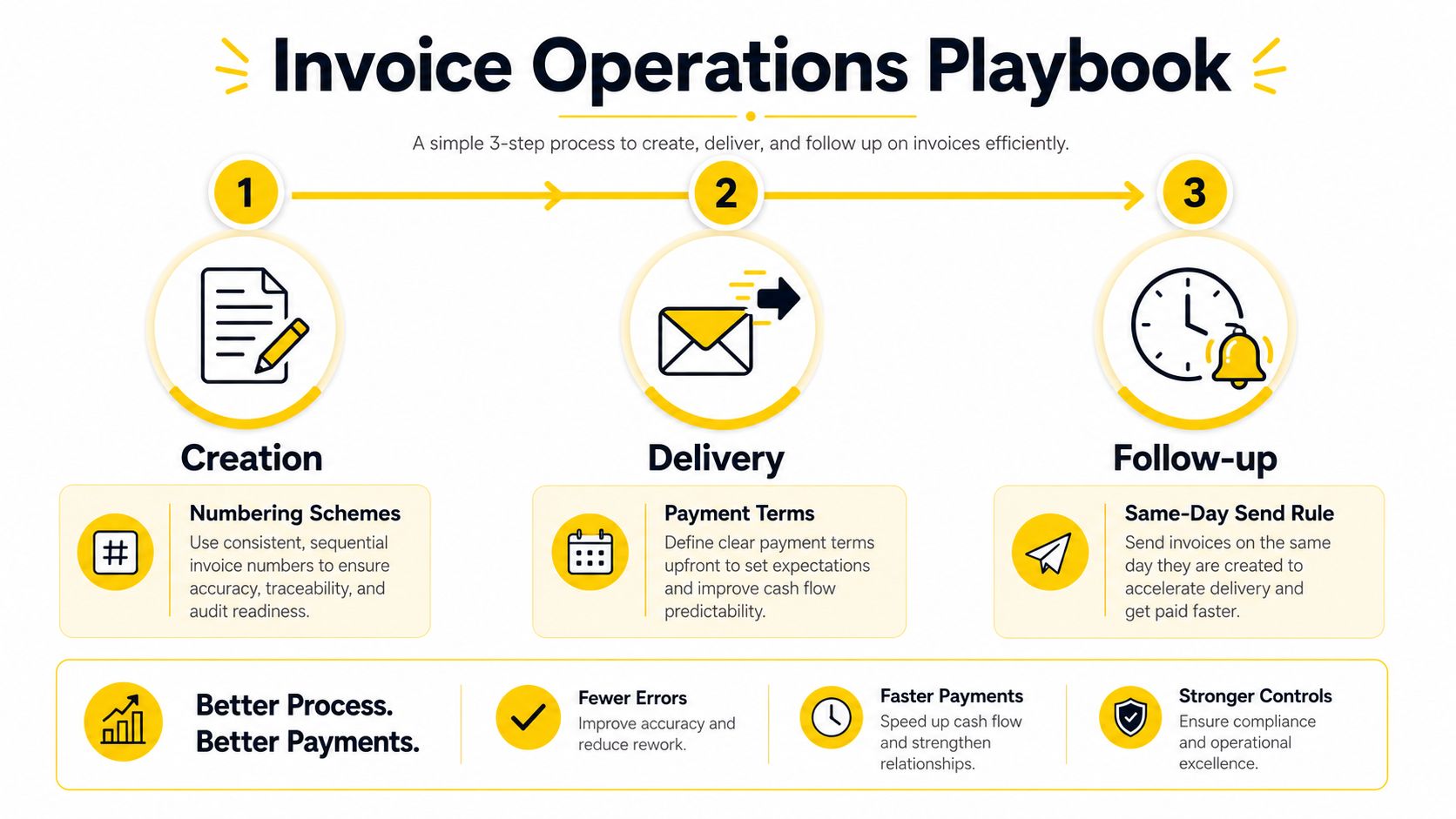
A clean numbering system, a default payment term, and a same-day send habit do more than keep records tidy. They shorten the gap between finished work and collected cash, which is the part that matters in the field.
If the invoice also needs to feed your records, tie the completed job back to your customer file in a service industry CRM workflow. That keeps billing history, reminders, and notes in one place instead of scattering them across separate tools.
A standalone template works. A template tied to scheduling and CRM tools does more, because job completion can become invoice creation without another manual pass. Once a cleaner marks the visit complete, that status can trigger the invoice, push it into accounting, and send it by email or SMS.
The simplest integration map is straightforward: job complete in the scheduler, invoice created from the template, record pushed to the CRM or bookkeeping tool, and the invoice delivered through the channel the client checks. That setup turns automation into an admin saver instead of a tech project that adds another system to babysit.
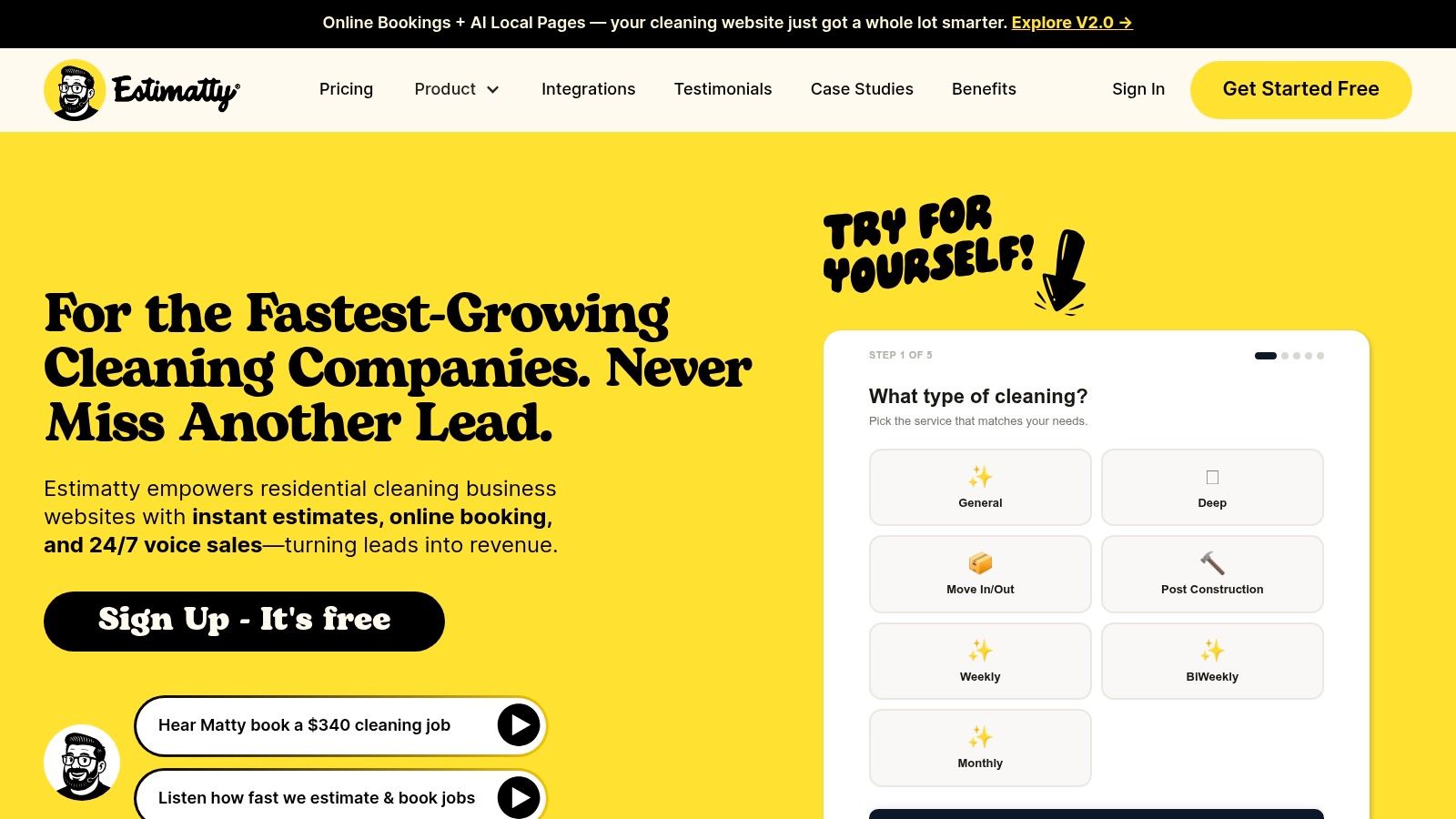
For teams that want a cleaner handoff from estimate to invoice, a tool like Estimatty can move estimate data into the invoice pipeline so square footage, surfaces, and add-ons do not need to be retyped. That matters when the estimate starts in the scheduler or CRM and the invoice should follow from the same job record. It cuts re-entry errors and keeps the scope consistent from quote to payment request.
A practical way to set it up is to make the invoice template read from the approved estimate, then only finalize invoice-specific fields such as the invoice number, date, and due date. That lets crews and office staff work from one source of truth instead of copying the same line items into two places. It also keeps change orders visible, which is where a lot of payment disputes start.
If you already run a service CRM, do not let the invoice sit on its own. Push the completed job back into the customer record so billing history, reminders, and notes stay together, which is the same idea covered in service industry CRM. Once the template and CRM share the same record, you can add reminder automation without hunting through separate tools. A point-based rewards tool for salons can sit beside that workflow if you also want repeat-service incentives tied to the same client file.
The choice between no-code and a deeper CRM setup usually comes down to volume and complexity. A small team can do well with a simple trigger-and-send flow, while a larger operation benefits from tighter field mapping, approval routing, and reminder logic that stays tied to one customer record. The trade-off is setup time versus fewer corrections later. If the team books recurring work, the cleaner route usually pays off faster because the same customer gets invoiced the same way every time.
The benefit is consistency. Every invoice comes from the same source, lands in the same place, and follows the same follow-up path, which reduces the chance that payment gets lost between tools.
A cleaning invoice template earns its keep when it does five jobs every time. It identifies the business, identifies the client, defines the scope, shows the math, and states how payment works. If it misses any one of those, it is only a form. It has not become a control document yet.
Use this as the working checklist.

A practical template also has to preserve the original job scope. That is why the estimate form templates approach matters, because it gives you a clean way to carry approved line items into billing without rebuilding the document from scratch. If you also run repeat-client offers, a point-based rewards tool for salons like BonusQR's loyalty card software can sit beside that workflow without forcing your office to manage another disconnected system.
A clean rollout keeps the process from drifting. Finalize the fields first, lock the numbering and payment terms next, draft the four job-type wordings, connect one automation trigger, send a test invoice through the full path, set your reminder cadence, and review what slowed down the first week. If you want the estimate side and invoice side to work as one system, Estimatty can feed cleaning estimates into that workflow without manual re-entry.