September 8, 2026
How Much Should a House Cleaning Cost in 2026
How Much Should a House Cleaning Cost. Learn how much a house cleaning should cost in 2026, with real pricing ranges by home size, service type, and tips

Monday, June 15, 2026
Unlock growth with a service industry CRM. Learn key features, workflows, and ROI for your cleaning business, plus how to select and implement the right tools.
A lot of cleaning owners find out they have a lead problem when they think they have a staffing problem.
The phone rings after hours. A prospect leaves a voicemail asking for move-out cleaning this week. The office is busy the next morning, someone means to call back, and by the time the callback happens, the customer already booked with the company that answered first. Nothing was technically broken. But the job is gone.
That's where a good service industry CRM starts to matter. Not as a fancy contact database, and not as a dashboard your team checks once a week. In a cleaning business, it's the operating system for how inquiries get captured, organized, priced, scheduled, followed up, and turned into repeat work.
If you're still relying on voicemail, missed-call texts, or a basic web form, you're leaking revenue at the top of the funnel.
Cleaning prospects usually aren't looking for a long sales process. They want to know three things fast. Can you help, how much will it cost, and when can you come? If your system can't move quickly, the lead doesn't sit patiently in your pipeline. The lead hires someone else.
I've seen owners spend a lot of time comparing CRMs while ignoring the first failure point. The prospect never got a fast answer in the first place. A spreadsheet can hold names and phone numbers. It cannot standardize intake, keep service history connected, route follow-up cleanly, or help your office team respond the same way every time.
The category itself tells you this isn't a passing software fad. The global CRM market is projected at USD 82.43 billion in 2025 and USD 163.16 billion by 2030, with a 14.6% CAGR, according to Grand View Research's CRM market outlook. The same source notes Gartner identified CRM as the world's largest software market back in 2018. Serious businesses already treat CRM like core infrastructure.
That matters for cleaning companies because speed wins work.
If your current setup depends on someone hearing a voicemail, writing details on a sticky note, and later trying to build an estimate from memory, you don't have a sales process. You have a delay.
For a cleaning business, a service industry CRM should do more than store contacts:
If after-hours lead handling is still weak, this article on 24-hour phone answering for cleaning companies is worth reviewing because it addresses the front-end gap many owners underestimate.
A CRM helps only after the lead enters the system. If your intake is slow, your CRM becomes an organized record of missed opportunities.
Many cleaning companies know they need CRM software. The mistake is assuming a generic sales CRM will solve the actual problem.
Most standard CRMs are built around a broad sales pipeline. Lead. Contacted. Proposal sent. Closed won. Closed lost. That sounds fine until you look at how cleaning companies sell. In this business, the sale often hinges on how quickly and consistently you can produce an estimate, answer practical questions, and move the customer toward booking.
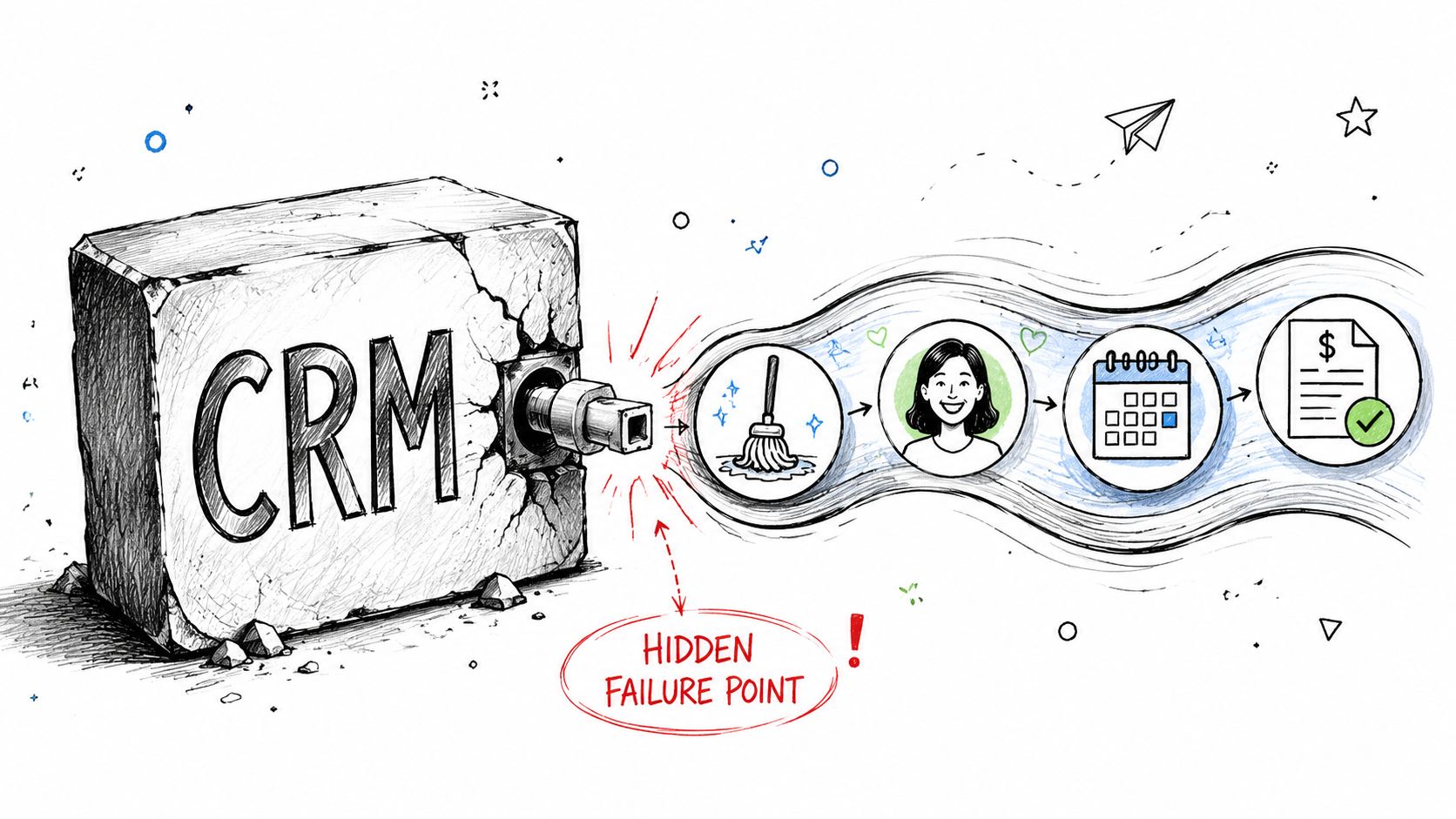
Generic CRM advice breaks down. Mainstream content usually talks about contact management, automations, and reporting. It spends far less time on pricing and estimate governance, even though that's one of the most important operational choke points for service businesses. Monday.com's service CRM analysis specifically highlights that gap and points out how inconsistent, manual, after-hours pricing can create revenue leakage.
For a cleaning company, the sales workflow is not separate from estimation. It is estimation.
That's why many owners feel disappointed after buying a CRM. The software may log calls nicely. It may assign tasks. It may even produce clean reports. But if the office manager gives one estimate, the owner gives another, and the weekend caller gets no response until Monday, the CRM didn't fix the bottleneck.
The failure usually shows up in a few predictable ways:
A generic CRM can still be useful. But by itself, it usually won't solve the part that matters most for cleaning profit. The front-end has to collect the right information and apply the right estimate logic before the CRM can do its job well.
Owners often look for dramatic failures. In practice, the damage comes from ordinary moments.
A lead form with no urgency routing. A callback delay. A handwritten note that leaves out square footage. A team member who rounds down because they don't want to scare off the customer. Another who rounds up because they remember a difficult home from last week. Those aren't software errors. They're process errors.
Generic CRMs organize activity. Specialized front-end systems prevent estimate chaos.
That distinction matters. If your intake and estimate process isn't standardized, the CRM is downstream from the problem.
A cleaning business doesn't need the longest feature list. It needs the right stack of functions tied to daily operations.
The most important design principle is unified customer data. NetSuite's CRM overview describes unified customer data across sales, service, and billing as the highest-value pattern because it creates a single source of truth for workflow automation, consistent service delivery, and more accurate analytics. In cleaning, that means the office, the field team, and billing all work from the same customer record instead of three partial versions.
Your CRM should let your team see the full customer story without jumping across apps or message threads.
That includes:
If your office has to ask returning customers the same questions repeatedly, your system is weak.
| Need | Generic Sales CRM Feature | Cleaning Business Must-Have |
|---|---|---|
| Lead intake | Basic contact form capture | Structured intake for property, service type, urgency, and estimate details |
| Communication | Email logging | Unified log for calls, SMS, email, and job-related notes |
| Pipeline | Deal stages | Workflow tied to estimate, booking, scheduling, service, and follow-up |
| Mobility | Mobile contact access | Field-ready app for job notes, updates, and status changes |
| Billing context | Separate finance sync | Customer view that connects service history and billing activity |
| Repeat work | Sales reminders | Recurring service tracking, reminders, and reactivation follow-up |
A lot of software demos look polished because they show ideal conditions. Real cleaning companies deal with reschedules, locked doors, same-day requests, and field updates from phones.
Here's what helps:
A strong booking and intake process also matters before the CRM takes over. This guide to online booking software for cleaning businesses is useful if you're tightening the front end and want fewer manual handoffs.
The best CRM record for a cleaning client is not a digital Rolodex. It's an operating file your office and field team can both trust.
Some tools sell owners on complexity they won't use.
Be careful with heavily customizable systems that require constant admin work, overbuilt dashboards nobody checks, and automations that break every time your process changes. If your office manager avoids the software because it feels like data entry punishment, adoption will collapse.
The best service industry CRM for cleaning is the one your team can use quickly, consistently, and with minimal cleanup work.
Most cleaning businesses don't need more software layers. They need a cleaner path from inquiry to scheduled work.
That starts with accepting one reality. Small service teams work in the field, in transit, and after hours. Generic CRM advice often misses that. BigContacts' discussion of service CRM for small teams points to the practical need for a faster front-door system that captures details, responds instantly, and routes qualified leads into the CRM without manual work.
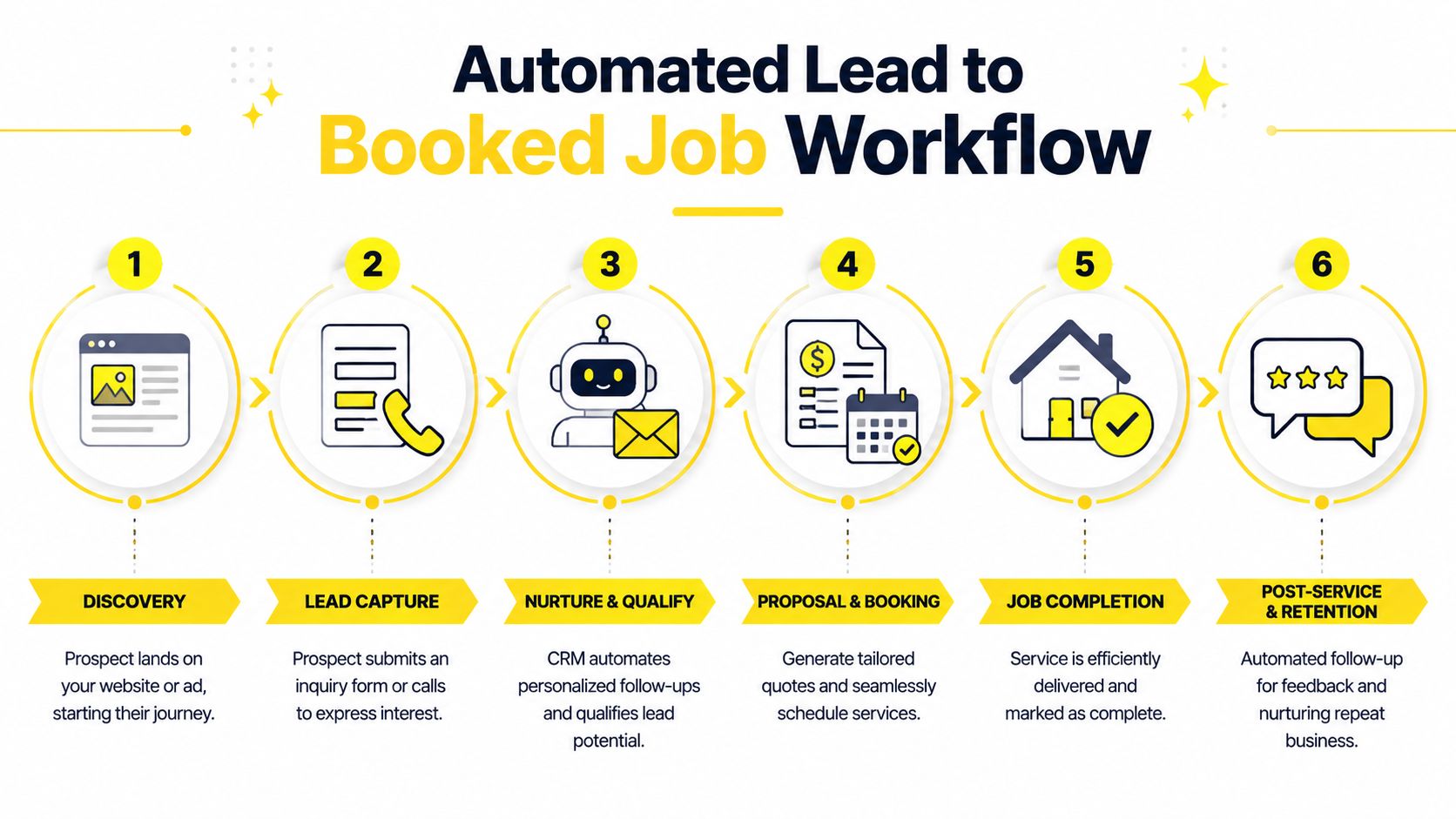
A healthy workflow feels simple to the customer and controlled on the back end.
Discovery
A prospect clicks your ad, lands on your website, or calls from a Google Business Profile.
Front-end capture
Instead of dumping the lead into voicemail or a vague contact form, the system gathers usable details right away. Property type, service type, frequency, urgency, square footage, and add-ons all matter.
Instant estimate logic
The prospect gets an estimate quickly, using your pricing rules instead of staff guesswork. From this, consistency starts.
CRM handoff
The qualified lead enters your CRM with the estimate details attached, not as a blank contact record.
Operations execution
The CRM handles scheduling, reminders, assignment, service notes, and status updates.
Follow-up and retention
After the job, the customer gets review prompts, rebooking communication, and follow-up based on service history.
The key shift is that the CRM stops being the first place information appears. It becomes the system that manages a qualified, structured opportunity.
That change fixes three expensive problems at once:
If you want a useful outside perspective on building a stronger inbound process, The Cherubini Company has a practical guide to creating a lead machine that fits well with service businesses trying to reduce lead waste.
I've seen owners try to patch this together with too many manual steps. Website form goes to email. Email gets copied into a CRM. Office staff calls later. Notes are retyped into scheduling software. By then, speed is gone and errors are already in the record.
A better workflow removes duplicate entry.
The front door should collect, qualify, and route. The CRM should manage, schedule, and retain.
That's also why AI and automation are becoming more useful on the intake side than in flashy reporting layers. If you want to think through how this changes sales operations in cleaning, this article on AI sales automation for cleaning services is worth reading.
Before a lead reaches the CRM, your system should already know enough to make that record useful.
At minimum, the handoff should include:
That's how a service industry CRM becomes profitable. Not because it stores more names, but because it receives better inputs and drives the rest of the workflow without friction.
Most owners evaluate software the wrong way. They ask what it costs per month instead of what it fixes per day.
That leads to bad decisions. A cheaper tool that still leaves missed inquiries, inconsistent estimates, and admin cleanup in place is often more expensive operationally than a stronger system.
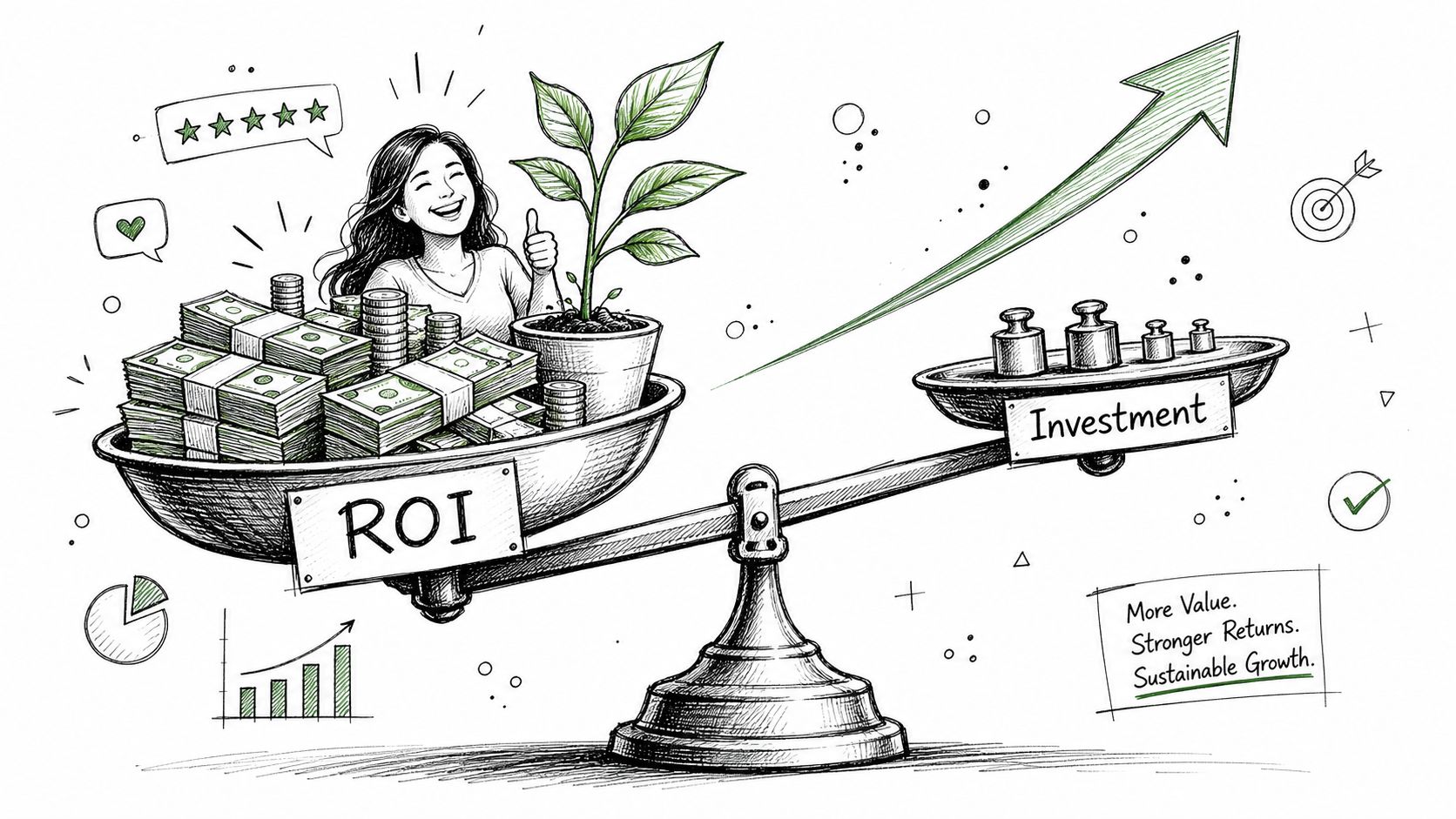
The ROI of a better service industry CRM stack usually shows up in three buckets.
Faster responses usually lead to more booked work. Standardized estimates also protect revenue because your team isn't underpricing one job and overcomplicating the next. Add-ons are easier to present when your intake captures the right scope up front.
Office staff spend less time chasing missing details, re-entering data, and hunting through text threads. That doesn't always mean reducing headcount. Often it means your team can handle more lead volume without adding headcount.
Cleaning businesses live on repeat service, referrals, and renewals. Follow-up systems, clean communication logs, and a consistent customer experience all support retention.
Salesgenie's CRM statistics roundup reports that a properly implemented CRM can deliver ROI exceeding 245%, and that companies effectively using CRM tools see a 27% increase in customer retention. For cleaning companies, retention isn't a vanity number. It changes route density, scheduling stability, and lifetime customer value.
Use a simple worksheet before you buy anything:
You don't need a perfect finance model. You need a clear view of friction.
Practical rule: If your team is still manually gathering lead details, manually building estimates, and manually pushing everything into a CRM, you haven't automated the expensive part.
Don't overvalue vanity features. A prettier dashboard is not ROI. More tags are not ROI. A giant pipeline board nobody updates is not ROI.
True return comes from booked jobs, cleaner handoffs, fewer pricing mistakes, and stronger retention. If a system does those things, it earns its place quickly. If it only improves reporting while your voicemail still collects warm leads overnight, the return will disappoint.
The best stack is the one your team will use on a Wednesday afternoon when schedules are changing and phones are ringing.
That means choosing for operational fit, not brand prestige. A large platform with endless features can be worse than a simpler setup if your office staff avoids it or your field team won't update it from their phones.
Start with a short checklist.
If you're comparing field-service-style platforms, this breakdown of Housecall Pro vs Jobber vs ZenMaid can help frame the trade-offs.
A messy implementation usually happens when owners try to migrate everything in one weekend.
Use a crawl, walk, run approach:
Crawl
Start with lead intake, estimate handoff, and contact records. Make sure new inquiries enter the system correctly.
Walk
Add scheduling, reminders, and team usage standards. Decide who updates what and when.
Run
Layer in review requests, reactivation campaigns, reporting, and deeper automations once the basics are stable.
This walkthrough is useful if you want to see a front-end booking experience before mapping the rest of the system.
Your CRM is one part of a broader system. Cleaning businesses also need scheduling, payroll support, hiring workflows, and training processes. If hiring is a bottleneck, tools and resources from pipehirehrm.com can help round out the people side of operations.
If budget is tight, it's smart to review lightweight options before committing to a larger platform. Solo AI Website Creator has a helpful guide to free CRM for entrepreneurs that can help smaller operators evaluate the floor before they shop for the ceiling.
One warning. Don't confuse “free” with “cheap to operate.” If your free stack creates manual work, it can still cost you more in labor and missed jobs than a paid system that removes friction.
A CRM setup only matters if the numbers inside it reflect healthier operations.
For cleaning companies, I'd watch a small set of metrics closely and review them consistently. Not because dashboards are exciting, but because they show where revenue is slipping.
Don't look at these in isolation. If response time improves but estimate-to-booking stays weak, your pricing logic or intake quality may be the issue. If booking improves but lifetime value stays soft, your follow-up and recurring service systems probably need attention.
For cleaning owners who want to sharpen attribution, this guide to lead source tracking is a good next read because it helps tie growth back to actual channels instead of guesswork.
A strong service industry CRM should help you answer simple questions fast. Where did this lead come from, how quickly did we respond, what estimate did we give, did it book, and did the customer come back?
If you keep your eye on those fundamentals, the CRM becomes more than software. It becomes a control panel for profit. For broader operational ideas, the ongoing articles at estimatty.com/blog and get.pipehirehrm.com/blog are worth following.
If your cleaning company is losing leads before the CRM ever has a chance to help, Estimatty is built for that front-end gap. It captures inquiries around the clock, gives fast and consistent estimates, and routes cleaner lead data into your workflow so your team can spend less time chasing details and more time booking profitable jobs.