
September 29, 2026
Commercial and Residential Cleaning in 2026
Compare commercial and residential cleaning markets in 2026. Explore pricing, staffing, compliance, and how AI estimators streamline operations.

Tuesday, July 7, 2026
Discover the best job management software for your cleaning business. Get features, benefits, & AI estimator integration for instant estimates.
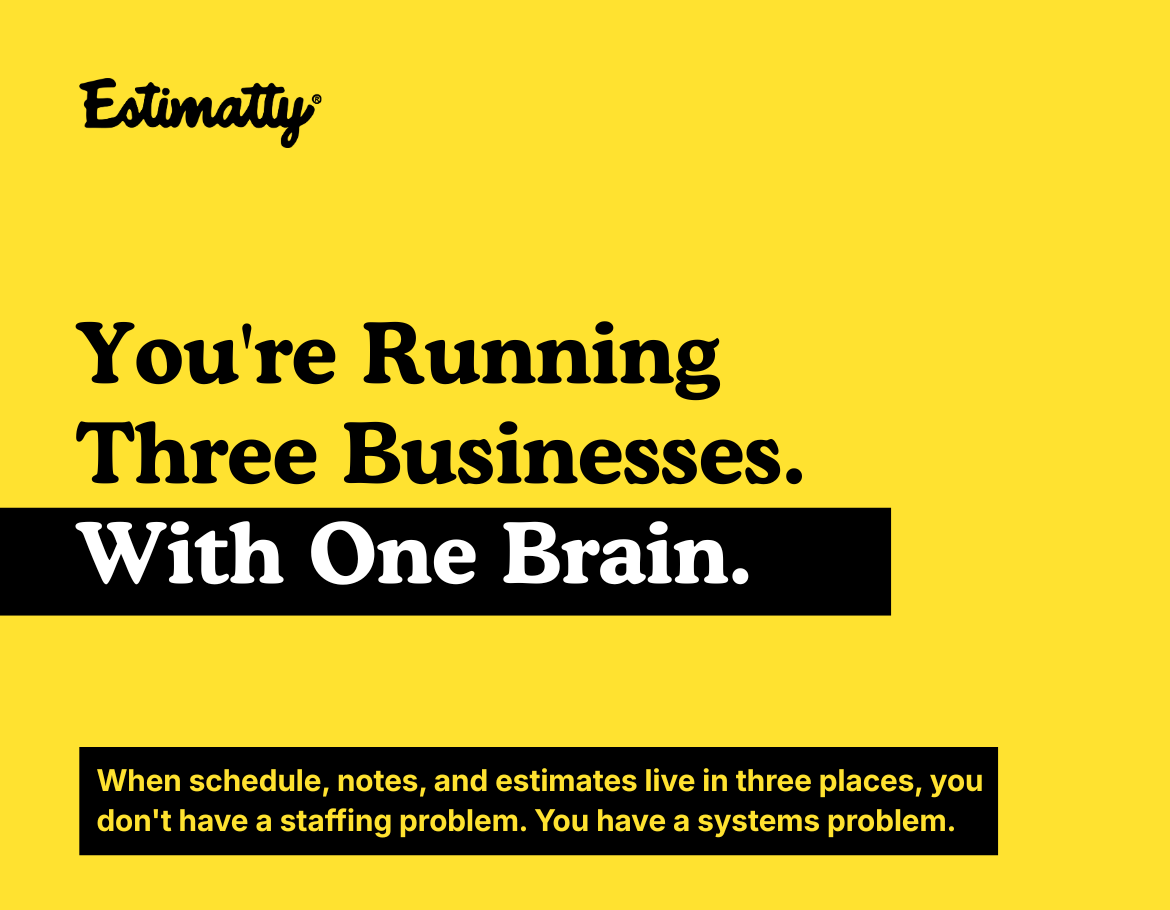
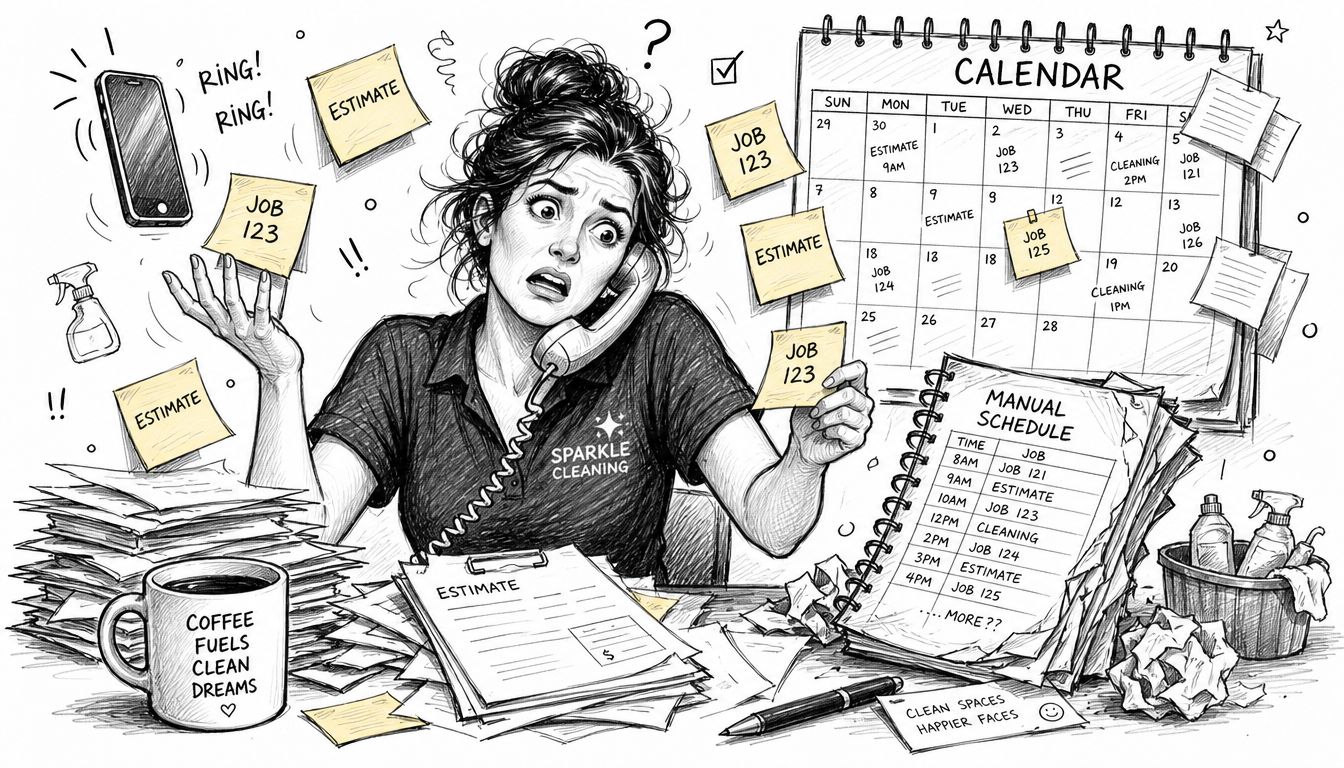
The day usually starts the same way. A prospect calls while you're confirming today's first clean, someone on your team texts that they're running late, and a repeat client wants to add a fridge and two bathrooms to an existing booking. You scribble details on paper, promise an estimate after lunch, and update a spreadsheet you'll probably reopen six times before the day ends.
That setup works for a while. Then it starts leaking money.
Leads sit too long without a response. Pricing changes from one office admin to another. Field notes live in text threads, not in one system. A cleaner shows up without the gate code, the special instructions, or the add-ons the customer thought were included. None of this feels dramatic in the moment. It just keeps shaving margin off every week.
A lot of cleaning companies don't realize they're running three separate businesses at once. One is sales, where inquiries come in by phone, web form, text, and referral. One is operations, where jobs need to be assigned, tracked, and completed correctly. The third is admin, where estimates, invoices, follow-ups, and payroll notes somehow need to stay connected.
When those pieces live in notebooks, inboxes, spreadsheets, and memory, the owner becomes the system. That's fine until the owner gets busy, sick, or fully maxed out.
Job management software fixes that by giving your business one operating hub. It holds customer records, job details, scheduling, team communication, status updates, invoicing, and reporting in one place. Instead of asking, "Who has the latest version?" you work from a single source of truth.
This isn't a niche trend. The task management software market was valued at USD 5.71 billion in 2025 and is projected to reach USD 19.84 billion by 2034, with a CAGR of 14.84%. That growth reflects a broad move away from manual workflows and toward automated digital operations.
Cleaning businesses aren't exempt from that shift. They're right in the middle of it.
Practical rule: If your schedule, customer notes, and estimates live in different places, you don't have a staffing problem first. You have a systems problem.
The owners who tighten this up usually don't start by chasing fancy features. They start by getting control. They want fewer dropped details, fewer double-bookings, and fewer late-night catch-up sessions fixing tomorrow's route.
A strong service business software setup gives you that control. More importantly, it gives you a base you can actually grow on. Without it, every new cleaner, every new zip code, and every extra truck adds complexity faster than revenue.
Think of job management software as a digital operations manager that never clocks out. It doesn't replace your judgment. It replaces the scattered handoffs that cause mistakes.
For a cleaning company, that means the system stores the customer, the property, the service history, the estimate details, the scheduled appointment, the crew assignment, the completion notes, and the invoice trail together. The right software keeps each part connected so your office isn't rebuilding the same information over and over.
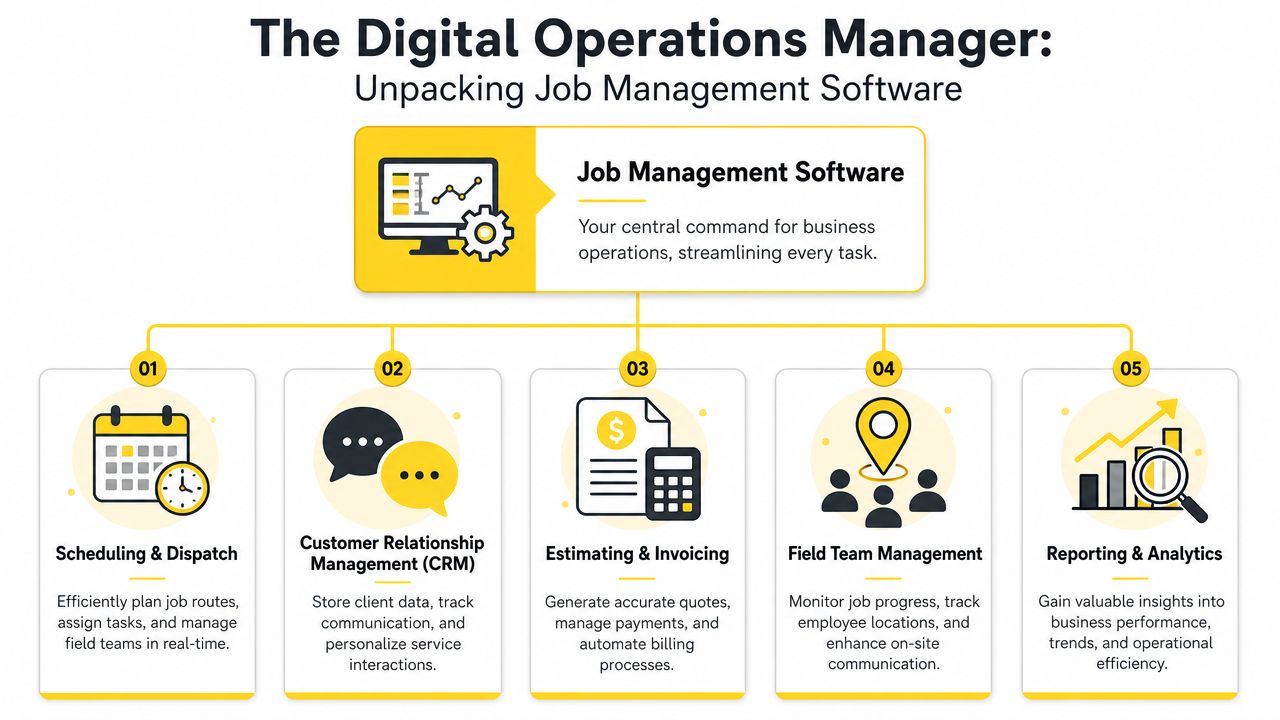
Some platforms bury the essentials under bloated feature menus. In practice, most cleaning businesses care about five things.
Scheduling and dispatch
This is where the day gets built. You assign recurring cleans, move appointments when cancellations hit, and make sure the right team goes to the right property with the right service notes.
CRM and customer records
Good software keeps gate codes, pet notes, preferred arrival windows, add-on history, and billing details attached to the account. That reduces service inconsistency and cuts down on back-and-forth.
Estimates and invoicing
This part should move cleanly from approved estimate to scheduled job to final invoice. If your team has to retype job details at each step, errors creep in fast.
Field team management
Cleaners need a simple mobile view. They should see where to go, what to do, what changed, and how to mark the job complete without calling the office for every update.
Reporting and analytics
You need visibility into completed jobs, cancellations, team workload, and which services create the most friction.
A prospect asks for a move-out clean. Your office captures square footage, condition, urgency, and service extras. Once the estimate is approved, the software creates the job, assigns a team, pushes directions to the mobile app, and keeps the notes attached from start to finish.
That matters because cleaning work is detail-sensitive. "Inside oven" missed on a note can become a callback. "Use back entrance" missed on dispatch can turn into a delay. "Customer wants fragrance-free products" missed by the field team can cost you the account.
The best systems don't just organize office work. They reduce the number of times your team has to guess.
Some tools are really calendar apps dressed up as operations software. Others are built for trades with different workflows and feel clunky in residential cleaning. If the mobile app is slow, your field team won't use it. If customer notes are hard to find, your office will revert to texting. If estimate data doesn't flow into scheduling, you'll keep duplicating work.
The primary test is simple. Can your office and field team run the day from the same system without creating side channels?
If the answer is no, the software isn't managing jobs. It's just storing pieces of them.
Cleaning companies don't win by owning more software. They win by reducing friction in the jobs they already perform every day.
That's where job management software earns its keep. The value isn't theoretical. It shows up in fewer mistakes, cleaner handoffs, tighter routing, and better customer follow-through.
When job notes sit in one system and tasks are assigned automatically, details stop falling through the cracks. SafetyCulture notes that job management software reduces operational errors and project delays by 25–30% through centralized job data tracking and automated task assignment.
In a cleaning business, that looks like fewer missed add-ons, fewer wrong-day dispatches, and fewer "we didn't know that was included" conversations.
A callback is rarely just a callback. It's extra labor, extra drive time, extra admin, and often a dent in trust.
Most owners can deliver a solid customer experience themselves. The hard part is getting three, five, or ten cleaners to deliver it the same way. Job management software helps because it standardizes the handoff.
A strong system gives every crew the same checklist, service notes, access instructions, and scope reminders. That makes quality less dependent on memory.
Here are the practical gains cleaning owners usually notice first:
Service notes stay attached to the job
Teams stop relying on screenshots and text chains to remember what matters at each property.
Recurring work gets easier to manage
Weekly and biweekly clients don't need to be rebuilt manually each time.
Billing follows the work
Completed jobs flow into invoicing faster, which reduces the lag between service delivery and payment collection.
Owners spend less time firefighting
The office can answer customer questions quickly because the information is already there.
For businesses comparing systems, this house cleaning booking software guide is useful because it helps frame software around actual booking and workflow needs, not just generic features.
Software also makes capacity visible. You can see when one crew is overloaded, when a route is inefficient, or when a "quick job" keeps expanding beyond the time block you assigned.
A messy schedule doesn't only create stress. It hides which jobs are profitable and which ones keep eating time.
That visibility helps you make better decisions about which clients to keep, where to tighten service areas, and when it's time to add another cleaner instead of squeezing one more job into an already broken day.
Most job management software starts working after the customer says yes. That's useful, but it misses the place where many cleaning companies lose the most money.
They lose it before the job exists.
The usual failure point isn't scheduling. It's the delay between inquiry and estimate. A prospect calls during a busy afternoon, leaves details on voicemail, and waits. Someone from the office follows up later, asks the same questions again, gives a rough estimate, and hopes the price is close enough. By then, the lead has often moved on.
Aspire highlights a major problem here. The gap between job scheduling and instant pricing automation is critical, and 68% of cleaning companies lose revenue due to slow or inconsistent quoting. In cleaning, that means a lot of businesses have solid tools for managing won work but weak systems for winning work.
That mismatch creates a false sense of control. Owners invest in dispatch, route planning, and invoicing, then wonder why revenue still feels lumpy. The front end is still manual.
Traditional platforms usually help with these tasks:
What they often don't do well is capture a lead instantly, ask the right pricing questions, return a consistent estimate, and move that accepted estimate straight into operations without office intervention.
If a prospect has to wait for your estimate, your software isn't helping at the point where speed matters most.
That's why owners should look beyond the scheduling screen. The key question isn't only, "Can this system run my jobs?" It's also, "Can this system help me stop losing work before it gets booked?"
If you're rethinking that front-end experience, this piece on automating customer service for service businesses is worth reading. It connects the sales response problem to the operations issues many owners assume are separate.
At 8:30 p.m., a property manager needs a move-out clean priced before morning. If your site sends that lead into a contact form and your office replies the next day, you're giving slower competitors a chance to win on speed alone. The stronger setup captures the request, prices it consistently, and pushes accepted work straight into operations without anyone copying details between tools.
A cleaning business that wants control needs more than scheduling software. It needs a connected stack that does two jobs well. First, it helps win the work. Then it helps deliver the work.
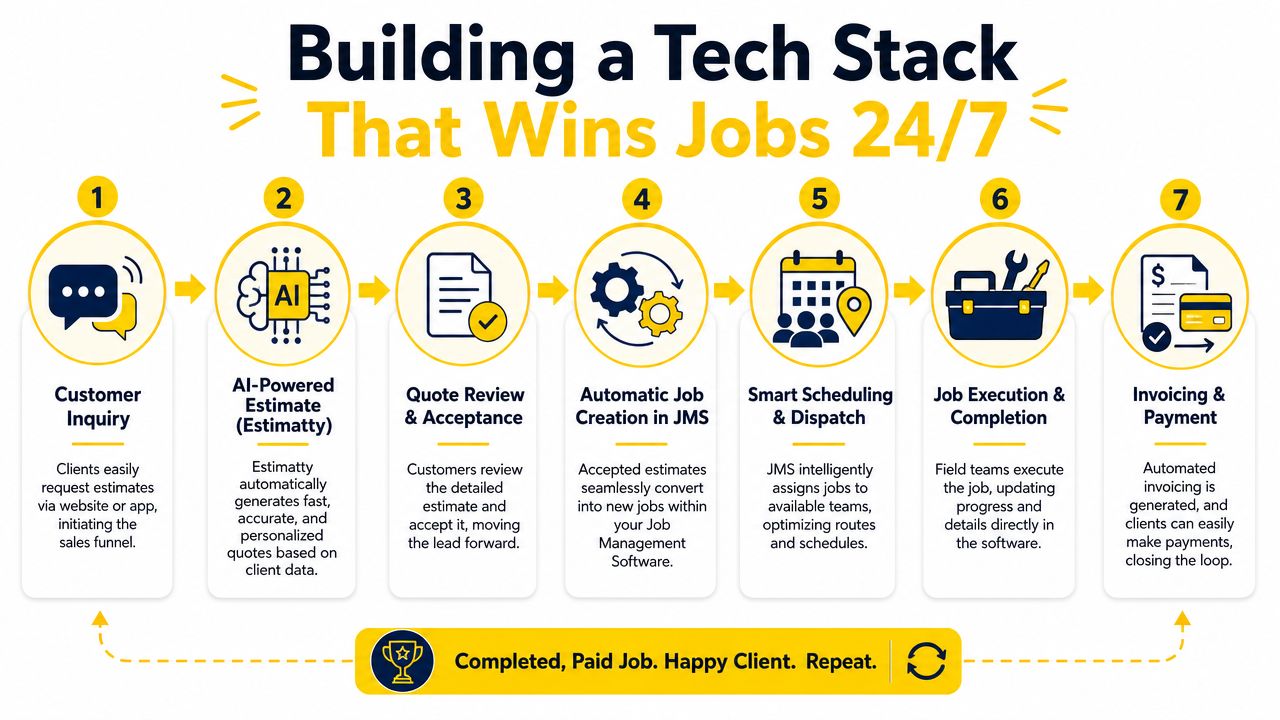
A prospect lands on your website after hours or calls while the office is busy. Instead of waiting in voicemail or sitting in an inbox, they answer a structured intake detailing property type, size, service level, frequency, and any add-ons. The system sends an estimate by text and email right away. Once the customer approves, the job details move into your job management software so the office can schedule without retyping the scope.
That is the difference between software that manages booked work and a system that helps book it.
For cleaning companies, speed only works if pricing stays consistent. If one admin quotes by square footage, another quotes by bedroom count, and a third adds extras from memory, margins get sloppy fast. Standardized estimate logic fixes that problem before the job ever reaches the calendar. If you're tightening that pricing logic first, this cleaning cost calculator guide is a useful place to start.
A fast quote helps, but the handoff is where many setups break.
I've seen owners add online forms and auto-responses, then keep a manual step in the middle. Someone still has to read the inquiry, copy customer details, build the job, assign the service code, and message the team. That creates delays, introduces data entry mistakes, and causes small misses that turn into expensive cleanup later. Wrong service duration. Missing lockbox note. Add-on not passed to the crew. Underpriced first clean.
A working stack connects these pieces:
Lead capture
Website forms, call flows, and after-hours requests should feed one intake process.
Estimate delivery
Prospects should get a clear quote they can review and approve from a phone.
Job creation
Approved estimates should create or update the customer record, service details, and job information automatically.
Scheduling and execution
Dispatch should see new work immediately and assign the right cleaner based on location, skill set, and availability.
Follow-up and payment
Completed jobs should move into invoicing, reminders, and retention follow-up from the same record.
Feature count is not the main issue here. Connection is. Direct integrations, API access, CRM sync, and reliable mobile alerts are what turn separate apps into one operating system for the business.
Growth exposes weak systems fast. Ten extra quote requests per week can bury an office that still prices jobs by hand. Ten extra booked jobs can create scheduling errors if accepted work has to be entered twice.
The right stack lets volume rise without forcing you to add admin labor at the same pace. Leads get answered while the office is closed. Estimates follow the same pricing rules every time. Accepted work lands in operations ready for review and scheduling. That is how a cleaning company gets out of spreadsheet mode and builds a sales-to-operations process that runs all day, every day.
A lot of software demos look polished. That's not the same as being useful in a working cleaning business.
The right platform is the one your office will use, your field team won't fight, and your other systems can connect to without custom duct tape. Buying based on brand familiarity alone usually leads to compromises that show up later in scheduling friction, poor mobile adoption, or broken estimate handoffs.
Start with your day-to-day reality. Residential recurring cleans, move-outs, deep cleans, and commercial contracts don't all need the same workflow. The software should fit the way your jobs are sold, scheduled, and completed.
Look especially hard at mobile usability. If cleaners can't pull up notes, update status, or confirm completion quickly, the office ends up doing manual cleanup work all over again.
Buyer check: Ask every vendor to show the exact path from new customer inquiry to completed invoice. If they jump between tabs and workarounds during the demo, your team will too.
| Feature/Criterion | Importance (High/Med/Low) | Notes / Questions to Ask |
|---|---|---|
| Ease of use for office staff | High | Can a dispatcher learn it quickly without building side spreadsheets? |
| Mobile app quality | High | Can cleaners access notes, mark jobs complete, and see updates in real time? |
| Customer record depth | High | Does it store gate codes, add-ons, preferences, and service history clearly? |
| Scheduling flexibility | High | Can you handle recurring visits, one-time cleans, route changes, and last-minute reschedules? |
| Estimate to job workflow | High | Can approved estimates become jobs without retyping details? |
| Invoicing workflow | High | Does billing follow completed work smoothly, or does the office need manual reconciliation? |
| Reporting visibility | Med | Can you track team workload, completed jobs, cancellations, and service patterns? |
| Integration options | High | Does it connect through Zapier or direct API to the other tools you rely on? |
| CRM compatibility | Med | Can it sync with your lead and customer communication systems? |
| Support and onboarding | Med | What happens when your office gets stuck during setup or rollout? |
One smart comparison point is how well the software fits into your broader tool stack, especially if you're also evaluating customer-facing systems. This roundup of the best cleaning app options is a useful companion when you're narrowing your shortlist.
No platform is perfect. Some are stronger on dispatch and weaker on CRM. Others look great for sales teams but feel thin for field management. The key is to choose based on your biggest operational pain, then make sure integrations cover the rest.
For most cleaning companies, the must-haves are clear: clean scheduling, reliable mobile access, strong customer records, and the ability to connect estimate automation to operations.
It's 8:15 p.m. A homeowner requests a quote for a deep clean. No one in the office sees it until morning. By then, a faster competitor has already sent a price, answered the customer's questions, and booked the job. That loss had nothing to do with your cleaners or your schedule. It happened because the front end of the business still depends on manual follow-up.
That is the next problem to fix.
Many owners buy job management software and expect it to solve growth. It will help you run the work you already sold. It will not fix slow estimate turnaround, inconsistent quoting, or leads that sit untouched after hours. If you want a cleaner operation and more booked work, build the system from the first inquiry through the finished job.
Start by tracing one lead from start to finish. Look at where the request comes in, who prices it, how that price gets approved, and how the job lands on the schedule. If your team retypes customer details, checks price sheets by hand, or waits for one person to send every quote, you have a sales bottleneck hiding inside an operations problem.
The first handoff matters most. A prospect asks for pricing. Your business either responds quickly with a clear, consistent estimate, or it gives that lead time to keep shopping.
A broader guide to business process automation is useful for mapping those handoffs and deciding what should be automated versus what still needs human review.
For cleaning companies, the strongest setup connects instant estimating to the rest of the workflow. Lead comes in. The customer gets a price by SMS and email. If they accept, the job details pass into scheduling without another round of data entry. The office stops chasing paperwork and starts handling exceptions, upsells, and service quality.
That is how an automated business works. It does not just organize jobs better. It helps win them faster, standardize pricing, and move accepted work straight into operations with fewer missed leads and fewer manual errors.
If you want a faster way to turn inquiries into booked work, Estimatty gives cleaning businesses a 24/7 AI-powered estimate system that captures lead details, delivers instant estimates by SMS and email, and helps standardize pricing before the job ever hits your schedule.