
October 7, 2026
A Quote on Consistency and Success for Cleaning Businesses
Discover a powerful quote on consistency and success tailored for cleaning professionals, with practical tips to apply it to marketing and teams.

Sunday, October 4, 2026
Compare top Housecall Pro alternatives for cleaning businesses. See features, pricing, and which tool fits your team best, including Estimatty

You're probably not leaving Housecall Pro because it stopped working. You're leaving because your cleaning company has outgrown the workflow it was designed to support. Recurring residential routes, access instructions, rotating add-ons, fast estimates, and crew profitability don't fit neatly into a generic service-call system.
The right Housecall Pro alternative depends on how your business operates, not which software has the longest feature list. A solo cleaner needs speed and simplicity. A small team needs dependable recurring scheduling and payment collection. A multi-crew operation needs stronger dispatch, reporting, and cost control. Some owners need a complete field-service-management replacement. Others only need a faster estimating layer.
Housecall Pro remains a recognizable option for home-service businesses, but cleaning companies often reach its limits in three places.
First, the monthly cost can become harder to justify as the team grows, particularly when essential capabilities sit behind higher plans, user limits, or add-ons. Second, many field-service platforms are organized around one-off service calls, dispatching, and completion. Cleaning companies often run a different model, with recurring contracts, multiple service frequencies, rotating tasks, key-holder access, and route density determining profitability.
Third, customers increasingly expect a quick answer after submitting a cleaning inquiry. A slow callback or manual estimate gives another company time to respond first. An estimate should give a customer a clear likely price based on available information, while a quote is a fixed-price offer that becomes binding once accepted. Estimatty explains this distinction in its guide to home cleaning software, and the difference matters when you're deciding which system should handle lead intake.
The market is large enough that owners have real choice. One market report projects the global field-service software market to grow from USD 2,859.33 million in 2026 to USD 7,089.59 million by 2035, a projected 10.5% CAGR over that period, while the home-services-management-software segment is projected to rise from USD 596.67 million to USD 1,287.91 million over the same period, with an 8.9% CAGR. (Market Growth Reports)
Practical rule: Choose around recurring-job intensity, route complexity, and estimate speed. Brand familiarity shouldn't decide the purchase.
Use this framework:
Housecall Pro's strengths are clear. It gives service businesses a polished way to manage scheduling, dispatch, customer notifications, invoices, payments, and mobile work. For a cleaning owner who needs to assign a job, notify a customer, collect payment, and close the record, the basic workflow is familiar and usable.
The problem is that cleaning operations need more than a clean dispatch board. A recurring residential route may include weekly and monthly services, different add-ons by visit, special instructions for pets, alarm systems, lockboxes, and key-holder responsibilities. Generic job-management software can store some of that information, but storing a note isn't the same as surfacing the right instruction at the right moment.
Housecall Pro is less compelling when the business depends on:
Capterra's comparison data shows that alternatives are not dramatically separated by satisfaction alone. Leading alternatives have ratings clustered between 4.4 and 4.6 out of 5, while Housecall Pro is listed at 4.7 out of 5 across 2,747 reviews. The leading alternatives collectively have 9,963 verified reviews. (Capterra comparison data)
That tells me the decision shouldn't be based on ratings. It should be based on workflow fit.
| Feature | Cleaning Need | Housecall Pro Rating |
|---|---|---|
| Scheduling | Recurring routes, frequency changes, and crew assignments | Good for general scheduling, evaluate recurring complexity carefully |
| Customer communication | Confirmations, reminders, and service updates | Strong general fit |
| Payments | Card collection and invoice settlement | Strong general fit |
| Key-holder notes | Prominent access instructions for cleaners | Confirm field visibility during a live demo |
| Route planning | Dense geographic grouping and travel control | Basic mapping may not be enough for complex routes |
| Estimating | Fast, consistent pricing for inbound leads | Consider a dedicated estimating layer |
| Booking | Customer-led booking without office intervention | Test the full journey from inquiry to appointment |
Jobber is the closest like-for-like replacement for a small cleaning company that wants one system for estimates, approved work, scheduling, invoices, and customer communication. It fits solo operators and small residential teams that need recurring appointments and straightforward customer records without enterprise-level setup. I would test Jobber first for a smaller cleaning business replacing Housecall Pro.
Workiz is the better choice when phone communication drives lead conversion. Call tracking, AI answering, and a phone-led intake process make it suitable for companies that lose inquiries when calls go unanswered. Its free tier starts with two users, and its pricing can reach USD 270 per month, according to the cited pricing roundup. Choose it when missed calls are a larger problem than scheduling complexity.
ServiceTitan belongs with larger cleaning operations. It supports complex dispatch, reporting, marketing attribution, and management controls, but implementation requires more time and operational discipline. The cited benchmark places it at roughly USD 245 to USD 400 per technician per month. A small residential cleaner should reject that overhead. A multi-crew company should consider it only when labor visibility and contract-level reporting justify the cost.
FieldPulse suits teams that need configurable workflows and AI-enabled features. It deserves a closer look when standard scheduling screens do not match how the company quotes, assigns, and manages jobs. Service Fusion uses a different pricing architecture, reported at USD 208 to USD 533 per month with unlimited users. That model becomes more attractive as the staff count increases, provided the accounting, payment, and calendar connections work for the business.
Estimatty fills a narrower gap. It adds a dedicated estimate layer for instant, consistent cleaning quotes without requiring the company to replace its entire field-service management system. Compare the complete cleaning workflow in this cleaning app comparison, then test estimates separately from dispatch and back-office features.
| Platform | Scheduling | Estimating | Dispatch | Payments | Integrations | Starting Price |
|---|---|---|---|---|---|---|
| Jobber | Strong fit for smaller teams and recurring work | Straightforward workflow | Suitable for smaller operations | Built into service workflow | Review QuickBooks, Zapier, and calendar support for your plan | USD 49/month for solo use, or USD 139/month for five users |
| Workiz | Built for growing field-service teams | Useful for phone-led intake | Strong communication-led workflow | Available in the platform workflow | Review QuickBooks, Zapier, and calendar support | Free two-user tier reported |
| FieldPulse | Customizable workflow approach | AI-enabled feature depth | Suitable for teams needing configuration | Validate required payment features | Review required integrations before signing | Pricing varies by plan |
| ServiceTitan | Deep fit for complex multi-crew operations | Advanced operational workflow | Enterprise-oriented dispatch | Built for larger operations | Broad ecosystem, validate implementation scope | Roughly USD 245 to USD 400 per technician/month |
| Service Fusion | Suitable for larger user counts | Compare with your pricebook needs | Stronger fit for established operations | Review processing and add-ons | Validate accounting and calendar connections | USD 208 to USD 533/month, unlimited users reported |
Run one realistic test before signing. Create a recurring cleaning, add key-holder instructions, assign a crew, change the frequency, collect payment, and produce an estimate. The platform that completes those tasks without workarounds is the better operational choice.
A solo operator running a busy recurring residential schedule doesn't need enterprise analytics. That owner needs a route view, simple customer records, recurring appointments, card processing, and a way to turn an inquiry into a booked service without administrative drag.
Jobber wins this scenario. It offers the closest practical replacement for Housecall Pro when the business wants one system for scheduling, estimates, invoices, and customer communication. Add a dedicated estimating tool only if slow responses are costing more leads than the back-office workflow is saving.
A commercial cleaning company with multiple crews and a mix of recurring sites and contracts has a different problem. The owner needs visibility into labor, building-level profitability, crew performance, reporting, and operational accountability. A lightweight calendar may keep jobs moving, but it won't necessarily show whether each contract is worth keeping.
ServiceTitan wins when that reporting depth justifies its price and complexity. It's excessive for a small residential cleaner, but larger operators should evaluate it when dispatch and margin control have become management problems rather than scheduling problems.
A residential maid service that receives a steady stream of social or search leads needs response speed first. If every inquiry waits for a manual conversation, the sales process becomes dependent on office availability. Estimatty can sit alongside Jobber in this scenario, with one system handling estimates and lead intake while the other manages the schedule and job record.
The trigger isn't a particular lead count. It's a consistent pattern of inquiries arriving faster than the team can answer them.
| Scenario | Business Profile | Key Trigger Metric | Winner | Why It Beats Housecall Pro |
|---|---|---|---|---|
| A | Solo recurring residential cleaner | Owner handles sales and operations alone | Jobber | Keeps scheduling, customer communication, invoicing, and service flow simple |
| B | Multi-crew commercial cleaning company | Multiple sites require crew and margin visibility | ServiceTitan | Better fit when reporting and operational complexity outweigh simplicity |
| C | Residential maid service with active paid lead generation | Inquiries arrive faster than staff can respond | Jobber plus an estimating layer | Reduces the delay between inquiry, estimate, approval, and scheduling |
The front end matters as much as the back end. A clear cleaning service proposal with AurenWell can help standardize how you present scope, pricing, and service expectations after the initial estimate.
A cleaning software price is only useful when it reflects the whole operating cost. Compare the subscription, user limits, add-ons, payment processing, onboarding, integrations, and the time your office spends correcting missing information. A low entry price can become expensive once recurring routes, key-holder notes, and additional staff require higher tiers.
The available benchmarks show different pricing models. Jobber starts at USD 49 per month for solo use and reaches USD 139 per month for five users. Workiz offers a free two-user tier and scales to a reported USD 270 per month. Service Fusion uses a flat-fee range of USD 208 to USD 533 per month with unlimited users. ServiceTitan is aimed at larger operations, at approximately USD 245 to USD 400 per technician per month, according to the Rework pricing roundup.
| Platform | Solo, 1 User | Small Team, 3 Users | Multi-Crew, 10 Users | Payment Processing |
|---|---|---|---|---|
| Jobber | USD 49/month benchmark for solo use | Confirm the plan and user allowance | Confirm per-user expansion and limits | Verify current card and ACH rates directly |
| Workiz | Free two-user tier reported | Compare the paid tier against call features | Reported scaling up to USD 270/month | Verify processing rates and deposits |
| Service Fusion | Flat-fee structure may be excessive for one cleaner | Compare the lower range against user-based plans | Unlimited-user model can improve predictability | Verify processing rates and add-ons |
| ServiceTitan | Usually excessive for a solo operation | Evaluate only with complex operations | Roughly USD 245 to USD 400 per technician/month benchmark | Confirm contract-specific processing terms |
| Housecall Pro | Compare the full plan, not only the entry point | Check user caps and add-ons | Model every added seat and dispatch requirement | Treat processing as a separate cost line |
For a solo cleaner, choose the platform with the clearest low-user cost and avoid paying for multi-crew controls. A small recurring team should prioritize predictable user expansion and route visibility. A multi-crew company can justify a higher subscription when reporting, permissions, and margin control replace spreadsheets and manual checks.
Review Estimatty's pricing separately if instant estimates are the missing workflow. Estimatty adds an estimate layer rather than replacing the FSM, so compare its cost with the revenue and office time gained from faster quoting. The right price is the one that supports your cleaning workflow without forcing every business to buy enterprise features.
A clean migration protects three things: recurring schedules, customer trust, and active cash flow. Don't cancel Housecall Pro before the replacement platform has handled real jobs.
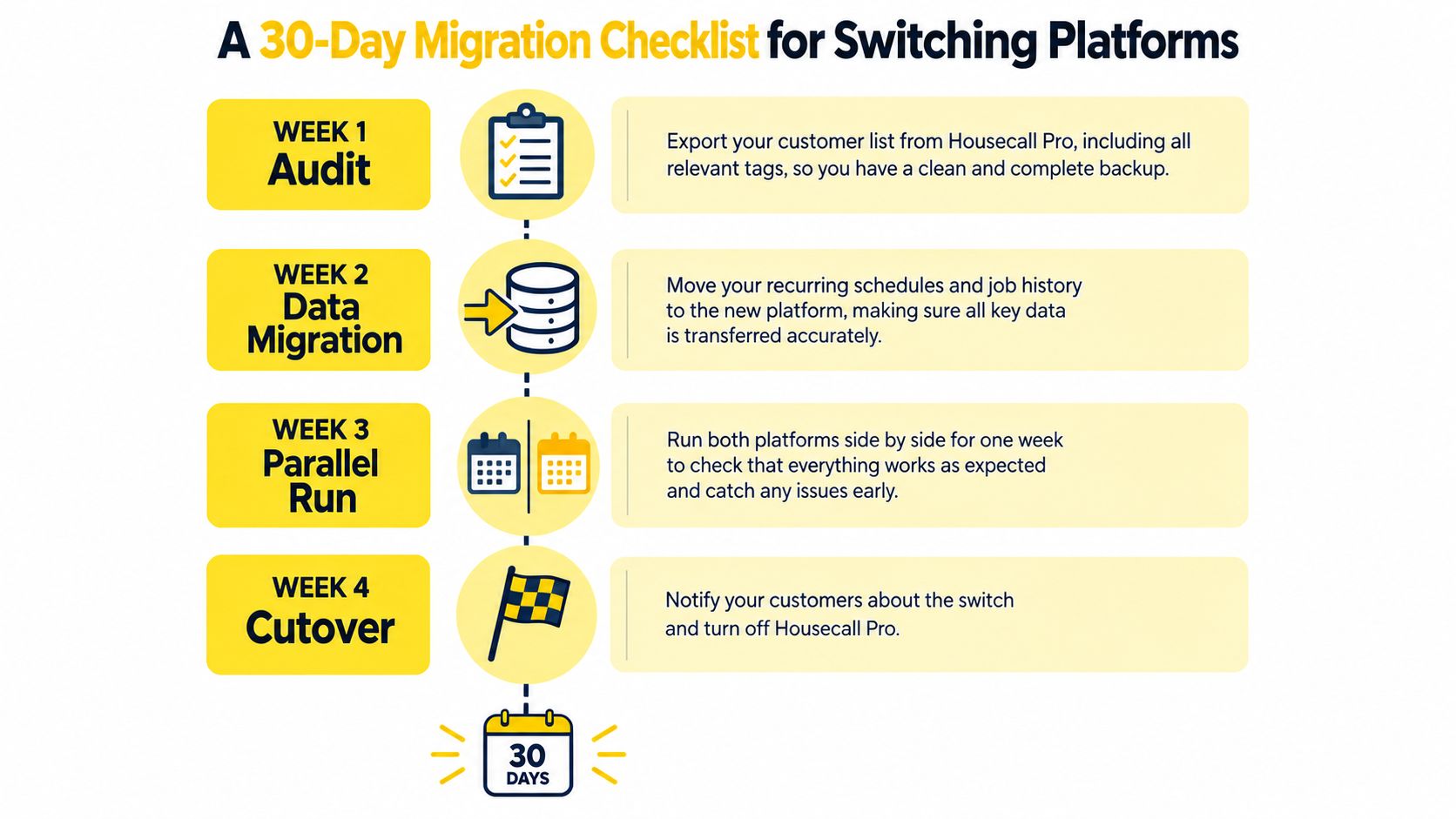
Week 1 is the audit. Export the customer list, tags, recurring schedules, prices, technician roster, invoice history, access notes, and active jobs. Identify your highest-value customers and confirm that their contact details, service frequency, property information, and entry instructions are complete.
Week 2 is configuration. Import customer and property data, rebuild recurring jobs, create the cleaning-service catalog, connect your payment processor, and verify QuickBooks or Xero synchronization. Recreate your email and text templates manually if the new platform won't import them.
Week 3 is the parallel run. Keep Housecall Pro active while scheduling new work in the replacement. Run a dispatch test on a quieter day, train cleaners on the mobile workflow, and confirm that key-holder fields and access codes appear where the field team expects them.
Week 4 is cutover. Notify customers about new booking confirmations and payment receipts, move recurring work, and monitor both systems for 72 hours before archiving the old account. Keep in-flight jobs in the system where they started unless the replacement platform can transfer them without losing notes, payments, or customer communication.
Use a connector only after testing it with real records. Estimatty's guide to Zapier and CRM integration is useful when you need to connect lead intake with the operational system without forcing every process into one application.
Watch for three migration failures:
A field-service platform and an estimating system solve different problems. The FSM manages scheduling, dispatch, recurring jobs, team checklists, and job-status updates. Estimatty handles incoming leads and estimates, then can pass the result into the operational workflow. (Estimatty field-service management guidance)
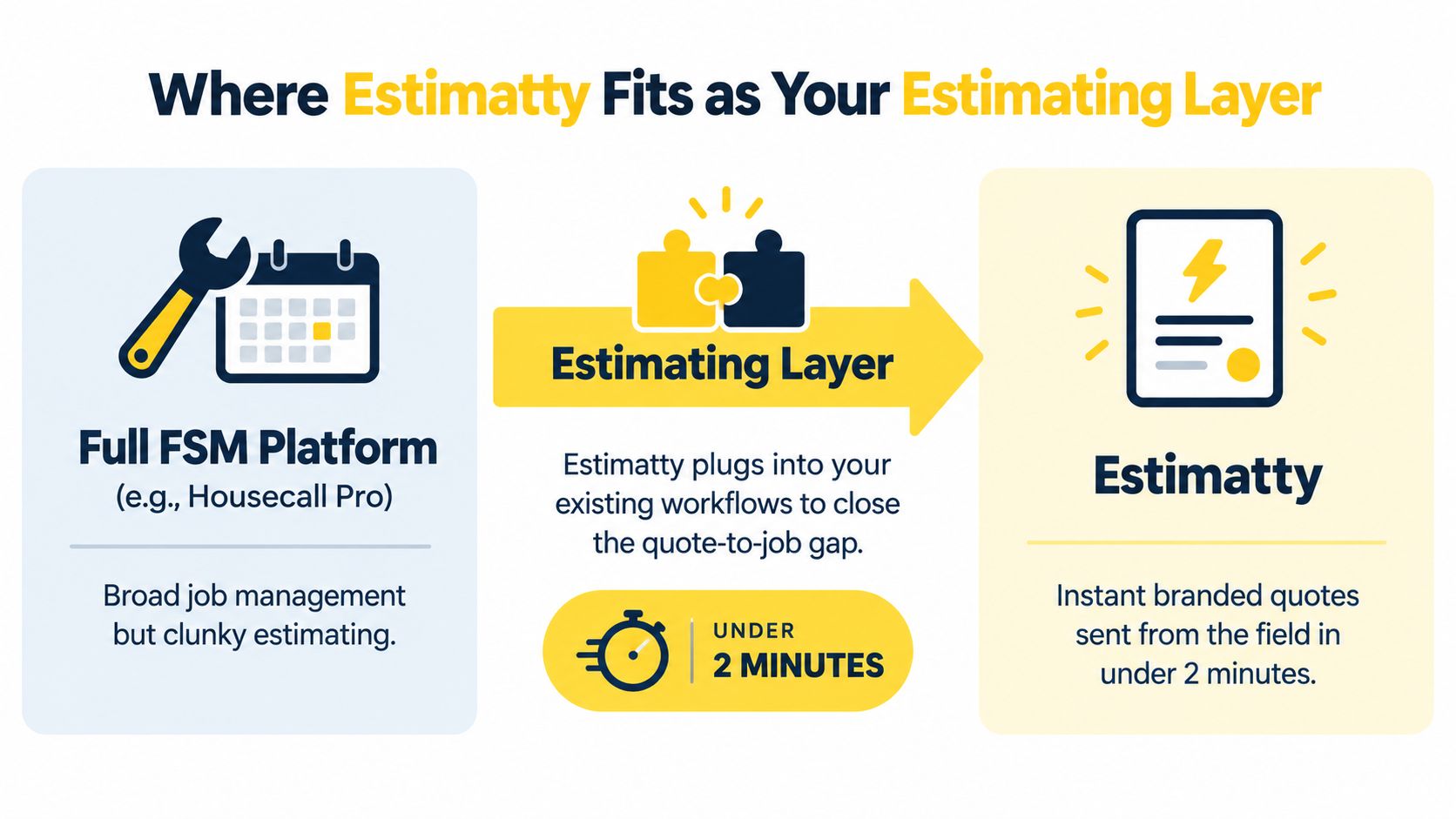
That distinction makes Estimatty useful in three situations.
For a solo operator, it can replace spreadsheets and informal price calculations at the front of the sales process. For a team already comfortable with Housecall Pro or Jobber, it can sit on top of the existing FSM and handle the estimate conversation without forcing an operational migration. During a platform switch, it can act as a bridge so new leads continue receiving consistent pricing while the back office is being rebuilt.
The key question is whether your bottleneck starts before the appointment exists. If prospects wait for a callback, ask the same pricing questions repeatedly, or disappear while the office prepares an estimate, changing the dispatch platform alone won't fix the sales gap.
Estimatty's cleaning-service guidance emphasizes asking the important questions immediately and applying the answers to a pricing framework that produces a profitable estimate. (Estimatty cleaning-service quotes guidance) That makes it a specialist option for owners who want estimating handled separately from scheduling and dispatch.
Use it when paid leads arrive outside office hours, when price-shopping losses are frequent, or when the owner is still personally preparing most estimates. Don't buy it to replace a dispatch board. Use it when the dispatch board isn't the problem.
The decision is simpler when you match software to operating shape instead of chasing a universal winner.
| Business Profile | Primary Need | Recommended Platform | Add Estimatty? |
|---|---|---|---|
| Solo cleaner with a light recurring schedule | Simple booking, payments, and customer records | Jobber | Yes, if estimate response is slow |
| Small residential team | Recurring work, route visibility, and simple administration | Jobber or FieldPulse | Yes, when lead intake is the bottleneck |
| Commercial and residential multi-crew operator | Dispatch, reporting, and operational control | Service Fusion for cost control, ServiceTitan for deeper complexity | Evaluate after the FSM decision |
| Team frustrated by pricing or payment structure | Familiar field-service workflow with communication tools | Workiz | Consider it for faster phone-led intake |
| Owner with strong scheduling but weak sales response | Instant, consistent estimates | Existing FSM plus Estimatty | Yes |
For a broader acquisition perspective, these cleaning company conversion tips are useful alongside your software evaluation. More leads won't solve a slow estimate process, and better software won't compensate for unclear service pages or weak conversion paths.
How long does migration realistically take?
Plan for a structured 30-day transition. The export, setup, testing, training, and parallel run matter more than switching the subscription on a particular date.
Will historical job data transfer cleanly?
Customer records and basic job data can often be exported and imported, but don't assume that templates, stored payment methods, access notes, photos, or recurring rules will map perfectly. Test a sample before moving everything.
What contract terms should you watch?
Check user limits, add-on pricing, payment-processing terms, onboarding charges, cancellation requirements, data-export rights, and whether recurring work is included in the advertised plan.
My verdict is direct:
Estimatty gives cleaning businesses a focused estimating layer for capturing lead details and producing consistent estimates, while your FSM manages scheduling, dispatch, and recurring work. Visit Estimatty to see whether faster estimate handling is the missing piece in your Housecall Pro replacement plan.