October 7, 2026
A Quote on Consistency and Success for Cleaning Businesses
Discover a powerful quote on consistency and success tailored for cleaning professionals, with practical tips to apply it to marketing and teams.

Tuesday, October 6, 2026
Compare 10 Jobber alternatives for cleaning businesses by scheduling, estimates, payments, CRM, pricing, integrations, and best-fit use cases.
The broadest field-service platform isn't automatically the best Jobber alternative for a cleaning business. A solo cleaner who loses leads after hours has a different problem from a multi-location brand struggling with permissions, route coordination, or payment controls. Replacing software won't fix the wrong bottleneck.
Start with the operational failure that costs you the most. Is your team slow to respond to inquiries and send estimates? Do recurring jobs create scheduling gaps? Are cleaners missing instructions? Are payment follow-ups consuming office time? Do several locations need standardized pricing and reporting? This comparison weighs each platform against those realities, including lead response, estimates, recurring scheduling, cleaner coordination, payments, communication, integrations, device fit, and growth.
Jobber already supports online booking through a website, Client Hub, Google Business Profile, or shared link, with those booking channels available around the clock according to its official FAQ. The question is whether you need to replace that system, choose a cleaning-specific platform, or add a dedicated estimating layer. Estimatty is particularly relevant when your main gap is instant web and voice estimates, including outside office hours. For broader business planning, cleaning owners can also review these proven loan strategies for restaurants.
Estimatty is the strongest choice when your cleaning business already has a workable system for jobs and payments but loses revenue before a human responds. It's an AI-first web and voice sales estimator built for residential and commercial cleaning businesses. The Matty agent captures details such as square footage, surfaces, urgency, and add-ons, then sends a consistent estimate by SMS or email.
That makes Estimatty different from a conventional Jobber replacement. It focuses on the front end of the customer journey, where slow forms, voicemail, inconsistent pricing, and missed weekend inquiries create unnecessary friction. A cleaning operator can keep an existing field-service system as the operational record while using Estimatty to qualify prospects, answer common questions, prompt add-ons, and notify the team when a lead needs attention.
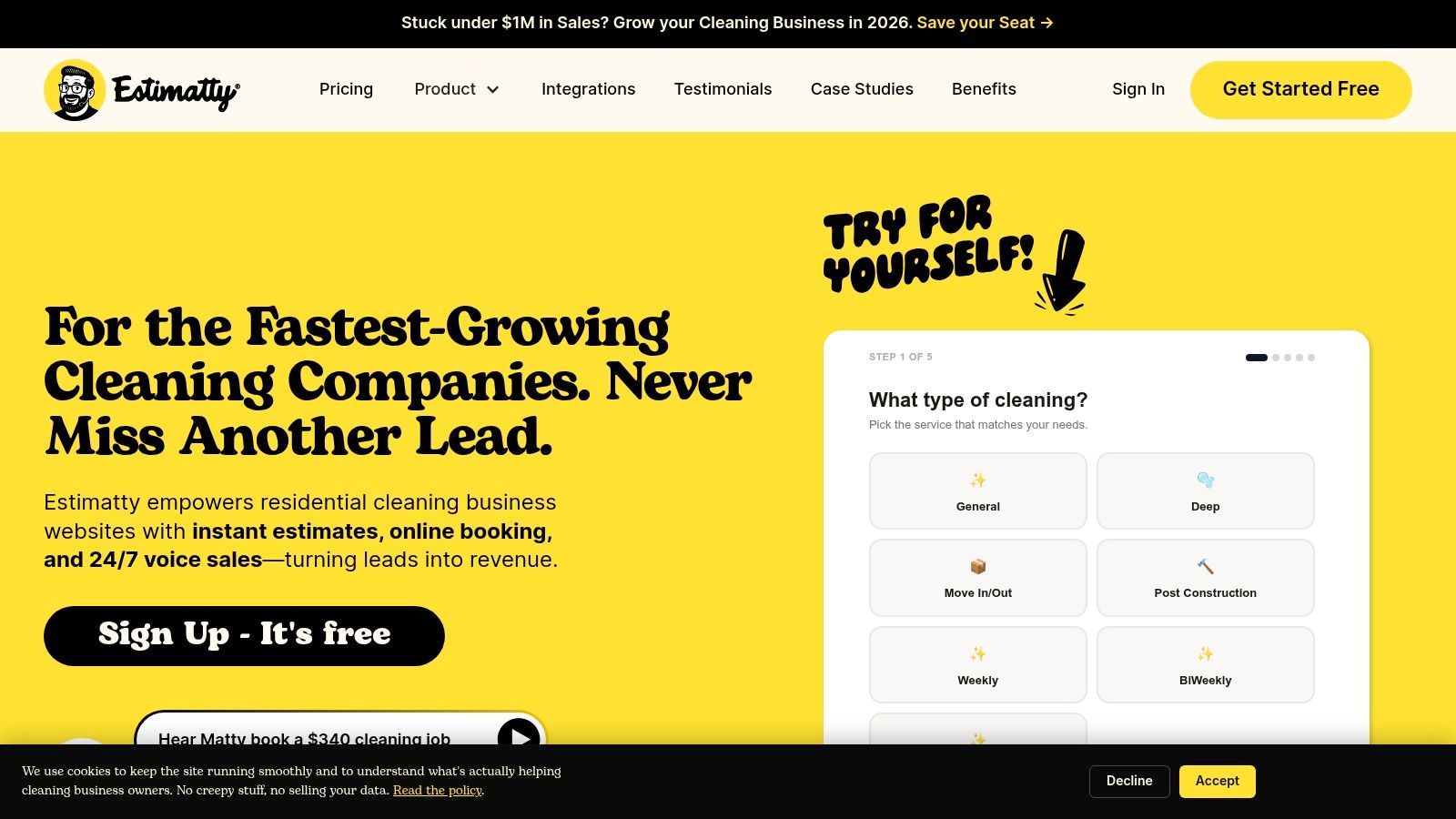
The no-code setup includes a website widget, customizable price book, FAQs, voice selection, and Zapier or CRM connections. AI can engage first, while U.S.-based receptionists can escalate complex conversations and finish bookings under your brand. That combination suits solo cleaners who can't answer every call, small teams trying to protect office time, and franchise operators who need consistent estimating rules across locations.
Estimatty's pricing details aren't fully published on its site, so you'll need to start the free signup or request a demo to assess the actual cost for your lead volume. The company markets an ultra-low hourly cost for always-on answering, but buyers should verify plan limits, usage rules, integrations, and receptionist escalation before committing.
Practical rule: Keep Jobber or another FSM when scheduling and invoicing work well. Add Estimatty when the real weakness is converting inquiries into qualified, timely estimates.
The main limitation is tuning. Complex commercial cleaning requirements, unusual properties, and location-specific pricing may require careful configuration and human handoff rules. Read this guide to the best AI estimating software before deciding whether a front-end estimating layer is more practical than a full migration.
Website: Estimatty
Housecall Pro is the closest all-around replacement for cleaning operators who want scheduling, online booking, estimates, invoices, payments, and customer communication in one general field-service platform. It's designed for home-service companies rather than cleaning alone, but its workflow maps well to residential cleaning businesses that need a central job record.
The platform includes online booking, a customer portal, estimates, invoices, a price book, and mobile apps for iOS and Android. Add-ons such as service plans, route optimization, and AI assistants expand its value for teams that want more automation without assembling several separate tools. Its Housecall Pro platform is a sensible fit when the business wants a recognizable, broad home-service ecosystem.
Growing residential teams can use Housecall Pro to coordinate recurring appointments, give cleaners current job details, and keep office staff working from shared customer records. Online booking and customer-facing communication matter when prospects expect a quick response, while a mobile app helps cleaners access schedules and instructions away from the office.
The trade-off is breadth. A general home-service platform may require more configuration to match cleaning-specific recurring visits, add-ons, property details, and cleaner workflows. Pricing can also rise as users and optional modules are added, so request a complete cost outline rather than evaluating only the base plan.
For a direct comparison of workflow fit, review Housecall Pro versus Jobber versus ZenMaid. Choose Housecall Pro when you want a full-system replacement and your team is ready to adopt a broader FSM. Don't choose it merely because it has the longest feature list.
ZenMaid is the practical pick for residential maid services that want cleaning-specific scheduling without the complexity of a broad trades platform. Its workflow centers on booking forms, cleaner coordination, recurring appointments, reminders, checklists, and customer communication. That focus makes it easier for a small cleaning team to understand what happens before, during, and after each visit.
The platform supports website booking forms and brandable booking options. It also includes automated SMS and email reminders, checklists, payroll features, QuickBooks synchronization, and GPS tracking on its Pro+ tier. Those capabilities address the daily details that determine whether a residential cleaning operation runs smoothly, especially when cleaners need clear instructions and office staff need reliable schedule visibility.
ZenMaid's cleaner mobile experience is a major reason to shortlist it. A platform can have excellent office features and still fail if cleaners struggle to find job notes, arrival details, recurring schedules, or checklist requirements on their devices. ZenMaid is built around that operational reality rather than around mixed-trade terminology.
The limitation is scope. Its starter plan caps usage at 40 appointments per month, as stated in the product information, so a growing company should verify when that ceiling becomes restrictive. It also has fewer broad field-technician functions than a general FSM, which matters if the business expands into services outside standard cleaning.
ZenMaid offers migration support for contacts and calendars, reducing the burden for small operators moving from spreadsheets or another scheduling tool. Review this CRM guide for cleaning businesses if your primary need is customer history, recurring service management, and cleaner communication rather than dispatch.
Website: ZenMaid
Launch27 is built for cleaning companies that want a customizable online booking experience tied closely to scheduling. It's especially useful for residential maid services that want prospects to choose service details online, see branded booking screens, and move into a cleaner-facing workflow without excessive software overhead.
The system provides customer, cleaner, and office portals. It also supports review requests, mobile apps, multi-location calendars on higher tiers, and integrations such as Google Calendar, Zapier, QuickBooks, and Twilio on Pro+. That combination gives a cleaning business a straightforward route from website inquiry to appointment, follow-up, and review request.
Launch27 makes sense when your website is already a meaningful source of demand and the booking form needs more control. Cleaning companies can tailor the customer experience as their service menu becomes more specific, adding distinctions for recurring work, property types, and optional services. Unlimited users on all tiers can also help teams avoid making every cleaner a software-cost decision.
The limitations appear as operations become more demanding. Advanced automations and mobile access sit on higher-priced tiers, and the platform is focused on cleaning rather than mixed-trade field service. That's an advantage for a maid service, but a drawback for a company that wants to manage unrelated service lines in the same environment.
Use Launch27 when booking customization and cleaning-specific scheduling matter more than deep dispatch, asset tracking, or complex field-service controls. Review the exact tier requirements before migrating, particularly if you need multi-location calendars, Twilio communication, or mobile workflows.
Website: Launch27
Maidily is a strong choice for cleaning teams that want to grow staff without letting per-user fees dictate the operating model. Its pricing is based on jobs per month rather than seats, and unlimited staff and contractors are included across plans. That structure is particularly useful for businesses with rotating cleaners, contractors, or a growing roster that needs access to schedules and job information.
The platform includes online booking, two-way messaging, invoicing, payments, recurring schedules, and QuickBooks integration. Higher tiers add reporting, team scheduling, and API access. These functions cover the core workflow for residential and commercial cleaning businesses that need to connect customer acquisition with service delivery and accounting.
Maidily's job-volume model makes the most sense when staffing changes frequently. A company can add cleaners without treating every new person as a separate software expense, while office staff can coordinate recurring work and customer communication in one system. That's a better economic fit than a seat-based platform for some growing teams.
The trade-off is that important capabilities may sit behind higher tiers. A dedicated SMS number costs extra each month, and advanced features such as AI scheduling and API access require the appropriate plan. The business should evaluate the complete operating cost, including messaging, payment processing, integrations, and migration work.
Maidily is a better fit than Jobber when unlimited users and cleaning-specific workflows matter more than a broad home-service ecosystem. It's less compelling if your company needs highly advanced dispatch, complex commercial field reporting, or a mature marketplace of external integrations.
Website: Maidily
MaidCentral is designed for established residential cleaning companies that manage multiple teams and want operational performance to be visible in the software. It's an enterprise-leaning, cleaning-only platform built by residential cleaning operators, with deeper attention to KPIs, automation, scheduling, batch billing, customer portals, and technician permissions.
That focus makes it a serious candidate for a growing cleaning brand that has moved beyond basic appointment management. Owner and operator dashboards can help managers inspect performance, while text and email automations reduce repetitive customer communication. A customer portal and technician app create clearer boundaries between what clients, cleaners, office staff, and owners can see or change.
MaidCentral suits operators who want software to reinforce standard processes. A multi-team business can use permissions, scheduling rules, reporting, and automation to reduce dependence on informal messages and individual memory. Its owner community and training resources are also useful for companies prepared to change procedures rather than just install another app.
This depth comes with a cost. Pricing is quote-based, so the total investment must be confirmed directly. MaidCentral is likely to be excessive for a solo cleaner who needs a simple calendar, recurring jobs, payment collection, and mobile access without management dashboards.
Read this MaidCentral versus Jobber comparison before requesting a demo. Ask the vendor to demonstrate recurring schedule changes, cleaner permissions, customer self-service, batch billing, reporting exports, and the process for handling unusual service requirements.
Website: MaidCentral
ServiceMonster is best suited to cleaning companies that need CRM, scheduling, invoicing, analytics, and marketing in a connected system. It has particular relevance for carpet, window, and exterior cleaning operators, where route planning, repeat customer follow-up, reviews, and lead generation can be as important as the job calendar.
The platform combines scheduling and dispatch with CRM records, invoicing, reminders, review automations, and marketing modules. Its FillMySchedule direct-mail and email functionality is a differentiator for operators that want marketing activity closer to the service database. A cleaning business can use those tools to follow up with past customers rather than relying entirely on separate marketing software.
ServiceMonster is a better fit when the company's bottleneck isn't only scheduling. Operators with seasonal demand, repeat-service opportunities, or a large customer history may value a system that links campaigns, reviews, customer records, and appointments. Support and knowledge resources targeted to cleaning professionals can also reduce the terminology gap found in general FSM platforms.
The downside is weight. Setup and the interface may feel heavier than a lightweight cleaning CRM, particularly for a solo operator who only needs recurring appointments and payment collection. Features also vary by plan, so verify the exact package for marketing modules, mobile access, integrations, and reporting.
Choose ServiceMonster when marketing and customer reactivation are central to growth. Don't select it for a small operation that won't use its broader CRM and marketing capabilities.
Website: ServiceMonster
Workiz is the most compelling option on this list for cleaning businesses that want phone communication, booking, scheduling, and payments closely connected. It combines a field-service operating system with online booking, job and CRM records, a customizable price book, Workiz Pay, QuickBooks integration, and mobile apps.
The Genius modules add optional phone, answering, and marketing capabilities. That makes Workiz attractive to operators whose leads arrive through calls and text messages rather than through a website alone. A shared communication history helps office staff understand what a prospect requested, what estimate was discussed, and what follow-up remains.
Workiz can reduce the gap between reception and operations. A cleaner or coordinator can see the job record, while the office can manage calls, messages, online bookings, and payments from a connected environment. The customizable price book also supports more consistent estimates across staff, provided the business maintains clear pricing rules.
The main concern is total cost. Workiz often directs buyers to request pricing, and per-seat charges plus optional modules can add up for larger rosters. Confirm whether phone, answering, marketing, payment, and communication features are included or billed separately.
Workiz is a better Jobber alternative when call handling is a core sales channel. If most prospects book through a simple website and your main need is recurring cleaner scheduling, a cleaning-specific platform may be easier to operate.
Website: Workiz
FieldPulse fits cleaning operators that want a flexible full field-service system without committing to an enterprise platform. It supports scheduling and dispatch, job management, estimates, invoices, customer and booking portals, price books, job costing, maintenance agreements, communications, and reporting.
That breadth helps a company connect the estimate-to-invoice process with field execution. Office staff can manage job details while cleaners or supervisors access current instructions through mobile apps. Customer and booking portals also give the business a structured alternative to handling every request through email or phone.
FieldPulse is especially relevant to commercial cleaning businesses or growing service companies with workflows that don't fit a simple maid-service calendar. Job costing and reporting can help managers examine profitability, while maintenance agreements support recurring commercial relationships. Its generalist design also leaves room for a company that adds adjacent services later.
The limitation is specialization. FieldPulse isn't cleaning-only, so the team may need to configure forms, price books, recurring service rules, and terminology to match cleaning operations. Public fixed pricing isn't posted, which means a sales quote is necessary before comparing its total cost with Jobber or a cleaning-specific alternative.
Test the mobile experience with the devices your cleaners use. This field-service mobile software guide can help frame the evaluation around job instructions, status updates, communications, and office-to-field handoff rather than app screenshots.
Website: FieldPulse
ServiceM8 is the right fit for solo cleaners and small crews that value a lightweight, job-centric workflow and primarily use iPhones or iPads. It covers job cards, scheduling, estimates, invoices, email and SMS, mobile payments, and accounting integrations. The interface is designed to keep field work moving without the operational weight of a larger FSM.
The platform also offers an optional Office Agent AI assistant and plan-based bundles for jobs and SMS. Its clear inclusion model can make it easier for a small operator to understand what the software supports, while no long-term lock-ins and chat or email support reduce commitment risk.
ServiceM8's biggest weakness is Android support. The Android option is limited to ServiceM8 Lite, so mixed-device teams need to test the exact tasks cleaners and office staff perform before migrating. Job and SMS caps can also push a growing business toward a higher tier as appointment volume increases.
For an iOS-first solo cleaner, the simplicity is a strength. The operator can manage recurring work, send estimates, invoice customers, and collect payments without adopting a platform designed for a large dispatch office. For a multi-location brand, the limited device fit and job-volume constraints deserve more scrutiny.
ServiceM8 is a practical first system, not automatically a long-term franchise platform. Choose it when ease of use and Apple-based field work matter more than deep permissions, extensive automation, or complex multi-location reporting.
Website: ServiceM8
| Product | Key features | UX & reported impact | Core value proposition | Ideal for | Pricing & notes |
|---|---|---|---|---|---|
| Estimatty (Recommended) | AI web + voice estimator, instant SMS/email estimates, pricebook, 24/7 answering, Zapier/CRM, U.S. receptionist escalation | Quotes in <1 min; 24/7 lead capture; reported 15–35% more leads, 74% get new customers <30 days | Standardizes quoting, captures after‑hours bookings, reduces callbacks & revenue leakage, built‑in upsells | Solo cleaners to multi‑location cleaning brands; ops/sales managers | Free trial (no CC); “ultra‑low hourly” after‑hours example (<$0.54/hr); full plans via demo |
| Housecall Pro | Scheduling, online booking, estimates/invoices, pricebook, mobile apps, add‑ons (AI, route optimization) | Mature platform with broad support and resources | All‑in‑one field service OS for scheduling, payments and add‑ons | Residential services incl. cleaning; SMBs scaling operations | Per‑user and add‑on pricing; can scale costly, verify total TCO |
| ZenMaid | Cleaning‑specific scheduling/CRM, website booking, GPS (Pro+), reminders, QuickBooks sync | Simple setup, clean mobile app, easy migration support | Purpose‑built maid workflows with straightforward UX | Small maid services and solo teams | Starter plan caps at 40 appts/month; pricing favors small teams (no per‑seat fees) |
| Launch27 | Custom web booking forms, customer/cleaner portals, integrations (Zapier, QuickBooks, Twilio) | Branded booking and review flows; unlimited users on tiers | Customizable booking/branding focused on maid services | Residential maid services wanting branded booking forms | Tiered features; advanced automations and mobile on higher tiers |
| Maidily | Online booking, two‑way messaging, invoicing, recurring schedules, QuickBooks | Unlimited staff included; cleaning‑targeted workflows | Job‑based pricing (jobs/month) to control software cost as you grow | Growing teams that need unlimited users without seat fees | Jobs‑per‑month pricing; dedicated SMS number extra; advanced features on higher tiers |
| MaidCentral | KPI dashboards, automations, technician app/permissions, batch billing | Enterprise‑leaning UX with owner/operator community and training | Deep ops/KPI tools for performance and scale | Established, KPI‑driven residential cleaning operations | Quote‑based pricing; typically higher total cost, enterprise fit |
| ServiceMonster | Scheduling/dispatch, invoicing, CRM, review & marketing automations, analytics | Industry depth for carpet/window/exterior cleaning; heavier UI | Built‑in marketing modules reduce external tool needs | Carpet, window, exterior cleaning pros and marketing‑focused teams | Feature availability varies by plan; confirm inclusions |
| Workiz | Scheduling/dispatch, pricebook, online booking, Workiz Pay, optional “Genius” phone/answering | Modern communications stack, good mobile apps | Combines telephony + booking + payments in one platform | Teams wanting integrated phone and booking tools | Per‑seat pricing and optional modules can add up; some pricing via request |
| FieldPulse | Scheduling/dispatch, estimates→invoices, pricebook, job costing, reporting | Flexible workflows and strong field‑to‑office handoff | Broad FSM with quote‑to‑invoice control for SMBs | SMB service teams needing flexible workflows (not enterprise) | Sales‑quoted pricing; more generalist than cleaning‑specific CRMs |
| ServiceM8 | Job cards, scheduling, quotes, invoices, mobile payments, SMS/email | Fast iOS/iPad experience; plan‑based job/SMS bundles | Lightweight, mobile‑centric FSM for small crews | Solo cleaners and small iOS‑first teams | Plan caps on jobs/SMS; Android support limited (Lite app) |
The best Jobber alternative depends on the stage and operating model of your cleaning business. A solo cleaner should prioritize simplicity, device fit, recurring jobs, easy payments, and affordable lead response. ServiceM8 is a strong shortlist for an iOS-first operator, while ZenMaid, Launch27, or Maidily make more sense when cleaning-specific scheduling and staff access matter. If inquiries arrive while you're cleaning, Estimatty alongside an existing system may solve the problem faster than a full migration.
A growing residential team needs to test the cleaner workflow, not just the office dashboard. Confirm that staff can find job notes, recurring schedules, add-ons, checklists, and customer history from the devices they carry. Test reminders, payments, QuickBooks synchronization, rescheduling, and the process for handling a cleaner absence. ZenMaid, Maidily, Housecall Pro, and Launch27 are practical candidates, with Maidily particularly attractive when the roster changes frequently and user economics matter.
Commercial, multi-location, and franchise operators need stronger governance. Validate role-based permissions, reporting, standardized price books, location-level visibility, API or Zapier connections, data export, and the ability to audit changes. MaidCentral is the most specialized choice for established residential operations that want KPI discipline, while FieldPulse, Workiz, or Housecall Pro may suit broader or more communication-heavy models.
Don't judge software by feature count alone. A 2024 survey of field-service organizations found that 82% had implemented an FSM solution, but only 24% were very satisfied, while 40% were somewhat satisfied, 23% were not very satisfied, and 13% were not satisfied at all. Those figures come from Zuper's 2024 field-service report, and they support a practical conclusion: implementation quality and workflow fit matter as much as the product shortlist.
Use a pilot instead of relying on a sales presentation. Compare the current system with two alternatives over 30 days using the same lead volume and staff. Track estimate turnaround time, booking rate, reschedules, administrative minutes per job, missed inquiries, callbacks, and software-related customer complaints. Also test how the system exposes square footage, surfaces, add-ons, urgency, and service history without duplicate entry. Field-service technology adoption is concentrated around real-time job information and scheduling, dispatch, and route optimization, according to CleanLink's coverage of the Zuper report. Your acceptance test should cover those functions and the customer-facing estimating layer separately.
Plan the migration in a controlled sequence. Document customers, price books, recurring schedules, payment rules, staff permissions, and integrations first. Export and clean the data before configuring estimates and booking rules. Pilot with one team or location, train the people who will use the system every day, then monitor missed leads, conversion, callbacks, and administrative time before expanding.
Jobber can remain the right system of record if it handles jobs, payments, and scheduling reliably. Its payment model also deserves a direct comparison. Jobber's official pricing materials describe online booking, professional estimates, scheduling, invoicing, and online payments as core capabilities, while its FAQ states that Jobber Payments has no setup fee or monthly processing charge, with transaction fees applied when payments are received. A third-party analysis places standard online card processing at 2.9% plus $0.30 per transaction, ACH at 1%, and instant payouts at an additional 1%. The same analysis estimates that processing $10,000 per month through Jobber Payments would produce approximately $305 in monthly processing fees, before software subscription costs. Review the Jobber pricing analysis and compare your own transaction mix rather than assuming the subscription is the full cost.
Choose the shortlisted tools through live demos or trials, and make vendors demonstrate your actual cleaning workflow. If the main gap is capturing and converting inquiries around the clock, evaluate Estimatty as a specialized estimating layer instead of forcing a full replacement. The Estimatty blog can support decisions about cleaning estimates, while the PipeHire HRM blog is relevant when hiring and coordinating cleaning employees becomes the next operational constraint.
Estimatty gives residential and commercial cleaning businesses 24/7 web and voice sales estimating, instant SMS and email estimates, price-book control, lead qualification, and human escalation when a prospect needs help. If your Jobber workflow is solid but after-hours inquiries and slow estimates are costing you bookings, visit Estimatty to start a free signup or request a demo.