November 17, 2026
Area Rug Steam Cleaning: Which Rugs Are Safe to Clean
Learn how area rug steam cleaning works, which fibers tolerate heat, safe temperatures, costs and when to choose a specialist wash instead.

Wednesday, November 18, 2026
Code setup for a cleaning business website: embed an instant estimator widget, test pricing, and fix the problems that stop leads.

Sunday, 9:14 p.m. A homeowner decides she wants the house cleaned before her in-laws land on Friday. She finds your site on her phone, types her name, email and message, and taps send. Nothing comes back. Around lunch on Monday your office manager calls and reaches voicemail. By then she's booked someone else.
You already know this happens. What's harder to see is how much it costs. Jobber's cleaning industry trends report counts more than 1.4 million cleaners working in the United States, around 74,355 active cleaner job openings, and reports that 18% of cleaning businesses name skilled or specialized workers and crew leaders as their hardest roles to find. You can't answer every 9 p.m. inquiry by hiring faster.
So you automate the answer. An estimator widget prices the job while the homeowner is still on the page, and the code setup for it is a ten-minute job: one snippet, copied once, pasted into your site template.
The other two hours are the part nobody writes about. Your pricing rules decide whether that widget sends $185 or $310 for the same house, and your test sample decides whether you find out before the homeowner does. Get those right and the weekend leads come back. Get them wrong and you'll quote a five-bedroom deep clean at studio rates, then honor it.
Here's the sequence I'd run, in order, today.
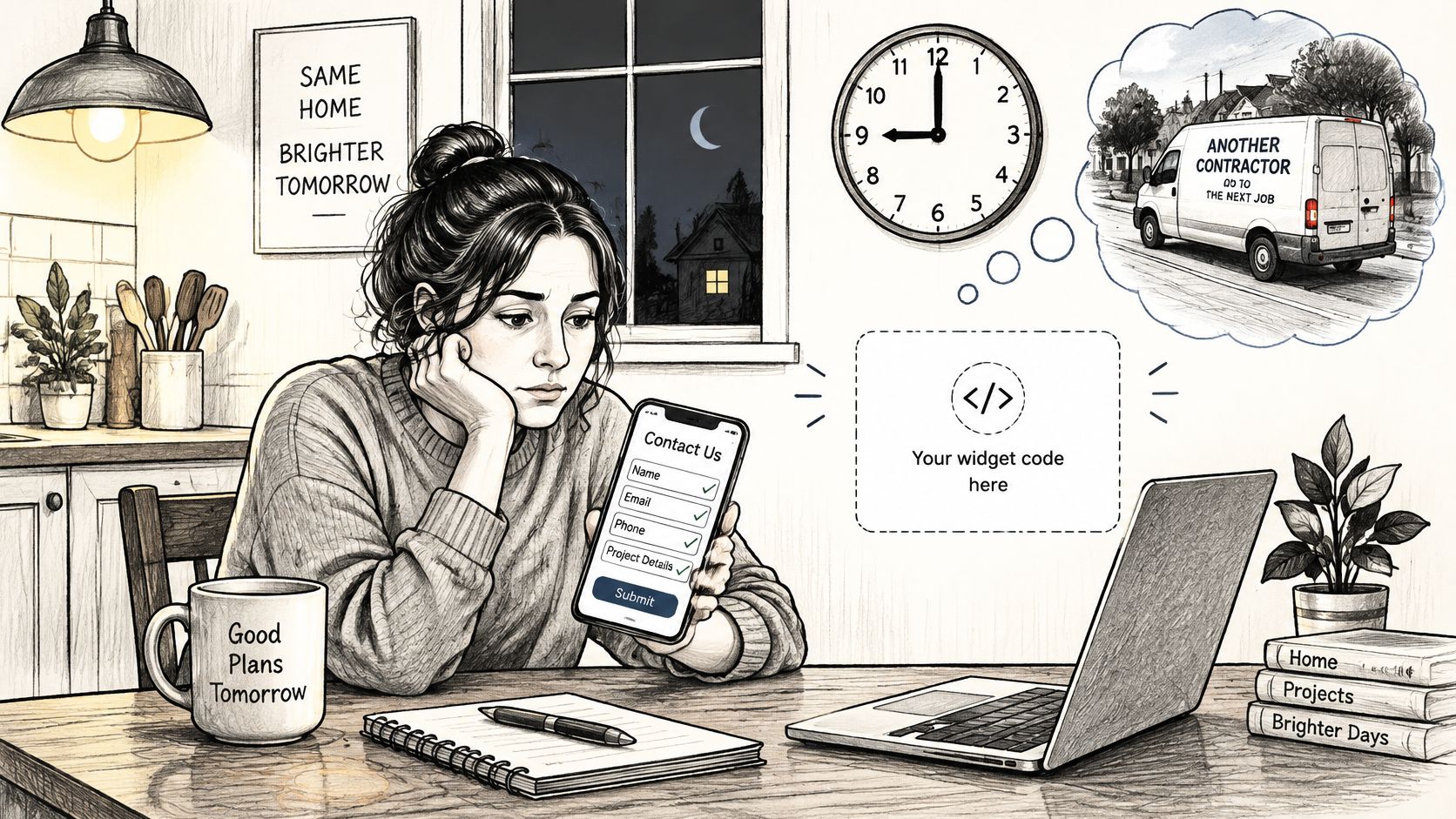
Code setup is one paste. Place a single embed snippet in the site template and the widget loads on every page that can take a price request. The existing site stays in place, and a developer is not required.
The widget starts working the moment it is live. The visitor picks a service, enters home size, and covers rooms, surfaces, and urgency. Estimatty applies the business's pricing rules and builds the price in real time on the page, while the homeowner is still holding the phone. That on-page number is the point. She should not have to wait for a callback to learn whether the job fits her budget.
The snippet is the only code. Pricing rules, FAQs, agent voice, and lead routing live in the dashboard, so the same snippet works on the homepage, the deep clean page, and the move-out page. Update a rate once and every page uses it. Put the snippet live before those rates are finished and visitors see the unfinished price, because the widget does not wait.
One word choice decides how much trouble that price creates.
Estimate, not quote. An estimate is an approximation of expected project costs based on available specifications, labor, materials, taxes, overhead, subcontractors, and equipment, and it may change as scope becomes clearer. A quote is generally a fixed price for defined work and may be legally binding once accepted, depending on the applicable law and contract terms, as Procore explains in its guide to estimates, bids and quotes.
Call the widget's output an estimate on every page, in the chat window, and in the confirmation the customer sees. A preliminary price should never read as a binding commitment. A customer who understands she has an estimate expects the number to be checked against the actual house before it is final.
Two other details belong in the first pass. A priced lead who calls and hits voicemail is still a lost lead, so pair the widget with a phone process, and Recepta's guide to never miss a cleaning customer call covers that side properly. Decide who receives new estimate notifications. A widget that prices cleanly and notifies nobody changes nothing.
Estimatty tags every lead by how far they got: Schedule, Property, Payment, or Booked. Use that tag. It shows whether the price failed or the booking did.
Failed launches almost always trace back to missing numbers rather than missing code. Collect these eight inputs before you open the dashboard, because every one of them determines a price a real customer will see.
| Input | Example | Where It Goes |
|---|---|---|
| Home size bands | 1,000-1,500 and 1,500-2,000 square feet | Pricing rules |
| Service types | Standard clean, deep clean, move-out | Pricing rules |
| Rooms | 3 bedrooms and 2 bathrooms | Home details step |
| Add-ons | Inside oven, blinds, AC vents | Pricing rules and booking options |
| Urgency premium | Same-day request adds your set percentage | Pricing rules |
| Recurring discount | Weekly clients get your set percentage off | Pricing rules |
| Service area | ZIP codes or city boundaries | Business preferences |
| FAQs | Cancellations, pets, supplies, access | FAQ section of setup |
Two rows deserve a warning. Size bands are where wrong prices are born, because a gap between 1,500 and 2,000 square feet drops every larger home into the bracket below it. And add-ons need a flag for optional versus included, or your deep clean will bundle an oven clean for free.
Pricing rules are entered in the dashboard, not the site code, which keeps the snippet identical on every page. That's why Estimatty's setup requires no coding: you enter rules, customize preferences, and embed one snippet. The single most useful rule for maintaining that consistency is a short price list you can check against; the cleaning service price list guide shows how to structure one so the widget and the invoice agree.
Practical rule: one named person approves every number and owns escalations before setup begins. The owner is the default, and a solo operator should write that name down anyway.
The adoption gap makes this urgent. In NFIB's 2025 survey of small employers, 57% introduced new or significantly improved technology in the prior two years, yet adoption ran at 51% among firms with 1-9 employees against 75% at firms with 50 or more. The difference isn't willingness. It's time and ownership, and a half-finished rule set is exactly what limited time produces.
Write every rule in one spreadsheet, mark which add-ons are optional, and have the owner sign off row by row. Those approved prices become the benchmark you test against next. For window work specifically, Pine Country's window pricing breakdown is a useful reference for how surfaces and access change the number.
The snippet takes minutes. The rules are where the afternoon goes.
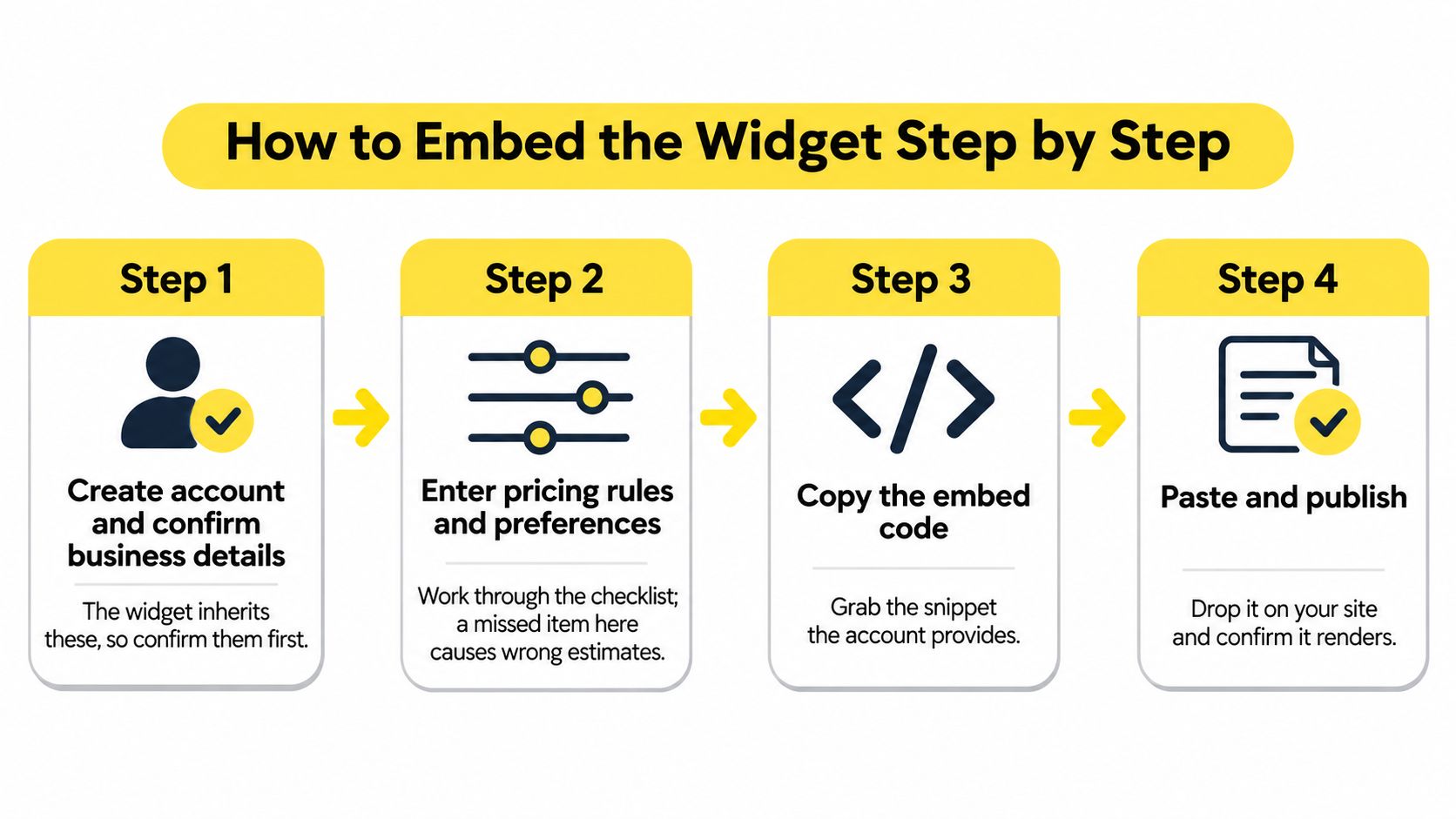
A Saturday lead hits the site you already run. The chat widget is live in minutes, with no code and no developer, and it starts working the moment that snippet is on the page. The paste is the easy part. The pricing rules you type, and one known home you run against them, decide whether the number builds trust or sends a wrong quote.
Setup is three moves: create the account, customize pricing and add the widget, then pick the agent's voice and add FAQs. Do them in one sitting, in that order. The checks around the paste keep a finished snippet from outrunning unfinished rules.
Controlled setup is an old habit. The U.S. National Institute of Standards and Technology published Special Publication 500-161, "Software Configuration Management," with a recorded date of January 1, 1989, treating code setup as a controlled, repeatable process rather than an informal task, as the NIST record shows. Step four is that idea at page scale: place the snippet once in the template, and every page picks it up.
Here's the walkthrough in video form.
Shared tooling is how developers already work. Stack Overflow's 2025 Developer Survey, drawing on more than 49,000 responses from 177 countries, put Visual Studio Code use at 75.9%. People stay inside a configured environment instead of hand-building one. One snippet in a site template is the same habit, smaller.
Stuck on a step? The Estimatty team walks you through setup. If you are deciding whether a developer should own this at all, read no-code versus full-code approaches before you pay for one.
Run one home you already priced through the live widget. Match means the embed is ready. A miss means fix the rules before anyone else sees the page.

One successful demo proves almost nothing. Automated estimates fail in confident near-misses, not obvious errors: the number looks professional, the phrasing is polished, and it's wrong by $90 because the square footage landed in the wrong band.
The developer world already knows this pattern. In Stack Overflow's 2025 survey coverage, four in five developers reported using AI tools while trust in their accuracy fell to 29%, and 45% named their leading frustration as solutions that are "almost right, but not quite." An estimator built on pricing rules has the same failure mode. Plausible output needs a scenario test, not a spot check.
Build a test list of ten to fifteen homes and run it tonight:
For each one, compare the estimate with the approved price in your spreadsheet and record the gap and its cause. Then define a stop rule before launch.
Stop rule: name the conditions where the widget must stop estimating and hand the lead to a human, such as no square footage, a service area miss, or any request that mentions biohazard, hoarding or post-construction debris.
Launch in stages. Keep the widget on one page or a small share of traffic for about a week and watch price accuracy, response time, completed bookings and handoffs before opening it everywhere. The same discipline applies when you evaluate booking conversion rate, because a fast estimate that nobody books is a pricing problem, not a traffic problem.
And when you change a price, rerun the entire list. Not the one home you edited, all of them.
Start with the symptom you'll notice first: the widget doesn't appear at all. That's nearly always a snippet placed outside the page body or a page served from cache. Republish the template, clear the cache, and check the raw page rather than the editor preview.
| Symptom | Likely Cause | Fix |
|---|---|---|
| Widget missing from the page | Snippet outside the page body or a cached page | Republish, clear the cache, check the template |
| Price looks wrong | Home size band missing or an old rule still cached | Add the band and rerun the test home |
| Two widgets on one page | Snippet pasted twice | Keep one snippet per page |
| Leads missing in CRM | Zapier or CRM field not mapped | Map the fields and send a test lead |
| Visitors stall on phones | Too many required fields on one screen | Cut required fields and retest on mobile |
| Keys visible in page source | API keys pasted into site code | Remove them and keep keys in the dashboard |
That last row is the one that turns a setup glitch into an incident. Anything in your page source is readable by anyone who opens developer tools, including CRM tokens and telephony credentials. Keep secrets in the dashboard or integration settings and treat them as production infrastructure. The OWASP Secrets Management Cheat Sheet is blunt about it: avoid unprotected secrets in repositories, encrypt production credentials at rest, automate injection during deployment, scan for accidental exposure, rotate credentials, and use least-privilege access so engineers don't automatically get every secret in the organization.
Your integration layer deserves the same suspicion. A widget that collects the estimate and never delivers the lead looks identical to a widget that works, until you check. Map the fields deliberately, send one test lead, and watch it land. The Zapier and CRM integration walkthrough covers the field mapping that most often gets missed.
Most of these fixes take minutes. The exception is anything touching a price: add the band, then rerun the full sample of homes before the change goes live again, because a corrected rule can break a bracket two rows away. Mobile stalls usually need a scope cut rather than a redesign. Remove every field the pricing engine doesn't use, then retest on a real phone on a slow connection.
Publish when three conditions hold. Your test homes match the approved prices, every tracking event fires from widget loaded through booking completed, and one named person owns escalations with a working override.
Then take the next step rather than polishing further. If you want a walkthrough of the whole sequence on your own pricing, book a demo by calling Matty at 954-250-8284 or through the Book a Demo button on the contact page.
Keep the word estimates on your site after launch. Instant prices are preliminary, and the moment you call them quotes you've promised something binding.
For more on setup and pricing structure, the Estimatty blog is where those articles live. If your bottleneck is staffing instead of intake, pipehirehrm.com covers hiring cleaners, and the Pipe Hire blog has guidance on the same topic.
Estimatty gives cleaning businesses a pricing widget that answers a homeowner in under a minute, at 9 p.m. on a Sunday, without you touching a phone. The setup is the easy half: you enter your pricing rules, embed one snippet, choose a voice, and load the FAQs that your customers ask. Start with Estimatty and get your estimator live before the next weekend inquiry goes to voicemail.