
October 23, 2026
How to Start Commercial Cleaning in 2026
Learn how to start commercial cleaning in 2026 with proven steps for pricing, staffing, licensing, and automation that win recurring contracts.

Thursday, September 3, 2026
Learn what is Zapier integration, how Zaps connect your tools, and why cleaning businesses use it to automate estimates, notifications, and calendar syncing.

Zapier is a no-code bridge that watches for a trigger in one tool and automatically runs one or more actions in another. By 2026, Zapier said its platform connected 9,000+ apps and supported 66,000+ triggers and actions, showing how a small automation idea can grow into a broad connector ecosystem (Zapier's company milestones).
You might be running a residential cleaning business where a homeowner submits an estimate request late at night. By morning, you want the lead in your CRM, a calendar hold ready, and a follow-up message prepared, without opening several apps and copying the same details by hand. That quiet handoff is the practical answer to the question, “what is Zapier integration?”
A Zapier integration connects separate tools so they can pass work between one another. Think of Zapier as a courier in your cleaning office. Estimatty receives the homeowner's request, a CRM stores the opportunity, a calendar holds the appointment, and an SMS tool prepares the next message. Zapier carries the relevant information from one place to the next.
Zapier isn't a cleaning platform, CRM, or calendar. It doesn't replace the tools your team already uses. Instead, it watches for a specific event in one app, called a trigger, and starts one or more follow-up tasks, called actions.
A simple residential workflow might look like this:
The owner chooses the event and the responses. Zapier handles the handoff in the background. For a broader discussion of connecting a website with customer management tools, this guide to CRM integration for Prescott offers useful context.

You can think of the integration as a set of agreed handoffs. The first app says, “Something important happened.” Zapier recognizes that event, takes the selected details, and gives them to the next app in the format that app expects. You can explore the types of connections available through Estimatty integrations.
The core definition is simple: a Zapier integration is a no-code connection that watches for a trigger event in one app and automatically performs actions in another app. The next question is how that chain behaves when a real lead moves through your operation.
Start with the trigger. It works like the doorbell at your office. Someone presses it, and the workflow wakes up. In a cleaning business, the trigger could be a new estimate request, an approved estimate, a completed payment, or a newly booked job.
The action is what happens after the bell rings. Zapier describes a Zap as an automated workflow containing a trigger and one or more actions, and a successful action run counts as one task (Zapier's key workflow concepts). That means one lead can start a sequence that updates several parts of your operation.
Suppose a homeowner enters their home size, service preferences, contact details, and preferred timing into Estimatty. Zapier detects the selected event and collects the information attached to it.
You then decide what should happen next. The first action might create a CRM contact. The second might send a confirmation through Gmail. Another action might add a Google Calendar placeholder for a call or service visit.
Think of the workflow as a line of assistants. One assistant writes the lead into the CRM. Another places the appointment on the calendar. A third sends the customer a message. Each assistant handles one clear task, so the owner doesn't have to repeat the same data entry.
Filters and delays help keep the assistants polite. A filter might allow only approved estimates to create a booking event. A delay might hold a follow-up until the next business morning instead of sending a message in the middle of the night.
Practical rule: Start with one trigger and one useful action. Add complexity only after the basic handoff works reliably.
Zapier's developer documentation explains that integrations can be created through its Platform UI or CLI, with authentication, triggers, actions, searches, testing, and deployment included in the integration layer (Zapier Platform documentation). For an owner, that technical foundation appears as guided choices rather than code. You select the apps, identify the event, and map the fields.
This solo-business Zapier integration guide can also help owners think through simple inbound workflows. The important idea is that the Zap is a prepared bridge, not a new software system you need to build from scratch.
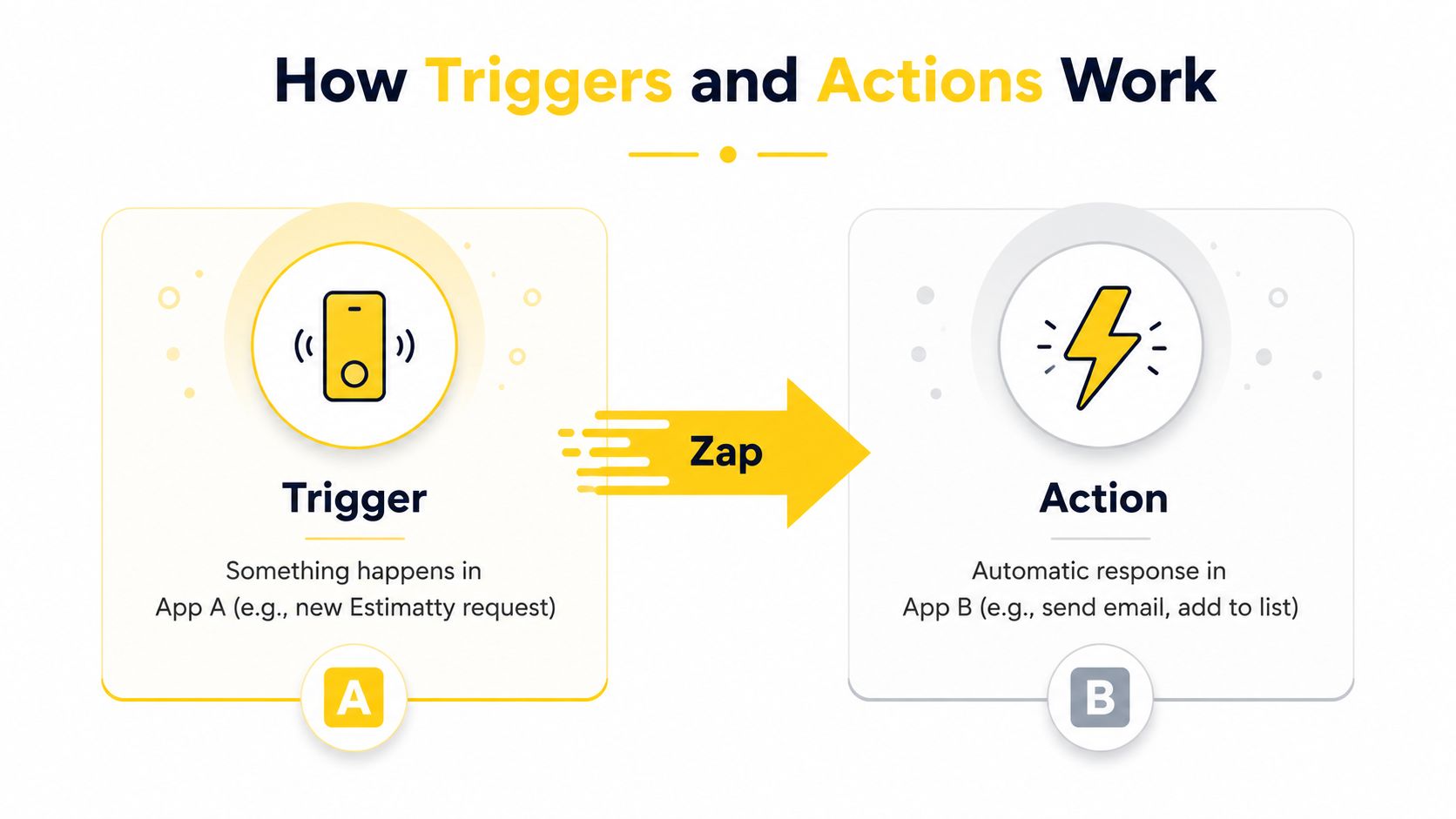
A short visual walkthrough can make the trigger-action relationship easier to remember:
Cleaning owners rarely struggle because they lack another app. They struggle because information gets trapped between the apps they already have. A lead arrives in one place, the follow-up belongs in another, and the appointment ends up somewhere else.
Zapier helps connect those handoffs. Here's how the pattern applies to a residential cleaning operation using Estimatty as the starting point.
| Benefit | Estimatty Example | Business Outcome |
|---|---|---|
| CRM sync | A new estimate request creates a record in HubSpot, Pipedrive, or a Google Sheet. | The sales pipeline stays current without repeated entry. |
| SMS and email alerts | An approved estimate starts a Twilio text or Gmail confirmation. | The customer receives a prompt response, and the owner doesn't have to remember every reply. |
| Calendar updates | A booked job creates a Google Calendar or Outlook event with the address, service details, and preparation notes. | The office and cleaning team can work from the same schedule. |
| Team coordination | A new scheduled job sends a message through Crew or Slack to the lead cleaner. | The right team member sees the assignment without waiting for a separate manual update. |
A new estimate should become more than an email notification. When Zapier creates a CRM record, the owner can attach the homeowner's name, phone number, requested service, and follow-up status to one place. That makes it easier to see which opportunities need attention.
For owners refining their customer communication process, this guide to automating customer service provides a useful operational reference.
A text confirmation can acknowledge the request while the details are still fresh. A calendar event can preserve the address and appointment information so the office doesn't rely on scattered notes.
The value isn't another dashboard. It's fewer manual handoffs. The owner spends less time copying contact details, checking whether a message was sent, and telling a cleaner about a newly confirmed job.
A good automation feels uneventful. The customer gets a clear response, the team sees the right information, and nobody has to ask who updated what.
Consider a small cleaning company that receives inquiries through its website. The owner wants a consistent path from first contact to scheduled service, but doesn't want to retype every request.
A homeowner submits an estimate request through Estimatty. The Zap uses that event as its trigger, then creates a new record in HubSpot or Pipedrive. It can also apply a residential-cleaning label and assign a follow-up reminder.
Before the Zap, the owner might copy the name and phone number from an email into the CRM later. After the Zap, the record is created as part of the same workflow, giving the office a clear place to continue the conversation. The automation doesn't decide whether the lead is a good fit. It makes sure the lead reaches the system where the team manages it.
The same request can start a second path. Zapier sends the customer's name, service details, and contact information to Twilio for an SMS or Gmail for a branded confirmation email.
Before the Zap, the owner has to notice the inquiry and write the message manually. After the Zap, the customer receives an acknowledgment based on the fields already captured during the estimate request. The team can still review or personalize the message when the situation calls for judgment.
Once the homeowner approves the estimate, a new trigger can create a Google Calendar event for the cleaning crew. The event can include the service address, selected cleaning details, and preparation notes. A separate action can send a reminder to the lead technician before the appointment.
The result is a connected sequence. The CRM holds the opportunity, the messaging tool handles customer communication, and the calendar gives the team a shared schedule. For a focused look at connecting an estimating workflow with customer management, see this Estimatty CRM integration guide.
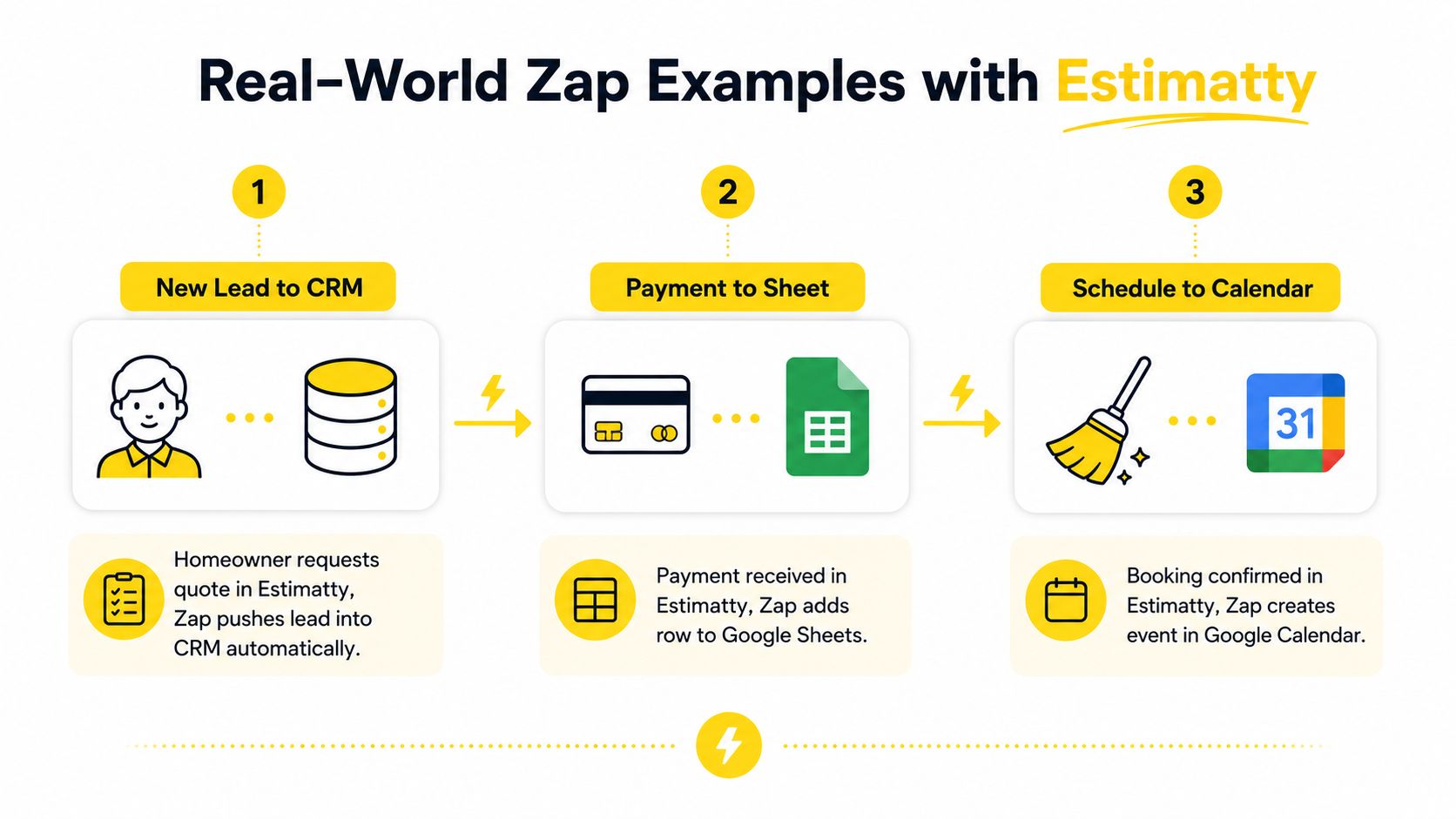
These examples aren't a promise that every workflow should look identical. They show how to separate responsibilities. The estimating tool captures the request, the CRM manages the relationship, the calendar organizes the work, and the messaging service keeps the homeowner informed.
Your first Zap should solve one obvious annoyance. For a cleaning owner, that might be moving every new estimate request into a CRM or spreadsheet. A narrow starting point makes testing easier and gives you a clear result to inspect.
Choose the app to watch. Select Estimatty as the trigger app if new estimate requests are the event you care about. Then choose the exact trigger, such as a newly created request or an approved estimate.
Connect the account. Zapier will ask you to sign in and authorize the connection. Read the permissions so you understand what the app is allowing the workflow to access.
Select the action app. Choose Google Sheets, HubSpot, Pipedrive, Gmail, Twilio, Google Calendar, or another connected tool. Pick one action, such as creating a row, contact, message, or event.
Map the fields. Tell Zapier where each detail belongs. The homeowner's name should go into the name field, the phone number into the phone field, and the requested service into the appropriate notes or service field.
Test and turn it on. Use a sample lead and inspect the result in the destination app. Check the name, phone number, address, service details, and timing before activating the Zap.
If your estimate form includes quizzes or guided questions, a resource on a Typeform competitor for quizzes may help you compare ways to collect customer information. The collection method matters because clean input creates cleaner downstream records.
For a broader view of organizing customer information in a service business, review this service industry CRM resource. Keep the first workflow simple. Once it behaves correctly, add another action and test again rather than building a complicated chain all at once.
Zapier doesn't replace every system in your business. It's a bridge layer, not the main database for your customer history, scheduling operation, or reporting process.
A dedicated CRM is usually the better home for detailed records, pipeline reporting, customer history, and advanced relationship management. A native integration can also make more sense when you need a direct connection between Estimatty and a calendar for a simple, dependable sync.
Zapier's broad app ecosystem creates flexibility, but flexibility comes with operational choices. Zapier says it supports more than 9,000 apps (Zapier pricing and app ecosystem), while its help center limits a Zap workflow to 100 total steps, including steps inside paths, and allows up to 1,000 fields per action step (Zapier workflow limits).
Timing also matters. Webhook-based workflows can push data to a unique URL instead of repeatedly checking for updates. Zapier documents Catch Hook and related webhook modes for POST, PUT, and GET requests, and says the raw-hook option accepts an unparsed request body up to 2 MB (Zapier's webhook guide). Standard triggers may instead check for new data periodically, so they may not suit an urgent lead-routing workflow.
| Scenario | Best Choice | Why |
|---|---|---|
| Connect several unrelated tools around one lead | Zapier | You get flexible trigger and action combinations. |
| Keep one core record synchronized in both directions | Native integration | A direct connection is usually easier to control and maintain. |
| Store detailed customer history and pipeline reporting | Dedicated CRM | The CRM is designed to manage records and relationships. |
| Send an event immediately after a booking | Webhook-based workflow or native connection | Event-driven delivery can reduce waiting caused by repeated checks. |
Choose Zapier when your business needs flexibility across many tools. Choose a native integration when you need deep, reliable, two-way synchronization for one central workflow.
A cleaning business has a steady stream of handoffs. A homeowner asks for an estimate. The office follows up. The customer approves the service. Someone schedules the job, alerts the crew, and confirms the details. Each handoff creates an opportunity for delay or a missed detail.
Zapier gives those handoffs a quiet operating layer. The trigger-action model connects the estimating experience to the tools your team uses afterward, while each app keeps its own main role. Estimatty can act as the estimating starting point, a CRM can manage the relationship, a calendar can organize appointments, and SMS or email tools can handle communication.
The practical gains appear in ordinary work. Estimate requests reach the right records. Approved jobs reach the schedule. Crew members receive clearer assignments. Follow-ups happen without relying entirely on the owner's memory.
Owner's test: If you copy the same customer detail from one app into another, that handoff may be a good candidate for a Zap.
Start by looking for one repeated task that causes friction. Connect the trigger to one destination, test it with a real-looking sample, and make sure the workflow respects your customer communication preferences. Then expand only when the first connection is dependable.
Within the first month, the outcomes you're looking for are practical: faster estimate turnaround, fewer forgotten appointments, cleaner CRM records, and more booked jobs without adding the same amount of administrative work. Zapier won't make operational decisions for you, but it can remove repetitive transfers so you have more time for service quality, crew support, and growth.
Estimatty helps cleaning businesses capture leads and deliver instant estimates by connecting the estimating experience with the tools that manage follow-up, scheduling, and communication. Visit Estimatty to see how you can start with one simple workflow and build a more dependable path from homeowner inquiry to booked cleaning job.