November 6, 2026
Residential Deep Cleaning Services: What's Included
Compare residential deep cleaning services by scope, price and provider, with a room-by-room checklist and tips for getting fair, instant estimates.

Saturday, September 12, 2026
Discover how sales quote automation helps cleaning businesses win more leads, price faster, and scale. Practical guide with KPIs, ROI, and adoption tips.

A cleaning lead comes in after hours. You're finishing a move-out job, your phone is buried in a van, and the prospect is waiting for a price while three other companies are still available in the search results. By the time you open the message, the opportunity may already be gone.
That's the operating problem sales quote automation solves. It captures the request, applies the pricing rules you've already decided, and sends a professional estimate while the prospect is still ready to book. For cleaning businesses, this isn't about adopting complicated manufacturing software. It's about responding quickly, pricing consistently, and stopping good leads from disappearing into an inbox.
A homeowner submits a request at 9:47 p.m. on Sunday. You see the email Monday morning over coffee, call back four hours later, and hear that they've already booked another cleaner who replied in twelve minutes.
The lost opportunity isn't abstract. It could have been a $280 recurring clean, a $1,400 quarterly contract, and the referral that customer might have sent later. Those figures describe the business impact of a missed request in this example, not a universal benchmark. The point is simpler: one delayed response can remove more revenue than the administrative work saved by waiting until office hours.
The old process usually looks like this:
That loop feels normal because cleaning operators have worked around it for years. It's also a recurring tax on the business. Every after-hours request waits for a person who may be driving, cleaning, sleeping, or handling a family obligation.
Practical rule: Treat every estimate request as a small race. The first professional response often sets the buyer's expectation for every competitor that follows.
With sales quote automation, the same request can trigger an immediate acknowledgment, collect missing details, calculate an estimate, and send it by text or email. You can wake up to a scheduled conversation instead of a cold inbox. The workflow still needs human judgment for unusual properties, but routine jobs shouldn't wait for the owner to finish a shift.
The speed to lead automation guide is useful if you want to map that response process beyond estimating. Cleaning operators can also review how an always-on estimator handles incoming requests in this 24/7 estimate case study.
The lesson is uncomfortable but useful. Slow response isn't a one-time mistake. It's a cost the business keeps paying until the first response, estimate, and follow-up happen automatically.
In operator language, sales quote automation is software that captures a cleaning request, applies your pricing rules, and sends a written estimate without requiring someone to draft every line manually. It's an execution layer, not a replacement for your pricing judgment.
You decide what a standard clean costs, which properties need review, how add-ons are priced, and where travel or urgency changes the total. The system follows those rules consistently and quickly.
For Estimatty, the useful distinction is between an estimate and a quote. An estimate is preliminary, often free, and intended to give a prospect a likely price before every detail is verified. A quote is more formal, line-itemed, and potentially binding. A proposal adds the sales context, scope, terms, and acceptance details around the price.
| Document | Purpose | When Sent | Binding? |
|---|---|---|---|
| Estimate | Gives a preliminary price range or likely total | Early inquiry or online request | Usually no |
| Quote | Presents a defined scope and price | After required job details are confirmed | May be, depending on terms |
| Proposal | Combines scope, pricing, terms, and selling context | Commercial or complex service opportunity | Can become binding after acceptance |
A cleaning estimate engine needs practical inputs, not a product catalog full of stock numbers. It may ask for:
Cleaning pricing is job-based, not SKU-based. That's why a generic CPQ platform built for manufacturing can feel like too much system for too little relevance. If you're comparing platforms, this guide to sales automation tools provides broader context, but your final test should be practical: can the tool represent how your crews price work?
The best way to evaluate an automated estimator is to follow one lead through the entire path. The names change between platforms, but the mechanics should remain clear.
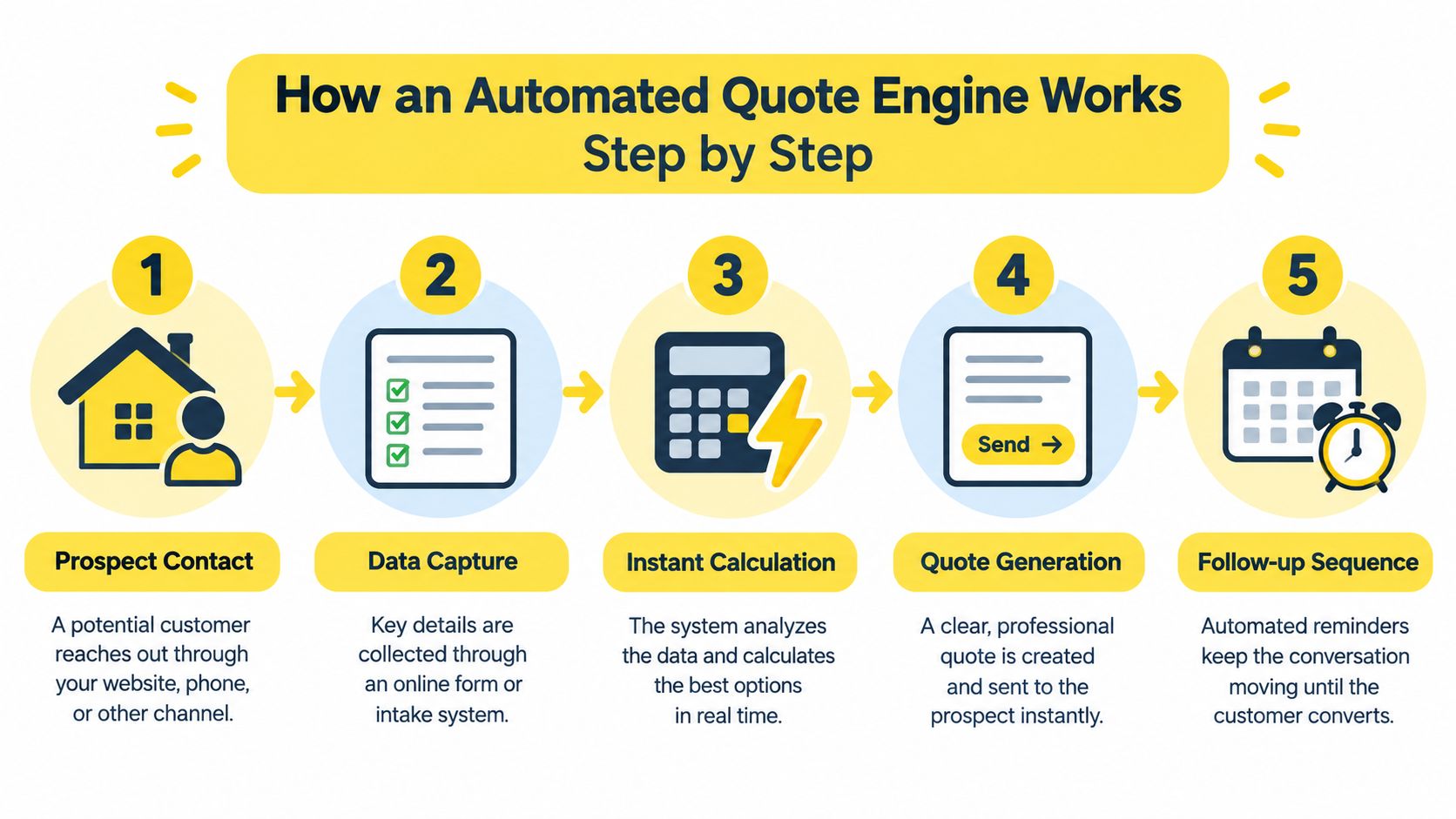
The prospect arrives through your website, calls your booking number, or responds to an ad. Instead of leaving the request as an unstructured message, the system records the service type, property details, contact information, requested timing, and selected add-ons.
That structure matters. A team member can work from clean job information instead of opening several messages to reconstruct what the prospect wants.
An AI agent such as Estimatty's Matty can ask the questions a human estimator normally asks. How many bathrooms are there? Are there pets? Is there heavy buildup? When was the last professional clean? Does the customer want inside windows or appliance interiors?
The answers feed back into the pricing model. A prospect doesn't have to wait for a callback just to clarify whether the property needs a routine service or a deeper reset.
The engine calculates the estimate using the rules you configure. Those rules might include a base rate per square foot, room adjustments, frequency pricing, modular add-ons, or an urgency multiplier.
The output should be explainable. If a customer asks why the price changed after adding an oven interior, your team should be able to identify the specific line item rather than guess.
The prospect receives a branded estimate by email or text. It should show the service, included scope, extras, price, and next action. A clean document creates fewer follow-up questions than a vague message containing only a total.
Your internal team receives the job details and can confirm, schedule, or flag the request for review. Complex commercial spaces, unusual surfaces, and requests outside the service area shouldn't disappear into the same queue as routine residential work.
The human role changes: You stop spending your day recreating standard estimates and start reviewing exceptions, closing warm prospects, and protecting job quality.
Cleaning customers rarely separate “fast response” from “good service.” If a company takes hours to acknowledge a simple request, the prospect may reasonably wonder whether scheduling and communication will be slow after the booking.
One benchmark claims that a response within 5 minutes can produce a 100x increase in lead qualification and a 21x increase in conversion compared with a 30-minute delay, according to quote response time benchmark data. A separate speed-to-lead source reports that responding within 1 minute can produce 391% more conversions than responding at 2 minutes, while connection odds fall sharply after 5 minutes. The same source reports an average SMB paid-ad lead response time of 47 minutes in its 2026 benchmark. These figures come from the linked benchmarks, so treat them as directional evidence for prioritizing speed, not as a guarantee for every cleaning market.
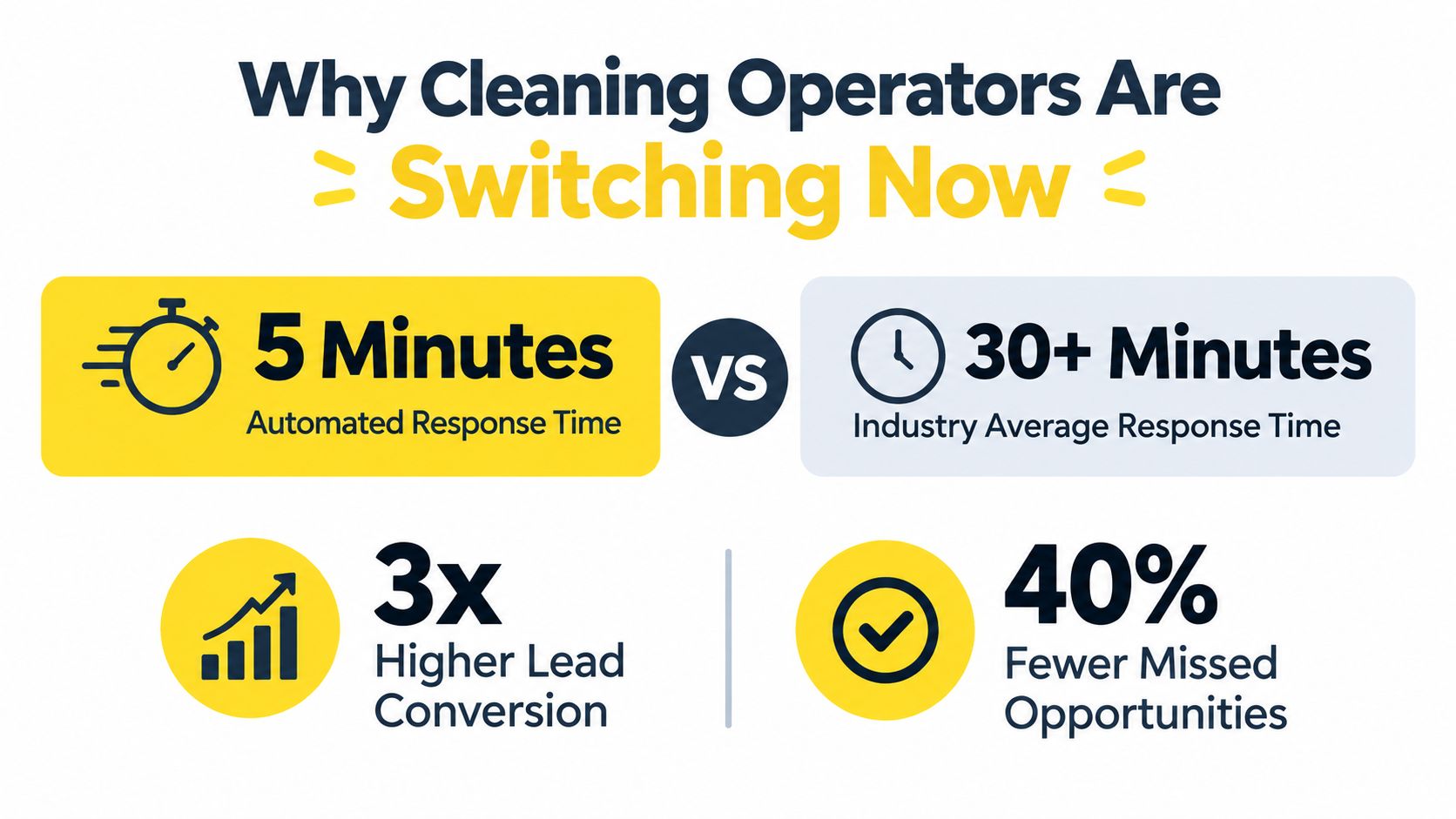
For a cleaner, that speed changes specific outcomes:
The speed gap becomes especially important when the owner is on a job site. You can't safely stop to calculate every request, and you shouldn't expect a cleaner to remember every pricing exception while working inside a customer's home.
The AI sales automation guide for cleaning services offers a practical view of how intake, estimating, and follow-up can fit together. The standard to aim for is straightforward: acknowledge quickly, ask only useful questions, send a clear estimate, and notify the right person.
The switch isn't experimental when competitors already respond while you're offline. It's an operating requirement for any cleaning company that depends on inbound inquiries.
The software market is expanding quickly. One industry report values the broader CPQ market at USD 2.96 billion in 2025 and projects USD 27.75 billion by 2032 at a 37.7% CAGR, according to this CPQ and AI quote automation market analysis. That growth tells you automation is becoming a strategic revenue system, but it doesn't prove that any particular tool will fit a cleaning operation.
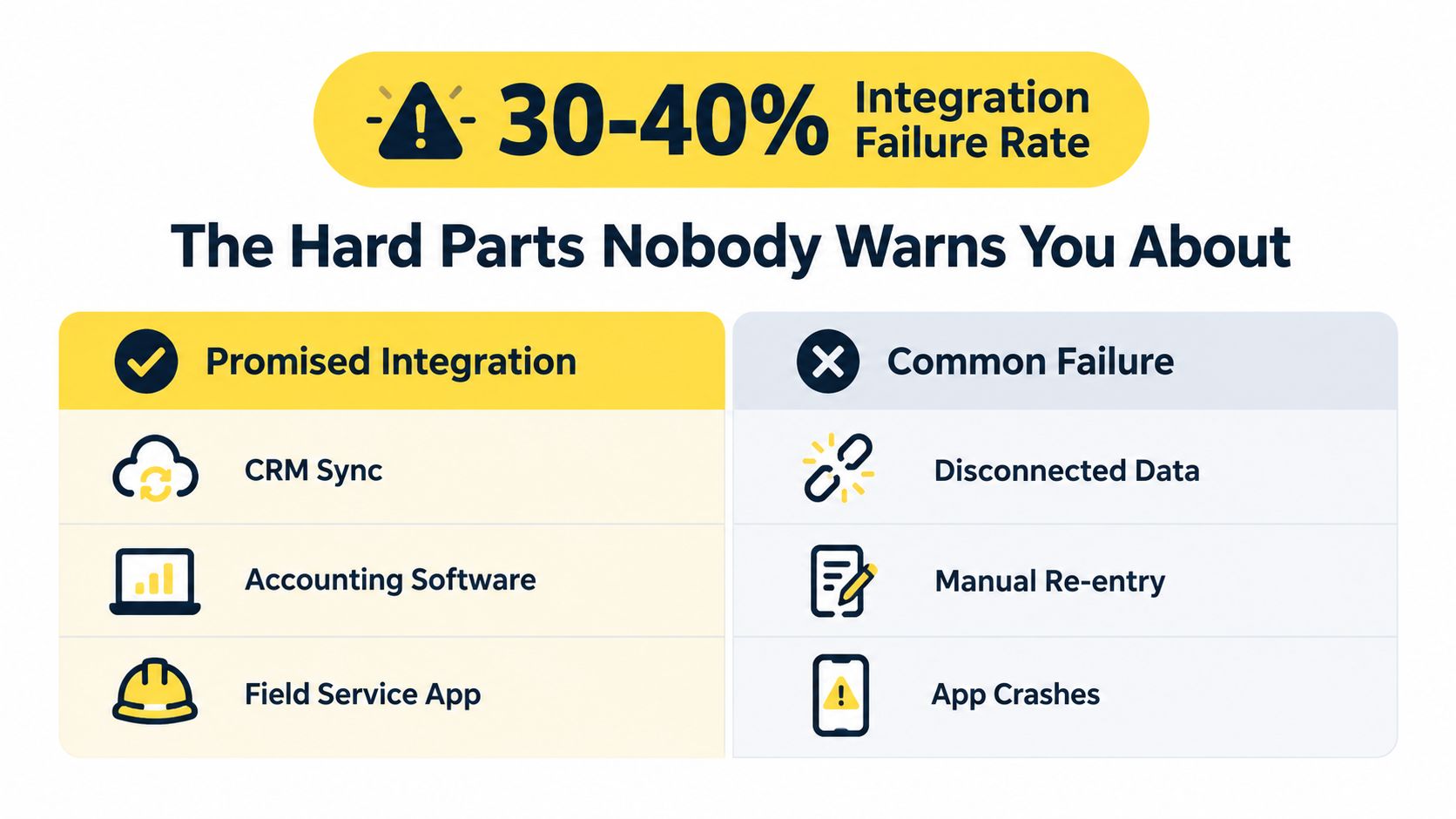
The practical question is integration. Does the estimator connect to your CRM, scheduling software, email, SMS, and lead source, or will your staff copy every estimate into another system by hand?
A 2025 study reported that 67.3% of organizations faced integration difficulties and 58.9% cited data-quality issues that reduced model effectiveness, as documented in this study on AI adoption and integration challenges. Those numbers should change how you buy. Ask to see the actual data flow, not just a feature list.
A chatbot that takes ten minutes to produce an answer may look automated, but it can still lose to a competitor that acknowledges the lead in under five minutes. The benchmark above makes the commercial point clear: response latency affects qualification and conversion even when pricing accuracy stays unchanged.
Don't measure only how quickly a document is created. Measure how quickly the prospect gets a useful response, and whether the request reaches someone who can act on it.
Automation doesn't fix bad pricing. If your square-footage bands haven't been updated, your minimum job is too low, or your add-ons no longer cover labor, the system will repeat the mistake with impressive consistency.
The same problem applies to FAQs. If the agent promises same-day service, delicate-surface treatment, or a specialty job your crew can't deliver, you'll create re-quotes and disappointed customers. Notification rules can also fail when they alert the owner at 2 a.m. for routine work but don't escalate a complex commercial request during business hours.
Start with a small rule set, review real conversations, and reserve human approval for jobs that carry unusual scope or financial risk.
Cleaning pricing usually falls into three connected models. Flat base-rate pricing assigns one rate to a square-footage band. Modular add-on pricing starts with a base service and stacks extras. Frequency rules adjust the price based on recurring service expectations.
| Pricing Model | Best For | Weakness |
|---|---|---|
| Flat base rate | Routine homes with predictable scope | Misses condition and service differences |
| Modular add-ons | Deep cleans, move-outs, and varied requests | Needs disciplined line-item rules |
| Frequency rules | Recurring residential and commercial accounts | Can misprice unusual first visits |
A commercial cleaning calculator may use the formula Monthly Price = (Square Footage × Rate Per Sq Ft Per Visit) × Visits Per Month + Add-Ons, and it should exclude large unused storage or mechanical rooms from cleanable square footage, as described in this commercial cleaning pricing formula guide.
That formula is useful because it mirrors how operators already think. A 2,000-square-foot home with three bedrooms, two bathrooms, and carpet shampoo isn't automatically the same job as a vacant property of the same size needing a one-time deep clean. Room use, surface type, soil level, frequency, and extras change the labor.
A 2026 cleaning price guide lists $0.10 to $0.25 per square foot as a typical range and gives $25 to $40 for inside oven cleaning as a separate add-on, according to this 2026 cleaning price guide. Use those figures as reference points, not as a substitute for your own costs and market position.
Modular pricing wins because it keeps the base service understandable while making the exceptions visible. Your engine can collect the same variables you'd ask over the phone, then apply the formula without forcing you to quote from memory between jobs. For deeper guidance on choosing a structure, review these business pricing strategies.
Don't turn automation on before your pricing rules are written down. The system can only be as reliable as the decisions you give it.
Create one approved pricing sheet covering:
Write the included scope beside every price. “Deep clean” means different things to different cleaners, and vague labels create callbacks.
Upload the top twenty FAQs your team answers repeatedly. Include service boundaries, arrival windows, supplies, pets, cancellation terms, access instructions, payment expectations, and what requires a human review.
The agent shouldn't improvise on services your crew doesn't provide. Give it approved answers and a clear escalation path.
Map where every lead should go. At minimum, review your CRM, scheduling software, Google Business Profile, SMS delivery, and email delivery. Zapier can help connect the estimator to other business systems, and this Zapier CRM integration guide is a useful starting point for that workflow.
Set notifications by responsibility. A routine residential estimate can go to the booking queue. A large commercial request, unusual property, or estimate above your chosen threshold should go to a manager for review.
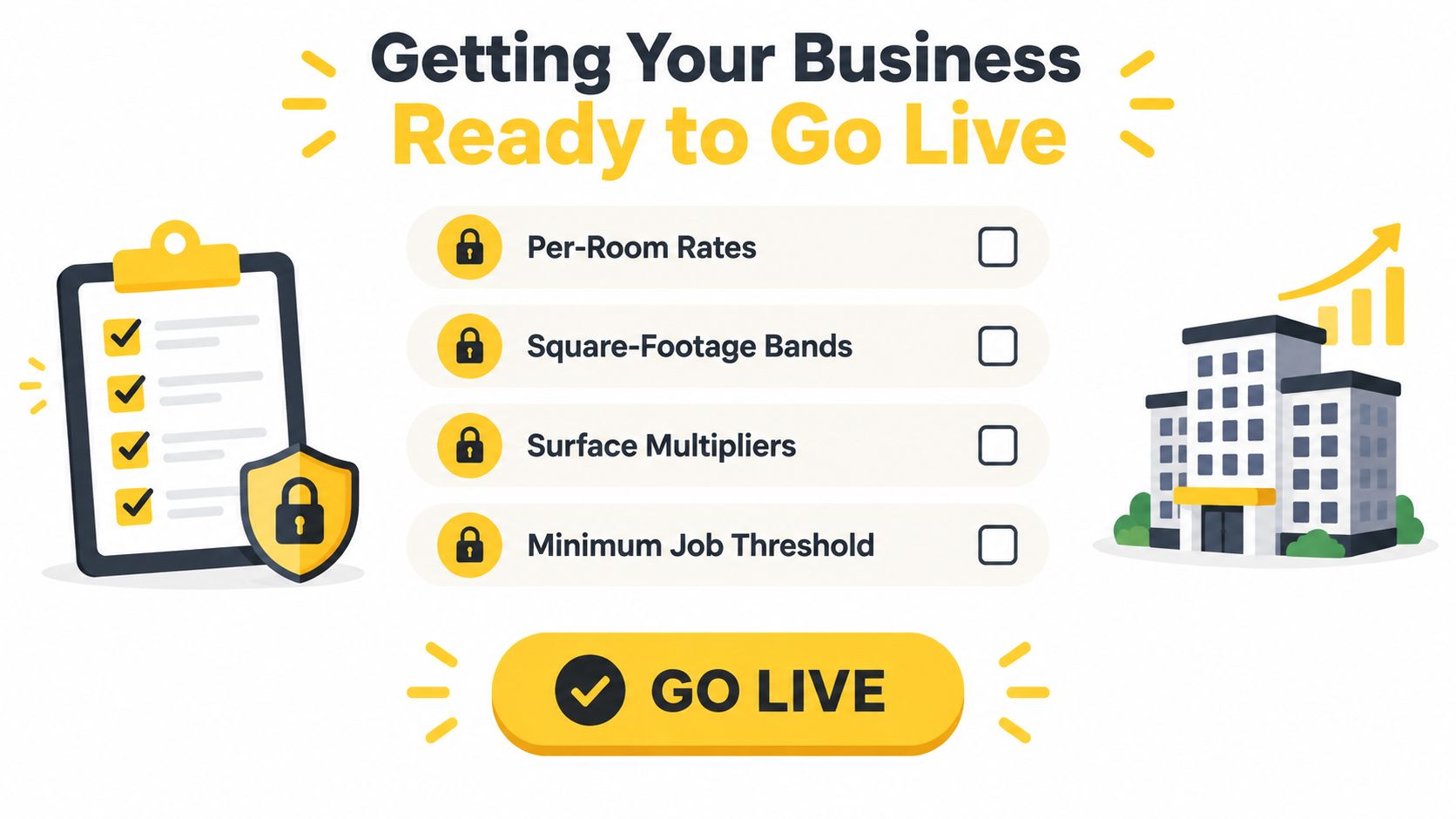
Run the system on a limited portion of inbound requests. For two weeks, compare automated estimates with manually written estimates, review the conversations, and check whether the scope matches what crews encounter in the field. Only route 100 percent of leads through the automated flow after the pricing, integrations, and escalation rules hold up in that test.
Automation should earn its place in your operation through measurable outcomes, not enthusiasm. Track the speed from inquiry to first response, the percentage of estimates that become bookings, average ticket size, after-hours estimate coverage, and estimator hours reclaimed each week.
| KPI | How to Calculate | Target Benchmark |
|---|---|---|
| Lead response time | Time from inquiry to first useful response | Set a sub-hour operating goal, then work toward minutes |
| Estimate-to-book rate | Booked jobs divided by estimates sent | Compare against your pre-automation baseline |
| Average ticket size | Revenue divided by booked jobs | Watch whether add-ons are being offered consistently |
| After-hours coverage | After-hours requests receiving an estimate divided by after-hours requests | Aim for complete coverage of routine requests |
| Estimator hours reclaimed | Manual estimating hours before launch minus hours after launch | Reinvest recovered time in follow-up and quality control |
The ROI equation is plain:
(Extra booked jobs × average ticket × gross margin) + (hours saved × loaded labor cost) − monthly software spend
Don't count every estimate as revenue. Count additional booked work, protect the calculation with gross margin, and include the labor value of time you reclaim. If automation creates more jobs but your crews can't fulfill them, the system has increased pressure rather than profit.
Review the economics and the operations together. A faster estimate is valuable only when the price is accurate, the scope is deliverable, and the team can schedule the work.
Create a weekly estimate audit. Check a sample of automated estimates against completed jobs, look for underpriced conditions, and identify add-ons customers asked about but never selected. Review pricing rules monthly, especially after labor, supply, travel, or market changes.
Keep one hard rule for exceptions: any estimate above your chosen dollar threshold, or any request with unusual scope, receives human review before sending. That protects margin without forcing staff to manually touch every routine inquiry.
For owners who want the reporting layer organized, this resource on how to automate business reporting can help frame the dashboards and recurring checks around your quoting process. Pair those reports with disciplined job-cost review using this job costing program guide, and you'll see whether faster estimating is producing healthier work, not just more activity.
Estimatty gives cleaning businesses an AI web and voice estimator that captures job details, applies configured pricing rules, sends estimates by SMS or email, and alerts the team when a lead needs attention. If you're ready to stop losing after-hours requests to slow manual estimating, visit Estimatty and set up a controlled test with your own cleaning prices and service rules.