November 8, 2026
Cleaning Costs Per Hour in 2026: Rates and Pricing Tips
Learn cleaning costs per hour for 2026: US wage benchmarks, billable rate math, pricing models and ways to stop revenue leaks. Price jobs with confidence.

Monday, November 9, 2026
Missed call text back turns unanswered calls into booked estimates. Get templates, consent rules, tool options and a setup workflow.
Industry reporting places SMS open rates consistently above 98%, according to the TXTImpact SMS tools usage report. That figure covers business texting broadly, not missed call recovery alone. It still explains why a text beats voicemail for a cleaning prospect. The caller already has their phone in hand. Your job isn't to send a clever message. It's to open a text to estimate workflow before that caller books someone else.
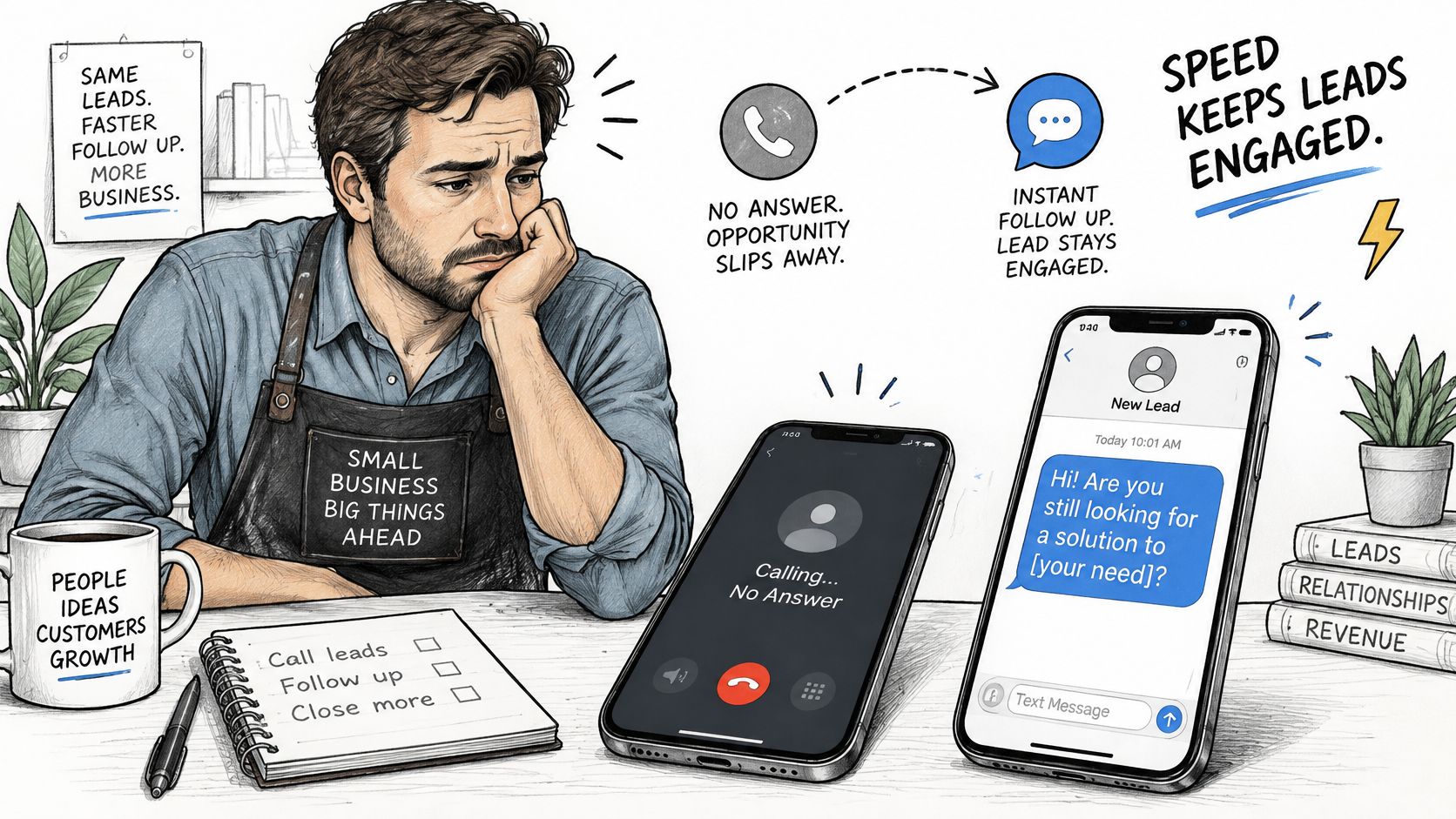
A prospect calls for a cleaning, nobody answers, and missed call text back sends an automated text within seconds acknowledging the call and asking one easy question.
It works like a receptionist stepping to the door the moment a visitor walks in. Voicemail tells the visitor to try again later. The text keeps them in the room.
Your system should confirm the call was unanswered, send one text, suppress repeats during a cooldown window, and log every reply. That log matters. Without it, you can't tell whether the text produced a conversation, an estimate, or nothing.
The reply is where the money is. The text only opens the thread. What fills it should be a path toward an estimate: each answer the caller gives moves the conversation closer to a price and a booked slot, and a person stands behind the automation to take over the moment the thread gets specific.
Vendor and industry benchmarks indicate that approximately 24% to 27% of calls to home-service businesses go unanswered, and automated texts sent immediately after a missed call can generate reply rates of roughly 35% to 50%, according to Marqeable's missed call text back guide for home services. Treat those as planning benchmarks rather than guaranteed conversion rates. They're vendor and industry reported, and your results will move with caller intent, competition, message quality, and how fast a person continues the conversation.
Reply odds fall off fast once the caller hangs up. Use these typical ranges as planning values for how intent decays:
| Delivery timing | Typical reply range | What it means for a cleaning company |
|---|---|---|
| Within 60 seconds | Highest of any window | Caller is still comparing options, so send immediately |
| 1 to 5 minutes | Roughly 20% to 30% | Still worth sending, but the caller may be contacting others |
| 5 to 30 minutes | Roughly 10% to 15% | Most of the intent has cooled; a human callback is now the main path |
| After 30 minutes | Under 10% | Plan a callback instead of a recovery text |
The table carries a simple operational rule. Don't batch missed calls for a callback list at lunch. Send the text within 60 seconds, then queue a human callback behind it.
Practical rule: The text buys you the conversation. It doesn't close the job.
If your current process relies on someone noticing a voicemail between cleans, start by fixing that gap. Our guide on how to improve response time covers the broader response system.
When texts fire on time and leads still disappear, look past the send itself: the reply sat unanswered, the thread never became an estimate, or the callback never went out. Speed decides whether you get the reply. Follow-through decides whether it becomes a job.
Copy these templates, insert your business name, and adapt the wording to how you'd talk to a customer.
| Scenario | Template text | Purpose of the text |
|---|---|---|
| First contact during business hours | Sorry we missed you. Are you looking for a one-time or recurring cleaning? We will call shortly. | Confirms the call, qualifies the job type, sets callback expectation |
| After hours | Sorry we missed your call after hours. Reply with your ZIP and home size and we will send your estimate by morning. | Captures details and sets a realistic next step |
| Callback time requested | Thanks for calling. Reply with a good time today and a team member will call you then. | Turns the caller into a scheduled callback |
| Human handoff | Thanks for your message. A team member will reply shortly. Reply STOP to opt out. | Confirms a person is following up and gives an opt-out for promotional contact |
Every first text needs four parts. Name the business in the first line. Acknowledge the missed call. Ask one low-friction question. State when a person will reply.
That structure comes from lead response evidence, not copywriting taste. Oldroyd and the Lead Response Management Study analyzed more than 15,000 leads and 100,000 call attempts across six companies and found that contacting a lead after five minutes rather than within five minutes reduced the odds of making contact by approximately 100 times and reduced the odds of qualifying the lead by approximately 21 times, as summarized in Plura's missed calls and lead response benchmarks. That study covers inbound leads, not missed calls specifically, but the mechanism fits cleaning exactly. Intent decays while the prospect waits or dials the next company.
So separate acknowledgement from resolution. The text doesn't need to price the job. It needs to preserve the caller's position and start qualifying. "Sorry we missed you. Are you looking for a one-time or recurring cleaning? We'll call shortly." does all of that in two short sentences.
Use the word estimate, not quote, wherever the price comes from an estimating process. The word sets the right expectation for what the prospect receives and matches the language on your estimate itself. The same discipline applies across your other texts, including the appointment reminder text you send after booking.
Keep each text short enough to read on one screen. Log the call timestamp, SMS timestamp, reply timestamp, callback attempt, and booking outcome for every thread. Test two versions for a month, then keep the one that produces more replies, not the one you like reading.
Faster isn't always better. A fast text sent without consent, to the wrong number, or with a promotional offer attached can damage trust faster than a missed call does.
The Federal Communications Commission states that autodialed or prerecorded texts to wireless numbers generally require the recipient's prior consent, commercial messages generally need written consent, and informational messages may rely on oral consent in some circumstances, per the FCC guide to stopping unwanted robocalls and texts. The FCC also treats texts as a form of telephone call under Telephone Consumer Protection Act restrictions. That means you document consent, identify your business, and provide an opt-out mechanism. You don't automatically text every missed caller and hope.
Separate two categories. A transactional text responds to the call the person just made, such as confirming you missed them and asking for a callback time. A promotional text carries offers, product updates, or campaigns, and it needs stronger permission. CS Outsource publishes a clear text messaging consent policy that shows how a business can lay out those categories in plain language for customers.
Our own practice follows that split. Estimatty text messages may cover demos and webinars, replies to inquiries, product updates, and promotional offers, and each category sits behind consent. Customers can stop messages at any time by replying STOP, which triggers one confirmation message and no further texts. Replying START resubscribes. Consent to receive text messages is not a condition of purchase, so a caller who declines texts can still book a cleaning. You can see how we present that choice on our SMS opt-in page.
Handle edge cases with the same care. Shared household phones, misdials, and callers who can't text all show up in a real call log. A system that respects those cases protects your reputation in the neighborhoods where you clean.
A Harvard Business Review audit of 2,241 U.S. companies found that the average response time among companies that responded to a submitted lead was 42 hours, only 37% responded within one hour, and 23% never responded at all, according to Vida's summary of speed to lead research. Those figures come from web inquiries, so they illustrate response speed as a principle, not a missed call conversion rate. The principle is damning enough. Most businesses don't lose leads on price. They lose them on silence.
Bring it to cleaning. A caller wants a deep clean before guests arrive this weekend. She's comparing three companies right now, phone in hand. The first business to acknowledge her gets the conversation. The business that calls back tomorrow gets her voicemail.
Say a two-person cleaning company misses calls on weekday evenings because both owners are finishing jobs. They return each call the next morning, politely and consistently. By then most callers have booked someone else. That's the pattern Eliana J. of Sweet Home Cleaning Services faced before using Estimatty, losing leads in back-and-forth follow-ups and slow estimates. The effort wasn't missing. The timing was.
Use this formula. Missed calls per week × share of callers who would book × average job value = weekly value at stake. Multiply by 52 for the yearly figure.
For example, 10 missed calls × 25% booking × $150 average job = $375 per week, or about $19,500 per year. Your numbers will differ, so run yours. If the yearly figure makes you wince, you've made the case for automation with your own math.
Before you buy anything, check what your current phone setup already supports. It helps to compare business phone features so you know whether your line can trigger texts natively or needs another layer. If evenings are your blind spot, a 24 hour phone answering service covers the same gap from the voice side. Either way, stop letting next-morning callbacks compete against competitors who replied in seconds.
| Option | Sends text automatically | Handles replies and qualifying | After-hours coverage | Main trade-off |
|---|---|---|---|---|
| Phone system auto-reply | Yes, generic message | No, reply lands in an inbox | Yes, auto-reply runs any time | Fast, but cannot qualify the lead |
| Website chat widget | No, only for site visitors | Yes, if staffed | Only if staffed | Misses callers who never open the site |
| Manual callback list | No | Only when staff act | No | Depends on staff speed |
| Estimatty AI voice and text | Yes, instant SMS | Yes, AI engages and captures details | Yes, 24/7/365 | Requires pricing set up before estimates go out |
The comparison graphic below sums up where each option sends, captures, and hands off the conversation.
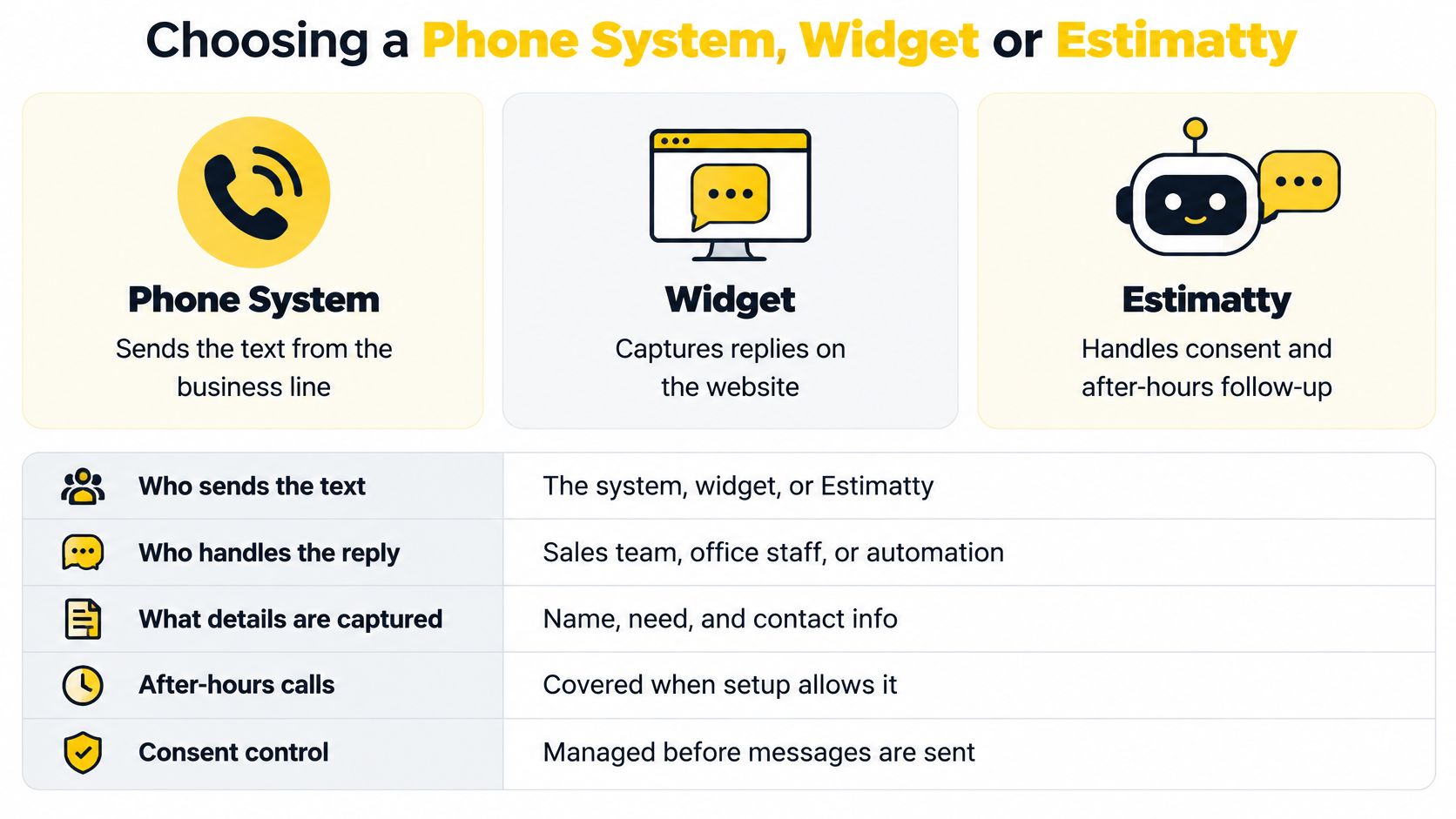
Judge every option on five criteria. Who sends the text. Who handles the reply. What details get captured. Whether after-hours calls are covered. How consent is controlled. Most tools win on the first criterion and fail on the second.
A phone system auto-reply is fast but generic. It can't ask about bedrooms or urgency, and the reply sits in an inbox. A website chat widget never reaches the person who tapped your number in search results and never opened your site. A manual callback list is only as fast as your busiest person on your busiest day.
If you're keeping your current carrier and layering a tool on top, the routing details matter, so review call forwarding setup and costs before you commit to a configuration.
Our approach starts earlier in the conversation. Estimatty's AI agent engages a lead first, answers common questions, captures details such as square footage, surfaces, and urgency, sends estimates by SMS and email, and pings the owner's phone with each lead. When a conversation goes beyond what the AI can answer, we don't guess. A human team takes over. Setup walkthroughs and related guides live on estimatty.com/blog.
The short video below shows that handoff from first contact to estimate.
Don't configure anything until you've separated three outcomes. Acknowledgement prevents uncertainty. Qualification decides whether the job fits. Conversion produces revenue. One industry summary of a 2025 U.S. survey reports that only 42% of consumers leave voicemail after an unanswered call, while 21% immediately call another business and 24% use online chat instead, according to Anthony Louis Media's missed calls analysis. A text that only acknowledges won't recover the callers who moved on. You need a text to estimate workflow, not text to callback.
The workflow graphic below maps the sequence before you work through the steps.
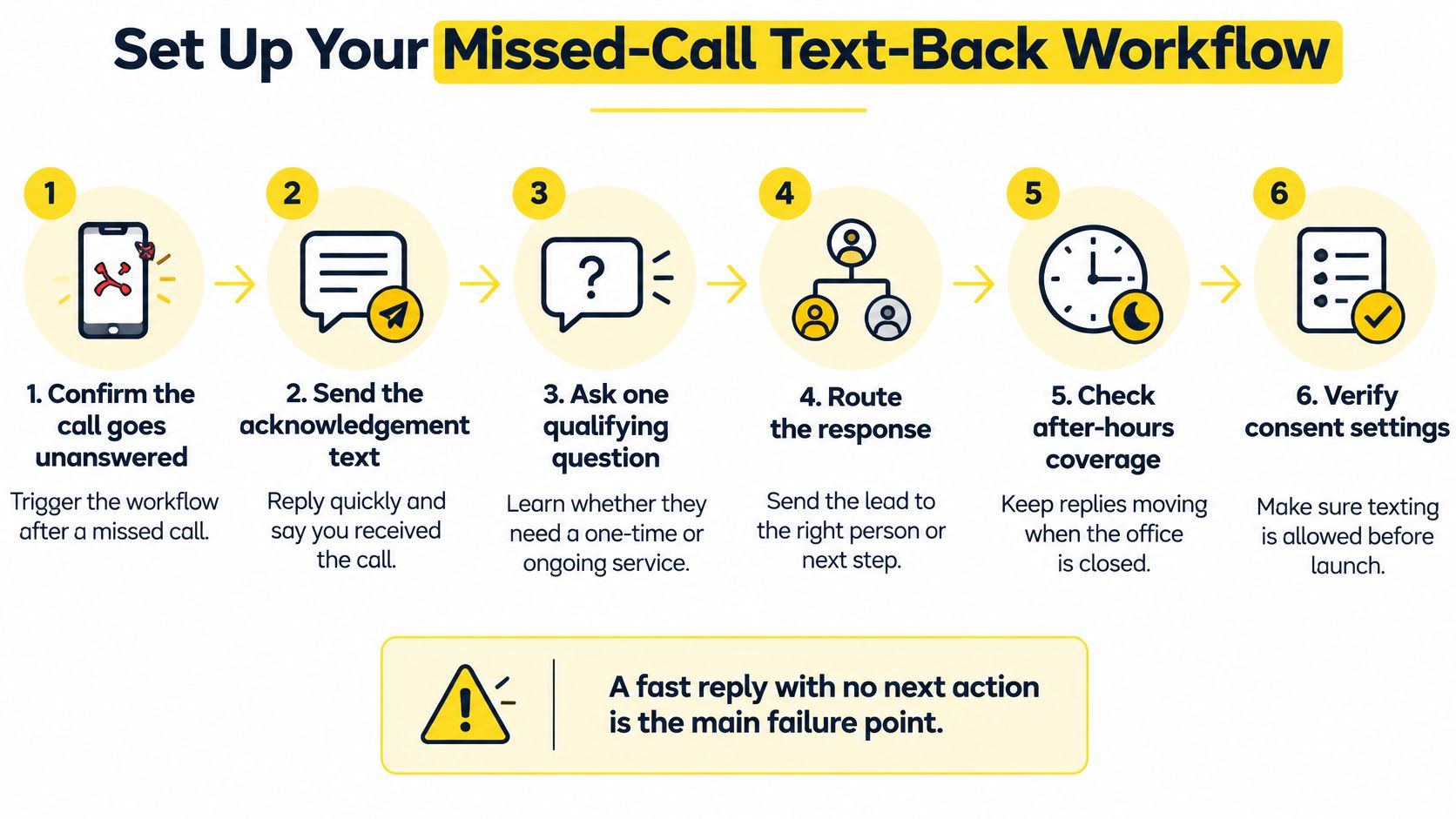
A fast reply with no next action is the main failure point.
If you want the replies and estimates handled when nobody's free, we answer 24/7/365, trigger real-time notifications for each new lead, and can handle the follow-up ourselves. We ping the owner's phone with each lead's details, including square footage, surfaces, and urgency, so the human conversation starts informed instead of cold.
The most common symptom shows up in the first reply. The customer texts back, "Who is this?" Your message never named the business, so it reads like a scam and gets treated like one.
| Symptom | Likely cause | Fix |
|---|---|---|
| Customer asks who sent the text | Message does not name the business | Name the business in the first line |
| Two texts for one call | No cooldown window | Suppress duplicates for a set period after the first text |
| Replies go unanswered | Replies route to an inbox nobody watches | Route replies into the same queue as voice leads |
| Conversation stalls after one reply | No next step asked | Ask for service type, home size and a callback time |
| Cannot tell which texts earned bookings | No conversation ID | Tag each thread with the call ID and track it to booking |
| Texts to landlines or wrong numbers | No number-type check | Check number type and stop after a failed send |
Each fix removes one break in the chain between the missed call and the booked job. Harvard Business Review's audit found that companies responding within an hour were nearly seven times more likely to qualify a lead than companies responding later, as reported in GoodCall's missed call statistics. Those are web generated inquiries, not phone calls, so use them as a response speed principle, not a missed call benchmark. A text that fires fast but routes replies to an unwatched inbox throws that principle away at the second step.
Build the guardrails into the system, not into people's memory. Trigger only after confirming the call was unanswered. Suppress duplicates during a defined cooldown window. Honor STOP and consent requirements automatically. Route replies into the same CRM or booking queue as voice leads, so a text reply gets the same urgency as a ringing phone. Tie each thread to a unique conversation ID linked to the originating number and call event.
Then measure. Compare texted missed calls against non-texted calls on connection rate, estimate completion, and booking rate. If texted calls don't outperform, your problem isn't the concept. It's one of the six symptoms in the table. Find it, fix that one thing, and remeasure against the same baseline.
Measure the three outcomes separately from day one. Acknowledgement means the text went out within 60 seconds. Qualification means you captured service type, home size, urgency, and ZIP. Conversion means an estimate was completed or a job booked.
Pull your last 30 days of missed calls. Record the count, the share that became bookings, and your average job value. That's your baseline, and every later claim gets judged against it.
Keep the setup if bookings rise and replies reach a person inside your agreed window. If results are flat, test the second template before you change the tool, because message wording is cheaper to fix than infrastructure. Value any gain with the weekly formula so the decision rests on revenue, not on how modern the system feels.
Stop letting unanswered calls end in voicemail. We engage your prospects by voice and text the moment they reach out, capture the details that matter, and send instant estimates by SMS and email, day, night, and holidays. Visit Estimatty to see how the text to estimate workflow runs for your cleaning business and book a demo.