September 29, 2026
Commercial and Residential Cleaning in 2026
Compare commercial and residential cleaning markets in 2026. Explore pricing, staffing, compliance, and how AI estimators streamline operations.

Friday, July 3, 2026
Reduce no-shows & save time with our 2026 guide to appointment reminder texts for cleaning businesses. Get templates, timing tips, and automation strategies.
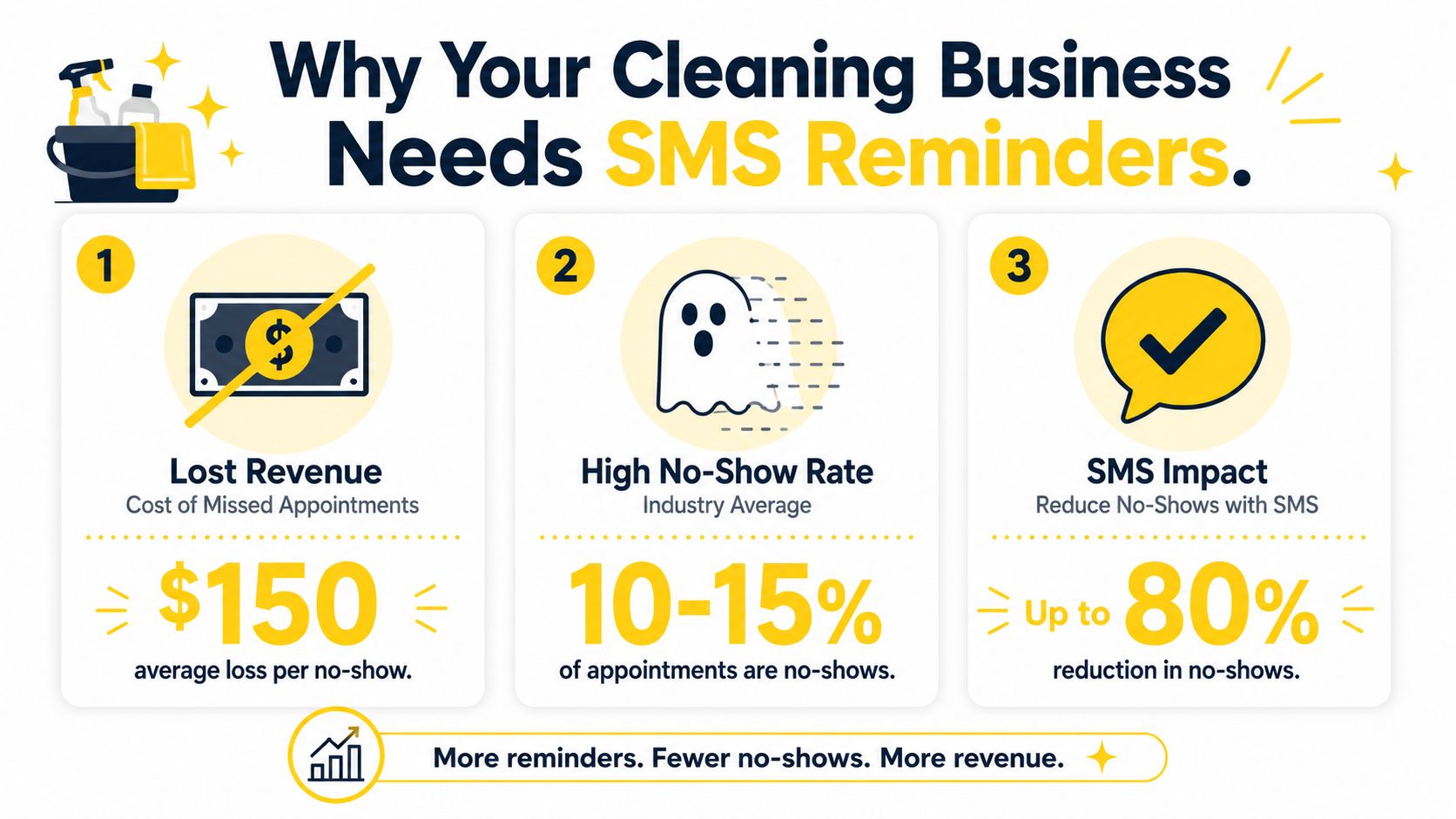
SMS gets opened. Email gets ignored. Appointment reminder texts achieve a 98% open rate, while email reminders reach only 21%, and 55% of consumers prefer texting over email for appointment notifications according to Bandwidth's reminder data.
If you run a cleaning business, that should change how you handle scheduling immediately.
Most owners don't lose money because they can't clean well. They lose money because the schedule breaks. A client forgets. Someone needs to reschedule at the last minute. A team shows up and can't get in. Then the day gets compressed, payroll keeps moving, and your route falls apart. A strong appointment reminder text system fixes that operational leak with very little friction.
Generic reminder advice usually comes from medical scheduling. It helps, but cleaning has different realities. Homes aren't exam rooms. Pets need to be secured. Entry instructions matter. Weather changes routes. Clients often make same-day decisions. That's why the reminder cadence for a cleaning business needs to be built around field service behavior, not clinic behavior.
A single missed cleaning appointment can throw off an entire day. One no-show does not just cost that job. It burns drive time, leaves cleaners underused, and usually creates a gap you cannot refill on short notice.
That is why SMS reminders belong in your operating system.
Cleaning is a field service business. Clients are not sitting in a waiting room. They are at work, managing kids, dealing with pets, or deciding whether to leave a door code that morning. Email is fine for estimates and invoices, but reminder texts work better for the kind of quick decisions that affect whether your team can complete the job.
Text messages get seen fast. That matters in cleaning because small details can make or break the visit. A client may need to put the dog away, ensure the side gate is accessible, clear a home office, or tell you the baby will be napping upstairs. If that message sits unopened in an inbox, your crew still drives out and runs into the same avoidable problem.
We see this play out most often with recurring clients. Owners assume repeat customers do not need reminders because "they know the schedule." Then a school holiday hits, someone works from home unexpectedly, or access instructions changed since the last visit. A short text catches those changes early enough to save the slot.
If you want a tighter schedule, use the same discipline behind reducing no-show appointments in service scheduling. Make it easy for clients to see the appointment, confirm it, and flag a problem before your team is in the driveway.
Practical rule: If a client has to search for your reminder, response rates drop and day-of surprises go up.
A good reminder system does more than reduce no-shows. It improves the parts of the operation that usually create margin loss.
This is also where cleaning businesses need a different reminder approach than medical offices. Generic appointment templates assume a fixed location, predictable arrival flow, and fewer same-day access issues. Cleaning has more moving parts. That is why we use a cleaning-specific cadence, the 3-0-2 model, built around the way home service appointments shift in real life. The timing comes later, but the reason starts here. You need reminders that do more than announce an appointment. You need reminders that protect the route.
A lot of owners still handle reminders manually. They send texts from a personal phone, rely on sticky notes, or tell the office to "message tomorrow." That method holds up at low volume. Then bookings stack up, reminders get missed, and preventable gaps start showing up in payroll, windshield time, and customer frustration.
The return is practical. Fewer no-shows. Fewer lockouts. Fewer last-minute phone chases. More completed jobs in the hours you are already paying for.
That is why we treat appointment reminder text workflows as a standard process, not a marketing extra. In cleaning, good reminders protect the day before the first technician even leaves the office.
A reminder text should do one job well. It should tell the client exactly what is happening and make the next action obvious.
Most weak reminders fail in one of two ways. They're too vague, or they ask for no response. That second mistake matters. Patients who do not confirm receipt show significantly lower attendance, which underscores the need for two-way SMS functionality such as reply-to-confirm or cancel, according to JMIR Formative Research. Cleaning businesses should take the same lesson seriously.
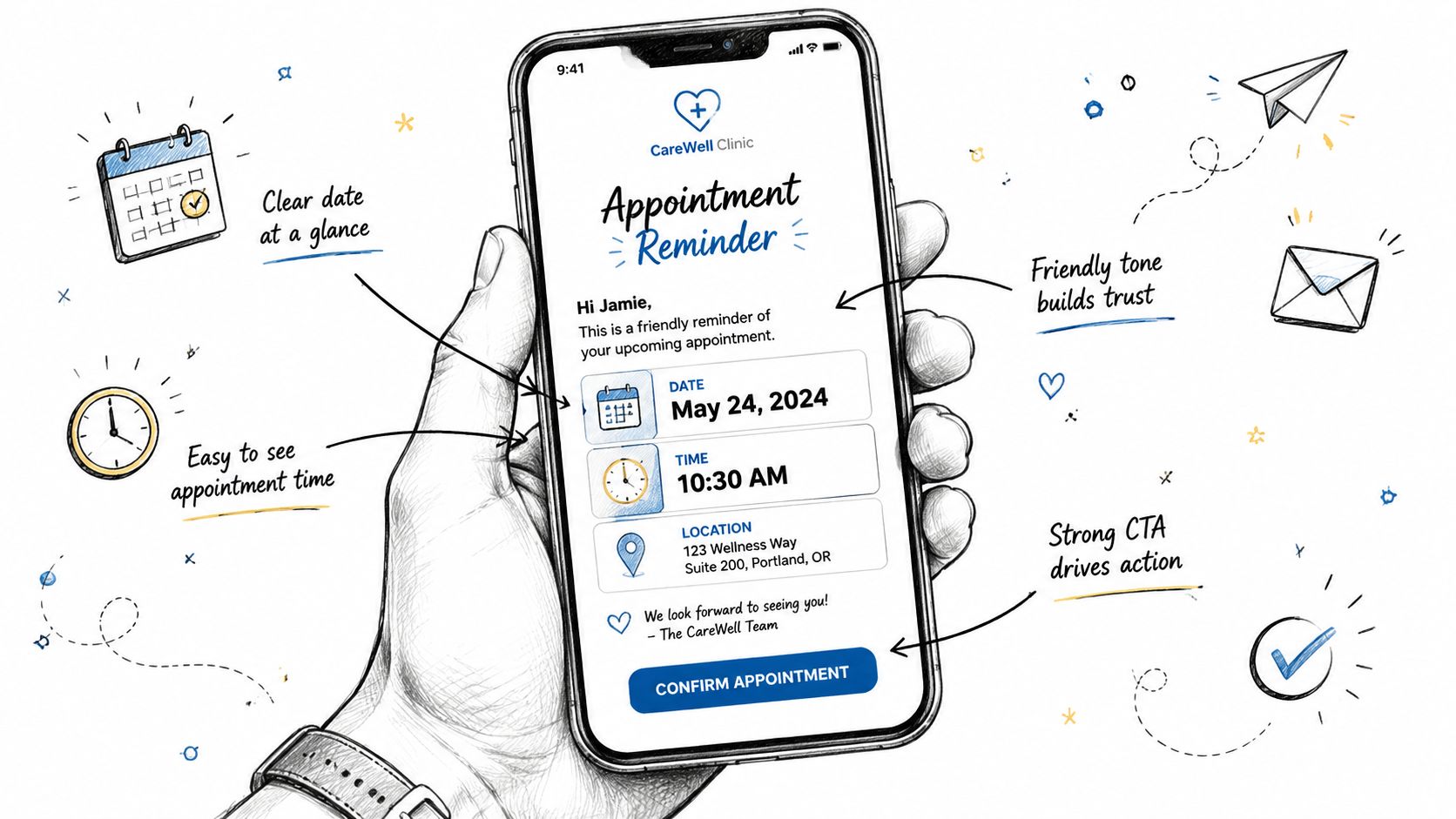
Use these as starting points. Keep the tone human, but don't let it get fluffy.
“Hi Sarah, this is Bright Nest Cleaning. Your home cleaning is booked for Tuesday at 10:00 AM. Please reply Y to confirm or R if you need to reschedule.”
“Hi Marcus, friendly reminder from Clear Home Cleaning. We're scheduled for tomorrow at 1:00 PM. Please secure pets and make sure we can access the home. Reply Y to confirm.”
“Hi Jenna, our cleaning team is set to arrive today in about 2 hours for your scheduled service. If gate codes or entry notes changed, reply here so we have the latest details.”
These work because they do four things at once. They identify the business, state the timing, include one specific prep instruction, and invite a reply.
For deeper examples of how message structure changes across channels, look at this guide to an appointment reminder email template. Email needs more detail. Text needs sharper execution.
A cleaning reminder should feel short, but it can't be incomplete. Include these elements every time:
Many businesses commonly go overboard in this area. They stuff too much information into one text and turn a reminder into a miniature policy manual.
Avoid these mistakes:
You can sound warm without sounding casual. A premium maid service may write differently than a budget turnover crew, but both still need direct communication. The safest formula is friendly, brief, and specific.
Here's the standard I use. If a client can read the message in one glance and know whether they need to reply, the text is doing its job. If they have to reread it, you've made the process harder than it needs to be.
Keep the reminder short enough to scan in seconds, but specific enough that the client knows exactly what to do next.
Most reminder systems copy a medical office template and stop there. That's a mistake for cleaning companies.
A doctor's office can often rely on a standard sequence because the visit location, prep, and attendance pattern are relatively fixed. Cleaning appointments are more volatile. Access changes. Homeowners travel. Weather disrupts timing. Family schedules shift. That changes when reminders should go out.
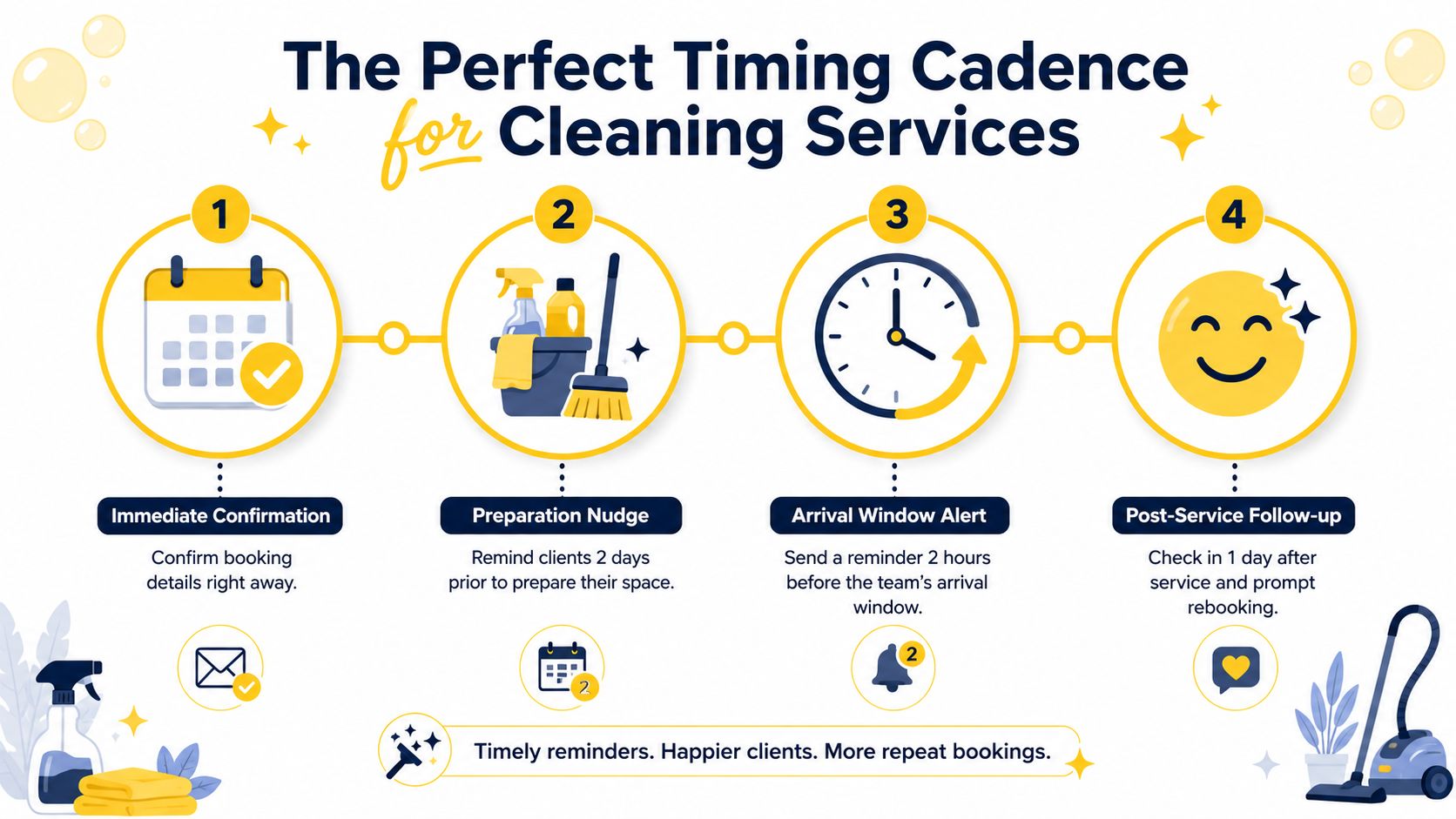
The usual clinic-style rhythm is early reminder, next-day reminder, then maybe a same-day note. That's fine in stable settings. It isn't enough when clients commonly make last-minute decisions about access, timing, or whether they even want service that day.
One data point matters here. Cleaning industry data shows that 2-hour reminders reduce same-day no-shows by 22% in volatile weather markets, according to Curogram's best-practices discussion. That last-window reminder matters because cleaning businesses live in a world of moving schedules.
If you're already sending confirmation emails, keep doing that for recordkeeping. For scheduling behavior, a faster prompt often works better than a longer message. This is the same logic behind a strong confirm appointment email process, but the text cadence should carry the urgent part.
I recommend a 3-0-2 cadence for cleaning companies.
| Timing | Purpose | What to send |
|---|---|---|
| 3 days before | Catch real reschedules early | Confirm date, time, and access details |
| Day of service | Re-anchor the appointment | Send a short “we're on today” reminder |
| 2 hours before | Prevent same-day failures | Send final arrival-window or access check |
This timing works because each text solves a different problem.
The 3-day message gives enough room for a client to move the appointment without wrecking your day. It also gives your office time to refill the slot.
The day-of message keeps the job active in the client's mind. It reminds them about pets, gate codes, or occupied rooms if needed.
The 2-hour message is the field-service message. It's not generic. It's operational. It catches “I forgot,” “the dog is loose,” “the lockbox changed,” and “can you come a bit later?” before your crew is parked outside.
Use different tones for different points in the sequence:
The final reminder shouldn't repeat the first one. It should reduce friction right before the crew arrives.
A lot of same-day problems don't come from bad clients. They come from missing communication in the final hours. The 3-0-2 model solves that without turning your business into a message machine.
Manual reminders break as soon as your booking volume rises. One person gets busy, a text doesn't go out, and your process becomes inconsistent again.
Automation fixes that, but only if you build it around the way a cleaning company already works. The system should pull booking details from the same place your team schedules jobs. Then it should trigger the right appointment reminder text without someone remembering to send it.
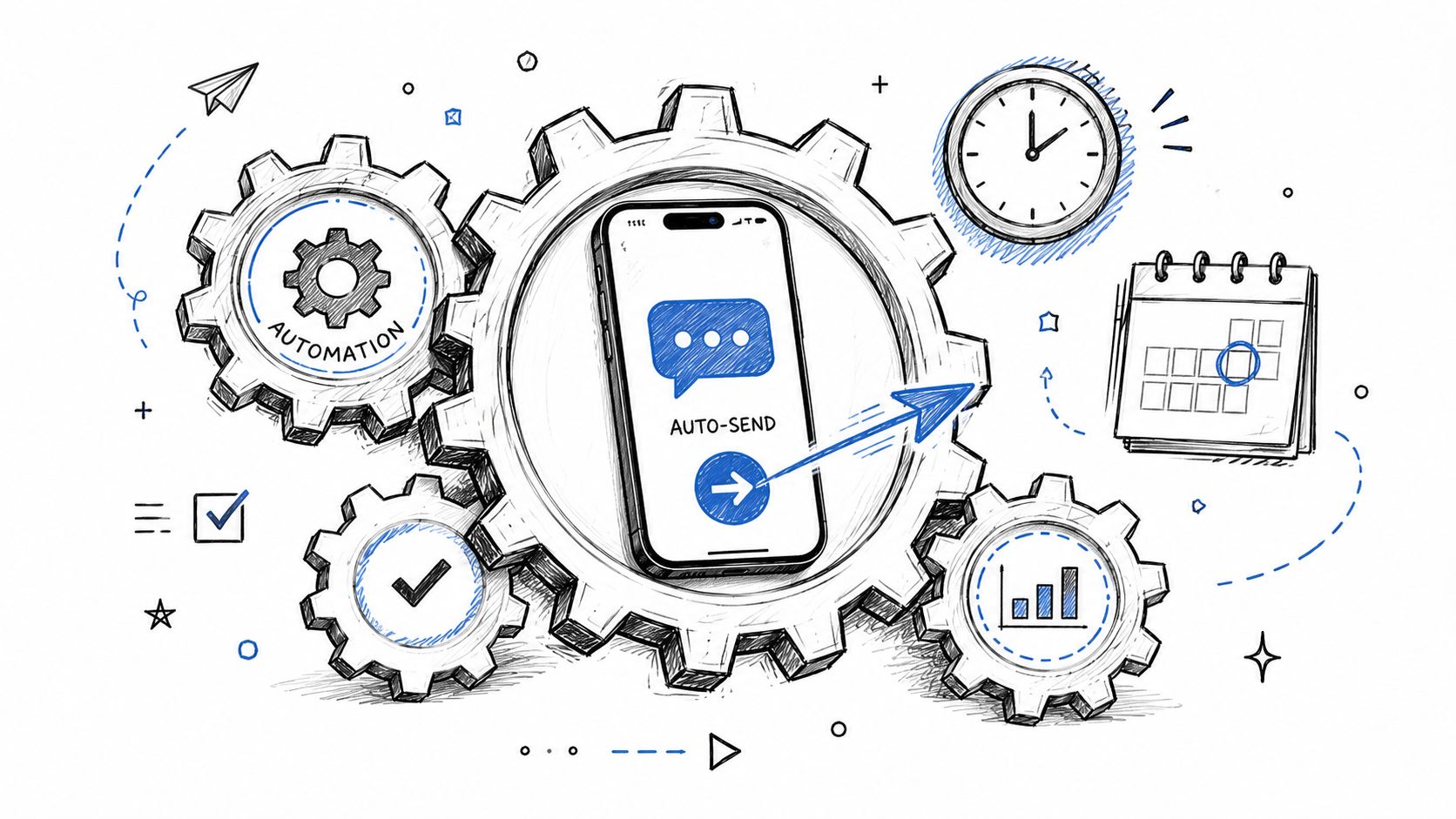
The cleanest setup usually looks like this:
That last part matters. When SMS reminders are combined with two-way texting that allows confirmations or rescheduling, no-show rates drop to 5-8%, representing a 60-75% relative reduction, according to ProactiveChart's reminder research summary. A one-way blast is better than nothing. A two-way system is much better.
If you're comparing tools, this kind of workflow belongs inside the same operational conversation as scheduling software for cleaning businesses. Scheduling and reminders shouldn't be separate worlds.
Don't automate everything blindly. Automate the repeatable pieces and leave exceptions to humans.
Use automation for:
Keep human review for edge cases such as lockout history, special access needs, or repeat late reschedules.
The most common problem isn't lack of software. It's bad workflow design.
Some businesses keep appointment data in one calendar, client notes in another system, and reminder texts in a third tool that nobody checks. Then a client replies with a gate code update and the field team never sees it. Automation should reduce handoff failures, not create new ones.
A second mistake is treating reminders as an office-only task. They affect route planning, crew readiness, and payroll efficiency. Operations should own the system, even if admin staff monitor the inbox.
Here's a useful walkthrough on how automated messaging fits into a broader scheduling stack:
Once reminders run automatically, your team gets time back. That time should go to work that improves the business, such as tighter dispatching, better follow-up with recurring clients, and stronger recruiting.
Hiring is a good example. Most owners spend too much time chasing preventable schedule issues and not enough time building a bench. If staffing is your next bottleneck, resources like pipehirehrm.com can support the hiring side while your reminder system handles attendance consistency.
A reminder system is working when your staff only touches exceptions, not every single booking.
Text reminders work best when clients want them and trust them. That starts with consent.
If you're sending automated appointment reminder texts, get clear permission during the estimate or booking process. For Estimatty-related language, always use estimates, not quotes. A simple checkbox on the booking form works well if the wording is direct and easy to understand. Make sure the client knows they're agreeing to receive service-related text messages.
Keep the consent language close to where the client submits their contact details. Don't bury it in a long policy page.
A practical setup includes:
For broader operations standards, a written process belongs inside your company documentation. This guide to a policies and procedures manual is a useful model for turning informal habits into repeatable SOPs.
Clients should be able to stop messages easily. Include a clear opt-out such as “Reply STOP to unsubscribe” in your text flow. That isn't just a compliance issue. It's a professionalism issue.
You should also keep message timing reasonable. Don't fire off reminders too early in the morning or late at night. Match the tone to your brand. A luxury cleaning service, a vacation-rental turnover team, and a solo cleaner can all sound different, but they should all sound respectful.
This is the short list I push every cleaning operator to follow:
One more operational point matters. When consumers receive SMS reminders, less than 5% of appointments end up being canceled, and manual phone calls reduce non-attendance by 39%, according to Dialog Health's roundup of patient appointment reminder statistics. Texting is efficient, but only when the system is managed cleanly.
If you don't measure the reminder system, you won't know whether it's doing real work or just creating activity.
Start with two simple numbers from your own business. First, track how many scheduled appointments did not happen because the client forgot, didn't respond, or wasn't available. Second, track how many appointment changes happened early enough for you to refill the slot. Those two figures tell you whether your appointment reminder text cadence is improving schedule reliability.
You don't need a complicated dashboard. A weekly spreadsheet is enough if the categories are consistent.
Track:
Review the trend every month. You're looking for cleaner routes, fewer surprise gaps, and less staff time spent chasing people.
Once the reminder process is stable, use the gains to improve the rest of the business.
A few smart next steps:
For ongoing ideas, both the Estimatty blog for cleaning business operations and the Pipehire HRM blog for cleaning team hiring and management are worth keeping in your regular reading stack.
The best reminder system doesn't just reduce missed appointments. It gives you a schedule you can trust.
A cleaning business grows faster when the calendar is predictable. That's what makes reminder texts so valuable. They don't just remind clients. They give your team a firmer day, fewer surprises, and more room to run the business well.
Estimatty helps cleaning businesses turn more inbound leads into booked work with fast, consistent AI-powered estimates delivered by web and voice. If you want a smarter front-end system that supports better scheduling from the first client interaction, see how Estimatty works.