
September 29, 2026
Commercial and Residential Cleaning in 2026
Compare commercial and residential cleaning markets in 2026. Explore pricing, staffing, compliance, and how AI estimators streamline operations.

Sunday, August 9, 2026
Learn how to improve business efficiency for cleaning companies with proven steps for quoting, scheduling, training, and KPIs that boost margins.
Monday starts the same way in too many cleaning businesses. The inbox is full, the voicemail has three messages from yesterday, a commercial prospect wants pricing before lunch, and a residential lead already called someone else because nobody answered fast enough. That's not a “busy morning.” It's a revenue leak.
The fix isn't more hustle. It's a tighter operating system, where every inquiry gets handled fast, every estimate follows the same logic, and every crew runs from a schedule that was built with real demand in mind. For a practical starting point on process cleanup, I like tips for business process improvement because it keeps the focus on removing friction, not adding theory. If you're still relying on voicemail and callback chains, the gap between inquiry and response is probably costing you more than you think, and a service like 24 hour phone answering service shows why that gap matters.
The first leak usually shows up before the first truck leaves the lot. Someone calls about a deep clean, the office line rings out, and the message sits until after lunch because the dispatcher is tied up with route questions. By then, the prospect has either booked elsewhere or mentally downgraded your company from “responsive” to “maybe later.”
That same pattern repeats with estimates. A job gets promised “by end of day,” but the estimate doesn't go out until the next morning because the owner had to piece together square footage, add-ons, and availability from three different places. On the floor, that looks like a small delay. In the ledger, it's a lost booking, a slower cash cycle, and another hour spent chasing work that should've been captured cleanly the first time.
Practical rule: if a prospect has to wait for a callback, your competitor has already started winning the job.
Cleaning is unforgiving because the work is labor-heavy and the margin is usually thin. Every unanswered inquiry, every slow follow-up, and every inconsistent estimate increases the odds that a better organized company wins the slot. Efficiency in this trade is really about protecting revenue flow, not just trimming expense.
For a broader process lens, IBM's definition of operational efficiency still fits. It focuses on optimizing processes and resources to reduce operating costs while maintaining or improving productivity. That frame holds up in cleaning too, because faster response at the front end usually means better utilization at the back end. When the owner treats inquiry handling, scheduling, and follow-up as one system, the month stops feeling chaotic and starts becoming measurable.
For practical process cleanup, tips for business process improvement is a useful starting point because it keeps attention on removing friction, not adding theory. If voicemail and callback chains are still part of your intake process, a 24 hour phone answering service shows why missed response time turns into lost bookings.
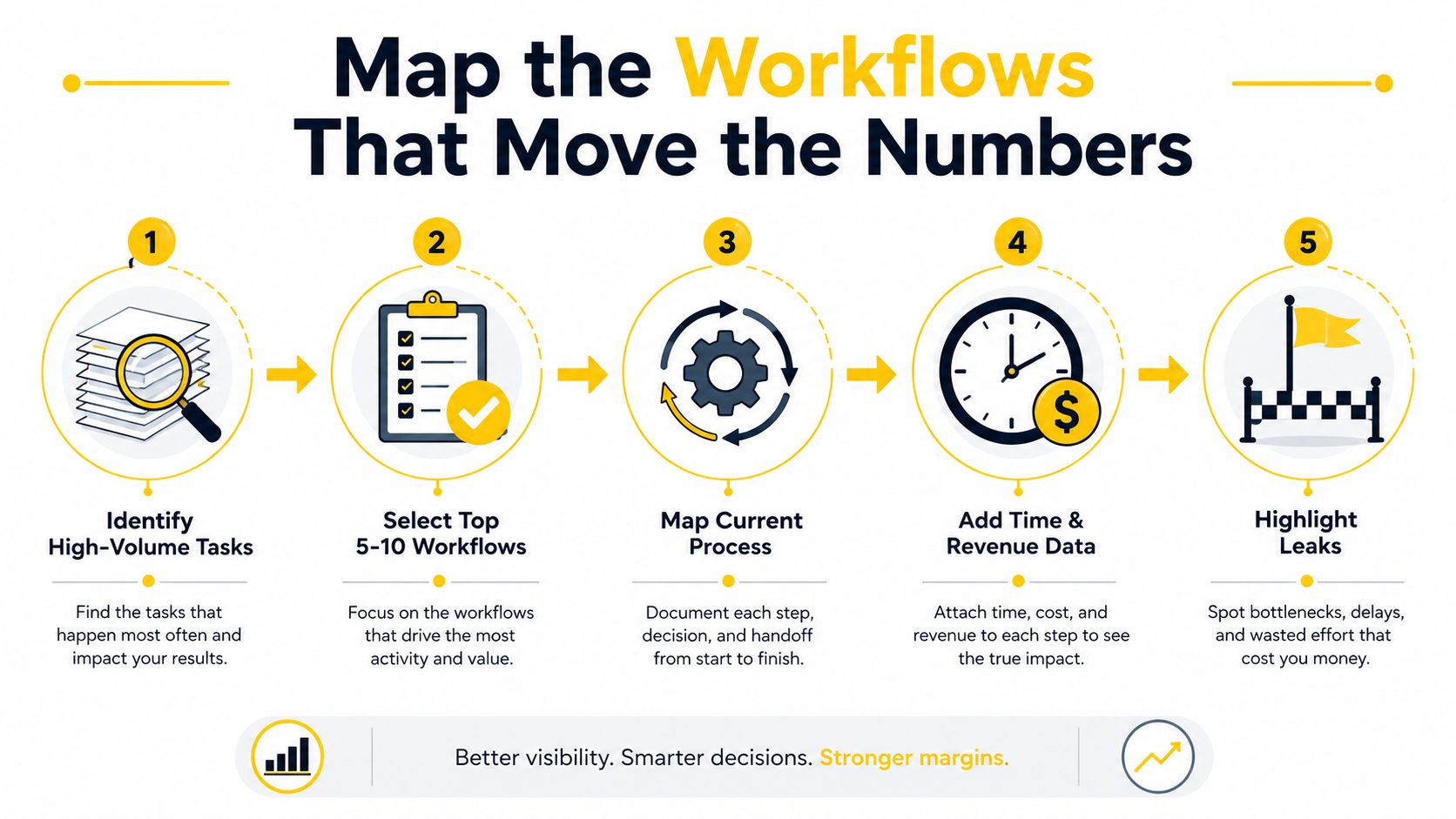
Start with the five to ten workflows that move money. For most cleaning operators, that's inbound leads, estimate creation, booking confirmation, route building, job completion, rework handling, and payroll or invoicing. Don't map everything. Map the places where delay, error, or handoff failure hits revenue first.
For each workflow, write down the trigger, the owner, the inputs, and the failure point. A web form submission, a missed call, or a manager's decision should each have a clear path from start to finish. If you can't name who owns the handoff, you've already found a bottleneck.
Then put baseline metrics beside the map. Track cycle time, error rate, and rework cost before touching software or changing procedure. That gives you a real comparison later, instead of a guess dressed up as improvement. A detailed workflow map also makes it easier to compare what happened on a normal day versus what happened when the system broke.
Define one problem, change one variable, and measure it before you call it a fix.
That's the discipline behind PDCA, and it matters because too many owners try to fix a dozen things at once. Once the map is clean, the next step is obvious. For a workflow-specific example, see the internal guide on document workflow software, which fits well after the mapping stage because it's about making the documented path usable by the team.
You should end this exercise with a simple working document, not a pretty slide deck. It needs to show where inquiries enter, who touches them, where delays happen, and which steps create avoidable rework. Once that's written, the owner can decide what to standardize, what to automate, and what to stop doing entirely.
The point is not organization for its own sake. It's making the hidden leaks visible enough that the business can fix them without debating symptoms all week.
Once the workflow is mapped, pricing needs to become repeatable. Gut-feel estimating is fine when the business is tiny, but it breaks quickly once different people are answering leads or different crews are selling add-ons. A written rate card keeps the customer experience consistent and keeps margin from drifting on the jobs that feel “easy” but aren't.
The most useful rate card is simple enough for a crew lead to follow and structured enough for an AI estimator to use. Base the pricing on service type, then layer condition multipliers for post-construction, move-out, or pet-heavy jobs. Add a menu for common extras like inside oven, inside fridge, or laundry, and set minimums by zip code where travel or demand makes that necessary.
When a homeowner asks for a number, they're really asking whether you understand the job. A standardized estimate answers that faster because it asks the same questions every time. It also protects the business from underpricing high-friction jobs that look routine on the surface.
| Service Type | Base Unit | Condition Multiplier | Common Add-Ons |
|---|---|---|---|
| Maintenance clean | Per home or per room model | Light, normal use | Inside fridge, inside oven, laundry |
| Deep clean | Per square foot or per home model | Heavy use, first-time visit | Cabinet fronts, baseboards, appliance interiors |
| Move-out clean | Per square foot or per home model | Vacant home, turnover condition | Interior windows, inside fridge, inside oven |
| Post-construction clean | Per square foot or per project model | Dust-heavy, debris-heavy | Detail dusting, fixture wipe-down, specialty surfaces |
The exact numbers belong in your own pricebook, but the structure needs to stay consistent. If one estimator treats a 1,800-square-foot deep clean like a maintenance visit and another treats it like a full reset, the team will feel profitable on paper and get burned in reality. For a practical template, the internal tools pricebook is the kind of reference that helps when you're turning a rough pricing habit into a documented system.
Estimatty uses estimate terminology when it standardizes this kind of pricing, which matches how most cleaning owners sell the job. The important part isn't the label, it's that the same inputs produce the same response every time. That consistency keeps the customer from hearing three different numbers from three different people.
The fastest way to stop the front-end leak is to answer while the prospect is still engaged. That's where AI-driven intake matters, because a cleaning lead usually doesn't want a long sales process, they want a fast, credible number and a clear next step. If your current process depends on voicemail, callback lists, and manual pricing, you're losing the easiest part of the sale.
A web or voice estimator can capture square footage, surfaces, urgency, and service type as soon as the lead arrives. The better systems send the result by SMS and email almost immediately, which cuts the awkward delay between interest and response. That speed matters more than most owners admit, because a prospect who is ready now often books with the company that is easiest to trust right now.
It should replace the slowest, most repetitive parts of intake. That means voicemail tag, manual data entry, pricing by memory, and estimates that wander because the rules aren't written down. A system built this way also reduces the gap between what was promised and what gets delivered, because the same rate logic runs every time.
The setup can be straightforward. Customize the pricing, drop the widget on the site, choose a voice, add the usual FAQs, then connect the notifications to your CRM or workflow tool. If the lead wants a human, AI can engage first and a receptionist can step in to finish the booking, which keeps high-intent callers from falling through the cracks. More detail on that setup is in the internal guide on AI estimates software for cleaning.
This is one place where Estimatty fits naturally. It's a web and voice sales estimator for cleaning businesses, and it's built to capture lead details, return an estimate quickly, and notify the team without making the owner babysit the process. That kind of tool doesn't fix a broken workflow by itself, but it does close the front-end leak when the process behind it is already standardized.
A clean estimate sent fast does two things at once. It reassures the prospect that your company is organized, and it reduces the time they have to compare you against someone else. In cleaning, that's often enough to decide who gets the booking.
The key is to connect automation to the rate card, not to guesswork. If the tool is trained on the same pricing logic the team uses, the customer gets speed without the wobble.
Quoting speed only helps if the schedule can absorb the work without chaos. I've seen owners celebrate a full board on Tuesday, then watch the week unravel because nobody checked drive time, zone overlap, or crew capacity before confirming the jobs. A good schedule is not just full, it's clustered.
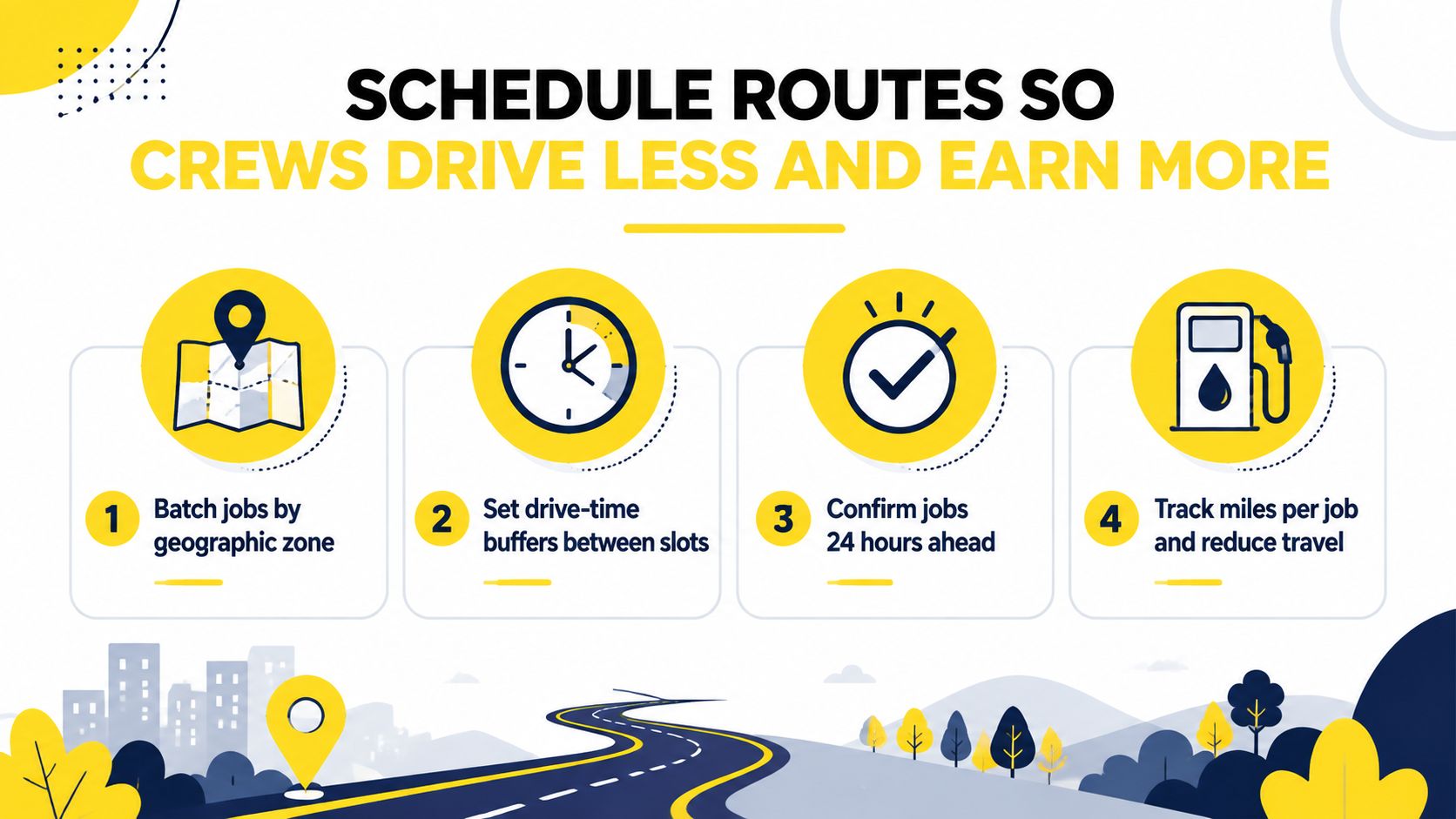
Group jobs by geography before you worry about perfect time slots. If two homes are in the same neighborhood and both need similar service, the scheduler should try to place them together rather than stretch the day across town. That one habit usually does more for crew sanity than another round of calendar software ever will.
Build drive-time buffers into the route. If the estimate assumes immediate transitions and the map says otherwise, the day will slip and the crews will feel it by the second stop. Internal scheduling guidance for cleaning businesses works best when the schedule reflects real travel time, which is why the scheduling software for cleaning business guide is useful after the pricing layer is in place.
A route that looks efficient on a calendar can still be expensive on the road.
For comparison, route planning tools used in fleet-heavy work, such as route software for HGV operators, show the same principle from a different angle. The vehicle and the crew both waste time when the route is built without enough structure. Cleaning isn't trucking, of course, but the discipline is similar, keep the movement predictable and the day gets easier to run.
Confirm jobs 24 hours ahead when possible. That gives you a chance to catch access issues, schedule conflicts, or a client who forgot about the appointment. It also protects the route from last-minute holes that waste the middle of the day.
Track miles per job, not just hours worked. If the team is producing good labor output but burning too much drive time, the schedule is leaking money in a place most owners forget to measure. Route design and estimate design belong together because the estimate should capture the job details that let the scheduler place it correctly.
Most cleaning owners watch revenue and hope the rest takes care of itself. That misses the earlier signals, the ones that tell you whether the pipeline is healthy before the month closes. The better dashboard focuses on what changes margin, not just what looks busy.
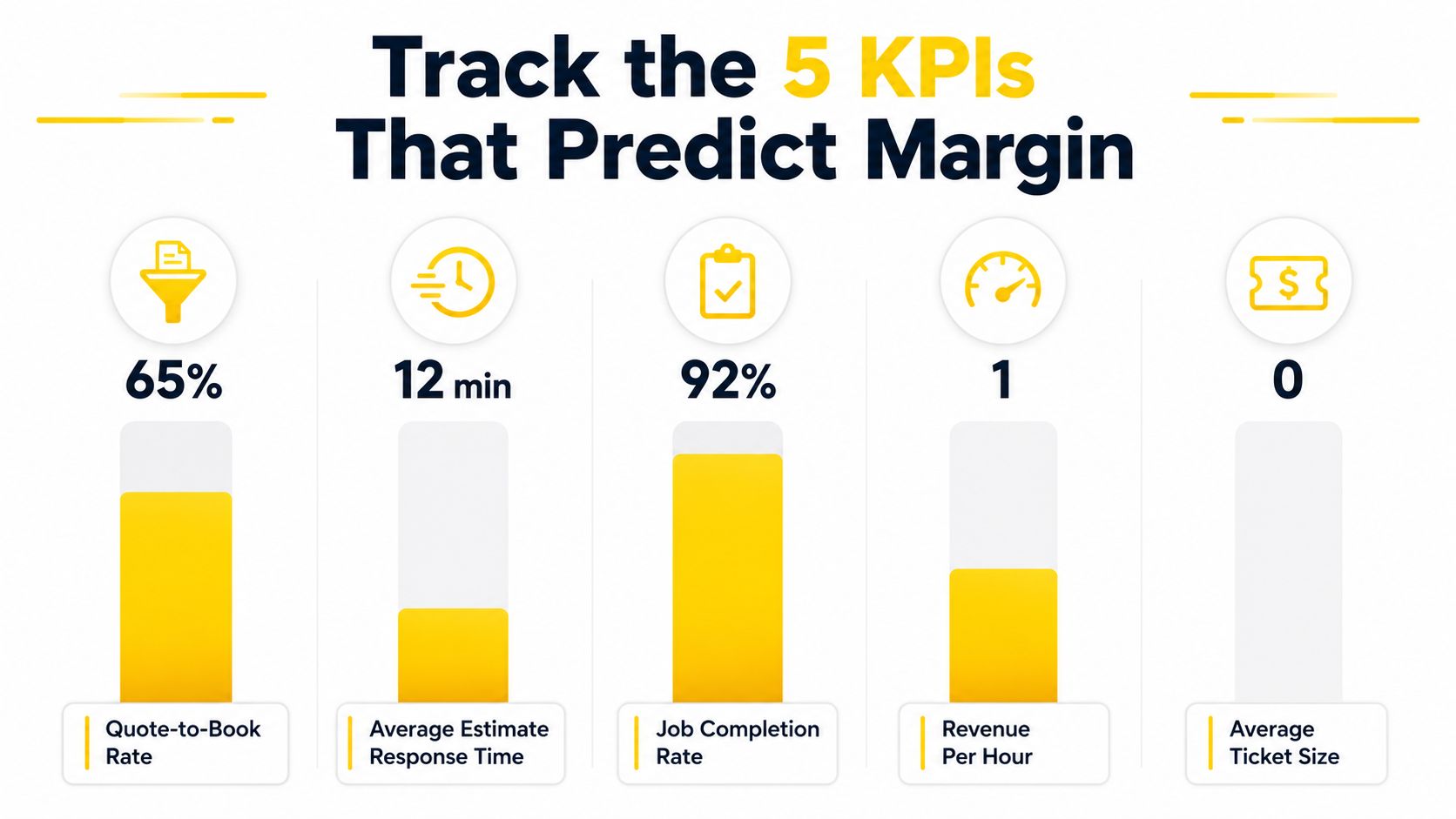
Quote-to-book rate tells you whether the market likes your offer and your response speed. If it drops, the first thing I check is how long leads waited before they heard back. Average estimate response time is often the primary culprit, because cleaning customers usually don't wait long when another company responds faster.
Revenue per crew hour shows whether the schedule and pricing are aligned. If crews are staying busy but the number is soft, the business may be over-servicing, underpricing, or wasting too much time in transit. Callback or rework rate exposes the jobs that looked profitable until the correction visit ate the margin.
The fifth number is customer lifetime value by acquisition source, because not every lead source deserves the same treatment. A referral from a property manager behaves differently than a casual one-off lead, and the business should know which source brings repeatable work versus noisy one-time demand.
Use the dashboard to diagnose, not to decorate. If a metric moves the wrong way, ask what changed in intake, pricing, route design, or training before you blame the crew.
For a useful sales-metric mindset in another industry, the guide to sales KPIs for BFSI is a reminder that high-performing teams measure the funnel instead of guessing at it. Cleaning has its own version of that discipline. The numbers are different, but the logic is the same, if you can't see the conversion path, you can't fix it.
The strongest setup is the one that gives the owner real-time notifications and logged estimate data. That feedback loop turns intuition into evidence, which is the only way to know whether a change improved margin or just felt busier.
Training gets treated like a soft topic because people talk about it in vague terms. That's a mistake. In a cleaning business, training is the operating system that keeps the rate card, the schedule, and the estimate logic from collapsing the first time the owner gets pulled into something else.
A workflow only sticks when the team can repeat it under pressure. That means onboarding shouldn't be a pile of loose notes, it should be a short checklist tied to the exact way jobs are sold, routed, and completed. Crews don't need motivational speeches every week. They need repeatable standards, clear examples, and a place to review what went wrong last week.
A five-minute Monday huddle is enough to review rework tickets, missed details, or route exceptions. Keep it specific. Which jobs needed a revisit, what caused it, and which step in the workflow broke down? That kind of review turns mistakes into process fixes instead of blame.
The same logic applies to attention management. Paychex recommends working in 50-minute blocks with short breaks, and that fits deep-clean planning, estimate review, and schedule building well. It also helps to schedule email and phone checks instead of reacting all day, and to silence notifications during focused work sessions, because interruptions make good operators sloppy.
When the team handles high-concentration work, protect the block. A dispatcher who is making route decisions while answering random calls is going to produce worse schedules than a dispatcher who checks messages on purpose. The same goes for estimators who are trying to price jobs while bouncing between texts and payroll questions.
Sometimes the bottleneck is not process, it's staffing depth. When growth outpaces recruiting, a cleaning-specific hiring resource like pipehirehrm.com can help owners think more clearly about the labor side of scale. That matters because even a well-designed system still needs people who can run it consistently.
Training is where the whole machine either hardens or softens. If crews understand the standard work, and the owner keeps measuring the few KPIs that matter, the gains don't disappear the first time the calendar gets crowded. For a final operating note, Xero's efficiency guide shows why this matters so much, automation can save up to 200 hours per employee annually and deliver 248% ROI over three years for repetitive-task improvements, while over 70% of employees rarely participate in process improvements even though they often know the bottlenecks. That's exactly why the frontline team needs a real training rhythm, because the people doing the work are usually the ones who know where the leaks are.
If you want fewer missed leads, faster estimates, and a schedule that doesn't fall apart by Wednesday, start with the intake and pricing layer first. Estimatty gives cleaning businesses an AI-powered web and voice estimator that captures job details, returns consistent estimates quickly, and feeds the booking workflow without relying on voicemail or guesswork. Visit Estimatty and see how a tighter front-end process can protect revenue before the month slips away.