
October 22, 2026
How Do You Professionally Clean a House? a Room Guide
Learn how do you professionally clean a house with a room-by-room process, safety standards, quality checks, and team training tips.

Monday, June 8, 2026
Revolutionize your cleaning operations in 2026. Use document workflow software to boost efficiency, reduce paperwork, and improve client satisfaction.

A lot of cleaning companies don't have a sales problem or a service problem. They have a paperwork problem.
The owner sends an estimate from one tool, the office manager updates the client notes in another, a supervisor keeps job sheets in a truck, and the invoice waits because nobody can find the final scope change. Add hiring packets, SDS sheets, W-9s, vendor bills, and inspection checklists, and the whole operation starts running on memory instead of process.
That's where document workflow software matters. Not as some corporate buzzword. As a practical way to stop losing time, missing details, and delaying cash flow.
If you run a cleaning business, you've probably seen the same pattern more than once. A lead comes in, someone promises to send an estimate, the details get scribbled on a note, and by the time the customer follows up, the office is digging through text threads and inboxes trying to reconstruct what happened.
Then the job starts. A crew lead leaves a printed job sheet in the van. The customer asks for one extra room. Nobody updates the original scope. The invoice goes out late or wrong. Now you're wasting admin time fixing avoidable mistakes while the customer wonders why a simple service feels disorganized.
Paperwork problems don't stay on paper. They hit cash flow, scheduling, customer trust, and staff accountability.
A lot of owners try to patch this with more reminders, more group texts, or better filing habits. That usually works for a week. Then business gets busy again, and the system falls apart because there was never really a system.
One of the first signs a company is outgrowing manual admin is when communication spills across too many channels. If your team still relies heavily on phone follow-up, it also helps to automate email voicemail setup so missed calls become searchable and easier to route alongside your other records.
The fix is to move documents through a defined path. Intake. Review. Approval. Delivery. Storage. Retrieval. Every document has a home, and every next step is clear.
For cleaning companies, that can apply to:
If your front office still feels reactive, this kind of process thinking also pairs well with automating customer service tasks.
When paperwork lives in five places, nobody owns the process. They only chase the fallout.
Document workflow software is best understood as a digital assembly line for paperwork. A document comes in, the system identifies what it is, sends it to the right person, triggers the next action, and stores the final version where the team can find it later.
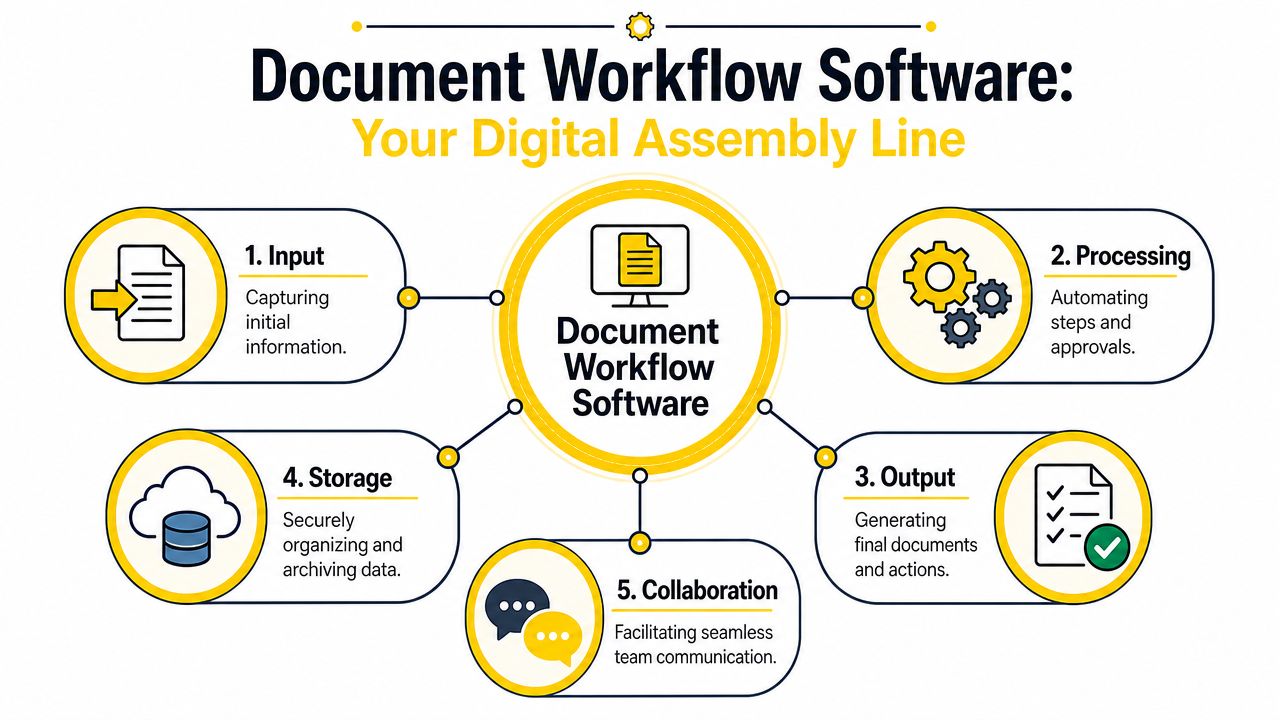
IBM describes document workflow as a system that uses metadata, predefined routing rules, and role-based permissions to move documents through capture, review, approval, and archive stages, which cuts manual handoffs and approval bottlenecks (IBM on document workflow).
In plain English, here's what that means for a cleaning business.
| Stage | What happens | Cleaning business example |
|---|---|---|
| Capture | The document enters the system | A website form, signed estimate, uploaded insurance certificate, or scanned vendor invoice |
| Route | Rules decide who sees it next | New commercial bid goes to sales, employee form goes to HR/admin, supply invoice goes to bookkeeping |
| Approve | Someone reviews and signs off | Manager approves scope, client approves estimate, office confirms invoice details |
| Archive | Final version gets stored correctly | Job file, client record, compliance folder, or accounting system |
Without document workflow software, people become the routing engine. They forward emails, rename PDFs, print forms, chase signatures, and remind each other what's pending. That's slow, and it breaks whenever somebody is off, rushed, or relying on memory.
With document workflow software, the process handles the routine movement.
Practical rule: If a document always follows the same path, a person shouldn't have to push it along every time.
Many buyers think the value is storage. Storage matters, but storage alone won't solve delays. A major win comes from removing decision friction. Who needs this next? Is this the latest version? Has anyone approved it? Where does it go after completion?
That's why owners comparing platforms should look beyond file cabinets in the cloud and focus on how the software fits operations. A good starting point is reviewing tools built for field service realities, not just office use, like the ideas covered in cleaning business software options.
The biggest mistake owners make is treating document workflow software like an admin convenience. It's not. It affects speed, consistency, and margin.
When teams use automated document workflows, businesses report a 21% increase in productivity, 30% faster approvals, 50% fewer errors, 8 hours saved weekly per employee, and around $20,000 in annual savings from eliminating paper-based processes, according to document workflow statistics from SenseTask. The same source also notes up to a 90% reduction in processing time.
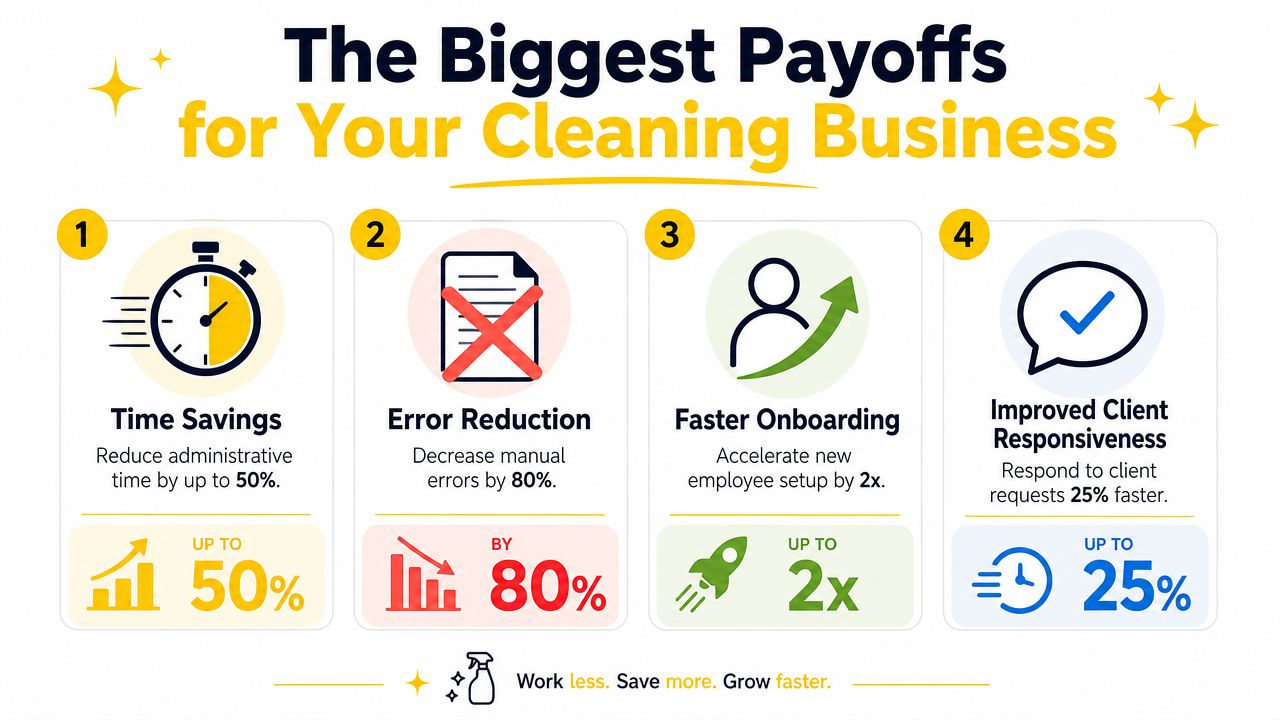
For cleaning companies, the return usually appears in four places.
A residential cleaning company may only have a few office staff, but even a small team can lose hours each week to routine document handling. One missing work order causes a call to the crew lead. One unsigned estimate delays scheduling. One unclear invoice line creates a billing dispute that takes longer to resolve than the original job was worth.
Those are not isolated annoyances. They stack up.
A commercial cleaning company feels it even more. Site-specific scope documents, COIs, inspection logs, issue reports, and recurring service updates all need to move cleanly between sales, ops, field supervisors, and billing. If that handoff process is loose, growth gets messy fast.
There's also a professionalism factor. Clients notice when your paperwork is clean, prompt, and consistent. They notice when revised estimates arrive quickly, when signed approvals are easy, and when invoices match the work performed.
A business that handles documents well usually looks more reliable before a cleaner even arrives onsite.
That's one reason document workflows fit naturally with broader automation efforts. If you're already thinking about lead handling, scheduling, and admin efficiency, this sits in the same category as the systems discussed in AI growth tools for service businesses.
The easiest way to understand document workflow software is to stop thinking about software and look at one job moving through your business.
A prospect requests an estimate. The office collects property details, service frequency, and access notes. The estimate gets sent. The customer approves it. The job is scheduled. The crew completes the work. The office invoices it. The file gets stored for future service and follow-up.
That's a workflow, whether you manage it well or not.
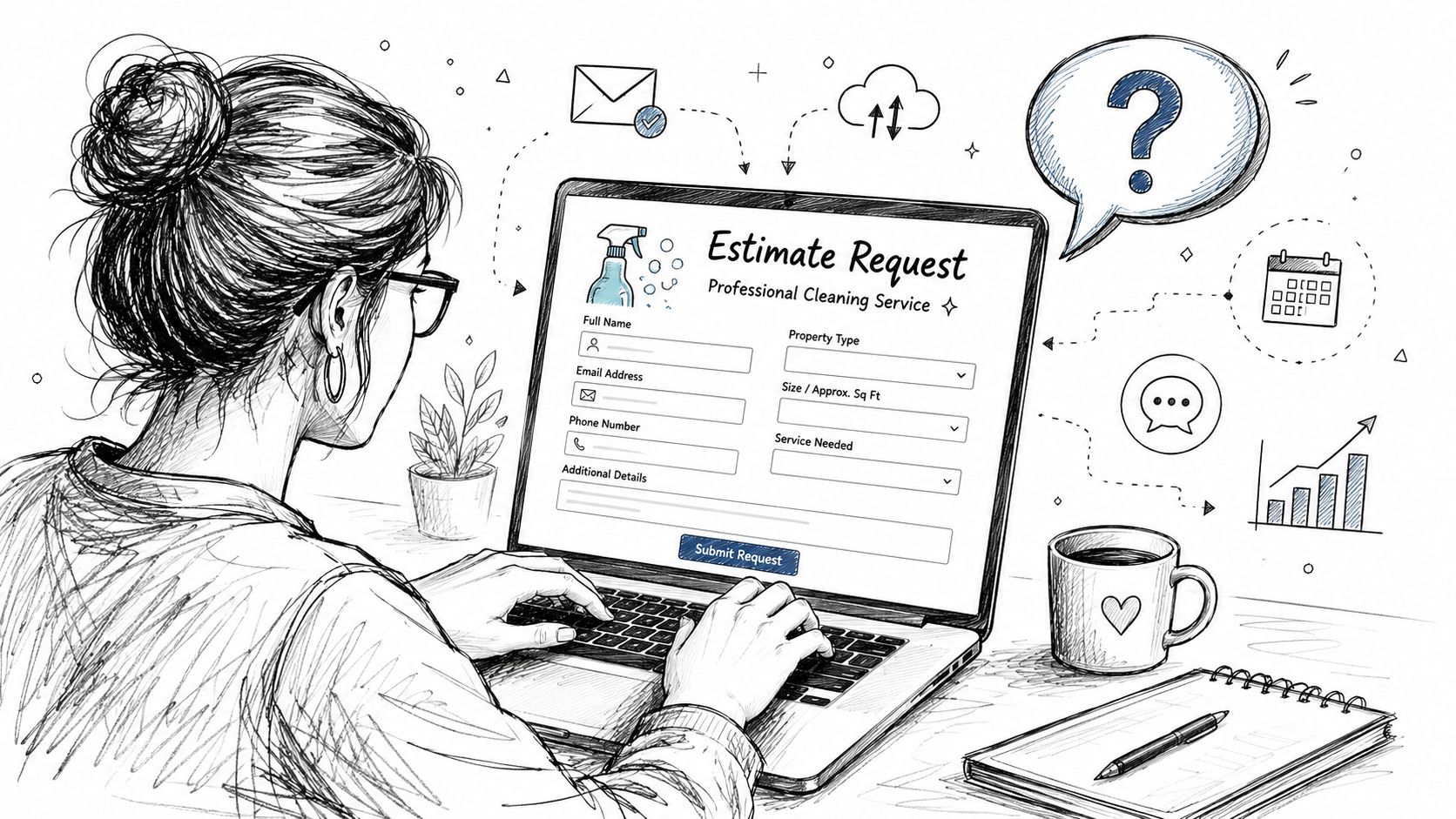
Here's a practical version of the process for a cleaning company:
Lead details come in
A website form, call note, or intake form captures the job details.
An estimate is created
The office reviews the scope, confirms pricing, and sends the estimate.
Approval triggers the next step
Once the customer accepts, the system creates or updates the client record and alerts scheduling.
Field paperwork gets generated
The crew receives the job sheet, site notes, access instructions, and task checklist.
Completion pushes billing forward
When the team marks the job complete and adds notes or photos, invoicing can start immediately.
In manual shops, each one of those steps often lives in a different inbox, clipboard, or app. In a cleaner system, each document triggers the next action.
If scheduling is still disconnected from paperwork, that gap becomes obvious once jobs start moving faster. The fix usually involves tying document flow to dispatch and calendar tools, like the operational setup discussed in cleaning business scheduling software guidance.
Hiring is another place where document workflow software pays for itself.
A cleaning company brings on a new hire. The applicant submits basic information. The office sends onboarding paperwork. IDs, policy acknowledgments, training records, and availability forms all need to be completed, stored, and retrievable later. If that process is handled by scattered emails and printed packets, mistakes creep in immediately.
For hiring process ideas specific to cleaning teams, owners often benefit from reading operational content from places like pipehirehrm.com and get.pipehirehrm.com/blog, especially when they need to tighten onboarding without adding more administrative drag.
Commercial accounts create a different kind of paperwork load. There may be building access forms, site-specific safety instructions, incident logs, client communication records, and proof-of-service documentation. Residential companies deal with fewer layers, but they still need organized records for recurring client preferences, lockbox instructions, pet notes, and service issues.
A usable workflow keeps those records tied to the right account and available to the right people.
Here's a quick walkthrough of how teams think about these flows in practice:
Back-office paperwork gets overlooked because it doesn't feel urgent until it becomes expensive. Supply invoices, equipment receipts, and contractor documents often arrive in inconsistent formats. Someone has to read them, classify them, and route them correctly.
Modern intelligent document processing platforms use AI to extract, classify, and validate data from variable-format documents like invoices and complex forms, shifting the bottleneck from manual entry to automated processing and exception handling, as described in Docsumo's overview of document workflow and IDP tools.
That doesn't mean every cleaning company needs a heavy AI stack. It means owners handling growing document volume should pay attention to tools that can reduce keying, sorting, and rechecking.
Good workflow design doesn't remove people from the process. It removes people from repetitive routing work so they can focus on decisions.
Most cleaning businesses don't need the most advanced platform. They need the one their team will use on Monday morning.
That sounds obvious, but a lot of owners still buy for feature count instead of fit. Then they end up with software that looks impressive in a demo and feels heavy in daily operations.
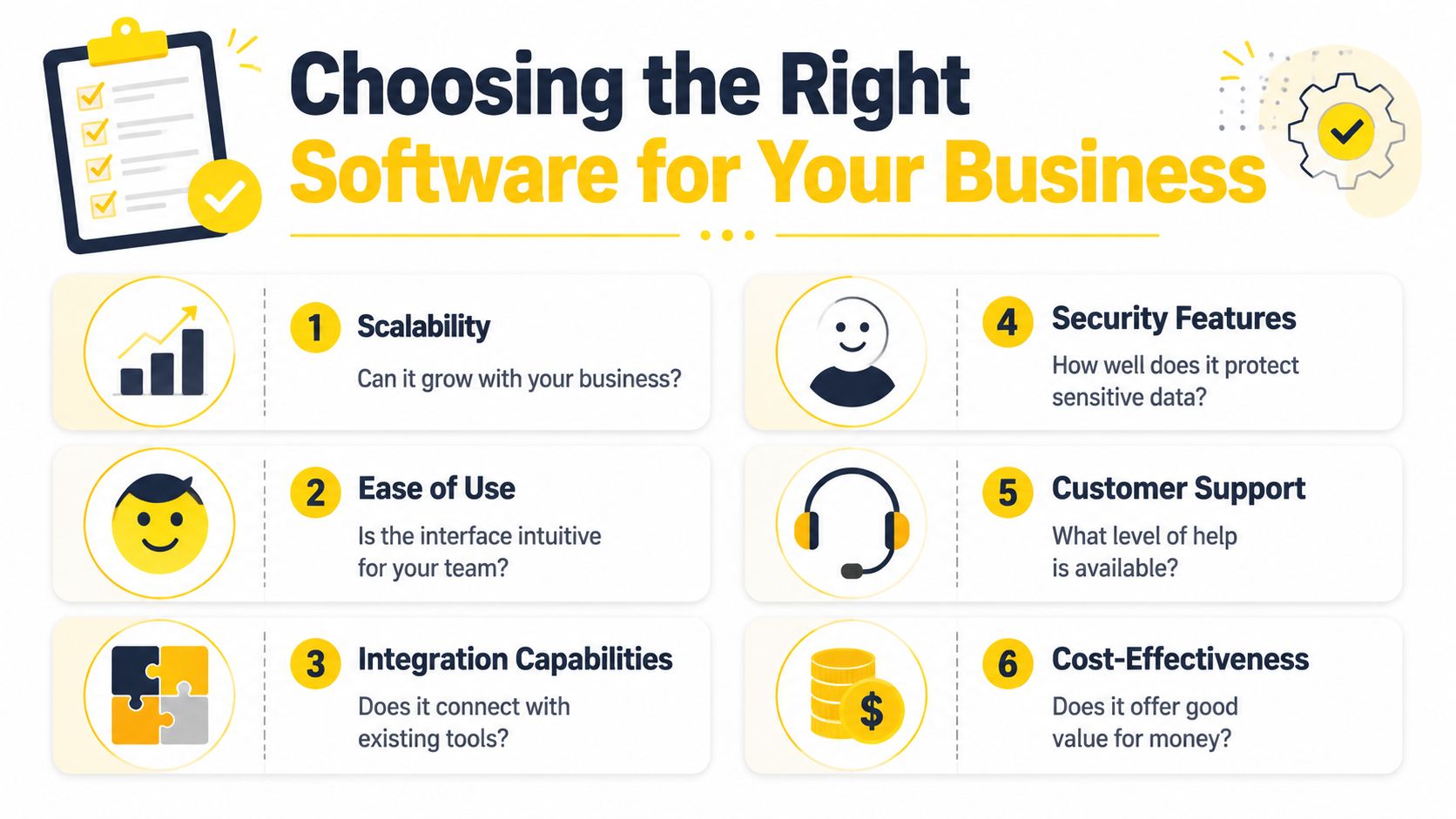
Rossum points out that smaller teams often get poor guidance on implementation realism, setup effort, training burden, and hidden costs. For service businesses, the best choice is often the system with the fastest time-to-value and the least friction, not the longest feature list (Rossum on document workflow software for smaller teams).
That's exactly right for cleaning companies.
If an owner, office admin, or operations lead can't build and maintain the workflow without constant outside help, the system won't stick.
Use a simple screen.
| What to check | Why it matters for cleaning businesses |
|---|---|
| Mobile usability | Crew leaders and supervisors need forms, checklists, and job details in the field |
| Workflow setup | You should be able to create routing rules without needing a technical specialist |
| Integration fit | The software should connect with your CRM, scheduling, accounting, or form tools |
| Permission controls | Not every employee should see payroll, HR, or sensitive client files |
| Search and retrieval | If staff can't find documents fast, the platform becomes another layer of clutter |
| Support quality | When something breaks, small teams need help fast |
For most service businesses, the strongest buying approach is to start with one operational pain point.
Maybe that's estimate approval. Maybe it's job completion paperwork. Maybe it's onboarding files for new cleaners. Pick the workflow that wastes the most time or causes the most frustration, then choose software that solves that problem cleanly.
What usually doesn't work is buying a broad enterprise tool and assuming the team will “grow into it.” In small and mid-sized cleaning companies, overbuilt systems often die from lack of follow-through. Nobody has time to babysit a complicated rollout.
Ask vendors or internal stakeholders these questions:
If your business is also reviewing customer tracking and follow-up systems, this evaluation should happen alongside your CRM decisions, not separately. That's why many owners compare workflow needs with the broader criteria in CRM guidance for cleaning businesses.
Most workflow projects fail for one simple reason. The owner tries to fix everything at once.
A better rollout is narrow, practical, and visible. You want one quick operational win that your team can feel right away.
Start with a single document type that causes repeated friction. Don't pick the most interesting workflow. Pick the one that creates the most avoidable admin.
Common starting points include:
Write down what happens now. Who receives the document? Who checks it? Who approves it? Where does it get stored? Where does it usually stall?
Here, disciplined owners beat ambitious owners.
Don't launch with estimates, invoices, onboarding, inspections, vendor invoices, and compliance all at once. Pick one. Build it. Test it. Use it. Fix the rough edges. Then expand.
Field-tested advice: If your team can't explain the workflow in one minute, it's too complicated for the first rollout.
Set up the routing logic based on real situations, not ideal ones.
For example:
Then test the messy scenarios. Missing fields. Duplicate client names. Revised scope. After-hours submissions. Documents uploaded in the wrong place. The software isn't proven when the happy path works. It's proven when the messy path doesn't break your team.
Don't train everyone on everything.
A crew lead needs to know how to open job instructions, submit completion notes, and flag an issue. An office admin needs to know how to correct data, move an exception, and confirm archive rules. A manager needs dashboard visibility and approval authority.
That role-based approach keeps training short and relevant.
Once the workflow is live, review where it still drags.
Look for signs like these:
Those signals tell you where the process needs tightening. Keep adjusting until the workflow becomes the default way the work moves.
Document workflow software gets much more useful when it doesn't stand alone.
A lead comes in through your website. The client record gets created in your CRM. The estimate is generated and stored. Approval pushes the job into scheduling. Completion triggers invoicing. Notes, attachments, and service history stay linked to the same account. That's when the business stops re-entering the same information over and over.
For cleaning companies, the strongest setup usually connects three things well. Sales intake, operations, and billing. If those systems stay disconnected, staff spend too much time reconciling records and fixing preventable mistakes.
This shift isn't niche. The global document management system market was valued at $7.16 billion in 2024 and is projected to reach $24.34 billion by 2032, with a 16.6% CAGR, while 76% of businesses already use workflow automation for standardizing daily operations, according to Business.com's document management statistics roundup. For owners, the takeaway is simple. These systems are becoming standard operating infrastructure.
That matters because cleaning companies now compete on response speed, consistency, and follow-through as much as they compete on price.
If you want more ideas on modernizing operations, the practical articles on estimatty.com/blog and get.pipehirehrm.com/blog are worth keeping in your reading rotation. One helps with sales and estimating workflows. The other is useful for hiring and people-process cleanup.
If you want to stop losing leads after hours and standardize how estimates get created, sent, and followed up, Estimatty gives cleaning businesses a practical way to do it. It helps capture inquiries, generate estimates fast, and keep the front end of your workflow from falling apart when the office is busy or closed.