October 20, 2026
How to Follow Up on a Quote and Close More Cleaning Sales
Learn how to follow up on a quote with timing, templates, and tactics that turn estimates into booked cleaning jobs. Practical advice for cleaning businesses.

Wednesday, July 15, 2026
Create a powerful carpet cleaning estimate calculator for your business. Get pricing formulas, no-code tools & integrations to convert more leads.
.png)
Your phone rings. A homeowner wants “a quick price” for two bedrooms, a hallway, and one mystery stain. A property manager sends a website form with no square footage, no condition notes, and no clue whether furniture is staying put. Your tech gives one number. You give another. By the time anyone figures out the actual scope, the customer is annoyed or your margin is gone.
That's why a carpet cleaning estimate calculator matters. Not because it looks modern on your site, but because it forces your business to price the same job the same way every time. Most cleaners treat calculators like a lead form with a number attached. That's a mistake. The better approach is to build a pricing engine that protects profit, handles ugly edge cases, and nudges customers toward higher-value service.
A weak calculator creates bad estimates faster. A smart one standardizes pricing, surfaces add-ons, and filters out jobs that need review before you commit.
If your team still prices from memory, instinct, or whatever they charged the last similar job, your calculator will fail before you publish it. Software doesn't fix messy pricing. It automates it.
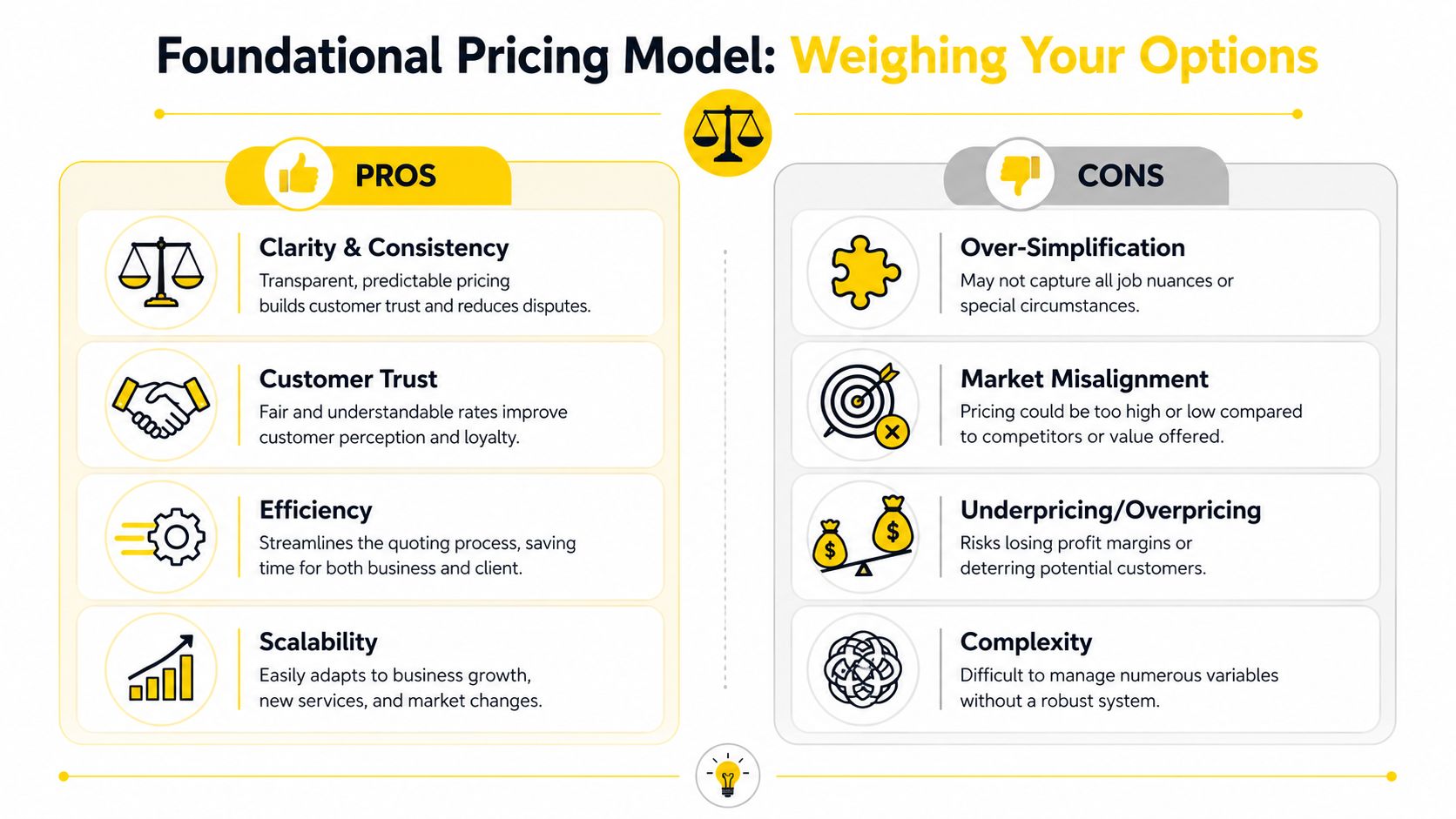
The first decision is simple. Pick a primary pricing model and stop mixing methods randomly. For carpet cleaning, that usually means per square foot for most jobs, with per-room pricing as a simplified front-end option for smaller residential requests. Hourly pricing can stay in the background for internal checks, but it's a poor customer-facing model because people want a clear estimate, not a labor mystery.
For residential work, the cleanest baseline is square footage. In January 2026, professional residential carpet cleaning in the United States began at $0.41 to $0.51 per square foot, and the average 500-square-foot job cost around $175, according to Homewyse carpet cleaning cost data.
For commercial work, don't reuse residential logic. It distorts both value and labor assumptions. Commercial hot water extraction deep cleaning falls to 12 to 16 cents per square foot, as noted in this commercial carpet care pricing reference from ISSA.
That gap is the whole point. Residential buyers often expect service detail, room-level expectations, and visible stain discussion. Commercial buyers usually care about scale, maintenance cadence, and operational simplicity. If your carpet cleaning estimate calculator uses one blended rate for both, it's wrong.
A good front end feels simple. A good back end is strict.
Use this split:
Then map both into one internal structure. If you need help tightening the pricing side before you build the tool, this guide on how to price cleaning jobs is worth reviewing.
Practical rule: Customers can see a simple estimate flow. Your business must run on standardized pricing logic underneath it.
Here's the pricing hierarchy I recommend:
| Job type | Best primary model | Why it works |
|---|---|---|
| Small residential | Per room with square footage fallback | Fast for homeowners |
| Larger residential | Per square foot | More accurate and easier to scale |
| Commercial | Per square foot | Standard for larger areas and recurring care |
Per-room pricing is useful because people think in bedrooms and living rooms. But per-square-foot pricing is what keeps the estimate consistent when room sizes vary wildly. Use room count as an intake shortcut, not your operational truth.
The biggest pricing mistake isn't charging too much. It's pretending a “typical job” exists when your service mix clearly says otherwise.
Most calculators break because they skip cost structure. They multiply area by a number, toss in a stain option, and call it done. That's not estimating. That's gambling.
Build the calculator around a four-part model. A professional estimate should include Total Labor Cost, Total Direct Costs, an Indirect Cost Markup, and the final project total, which helps keep gross profit margins above 35% for commercial jobs and 25–30% for residential work, according to Housecall Pro's carpet cleaning bid calculator methodology.
Your calculator needs enough detail to price accurately without turning the form into homework.
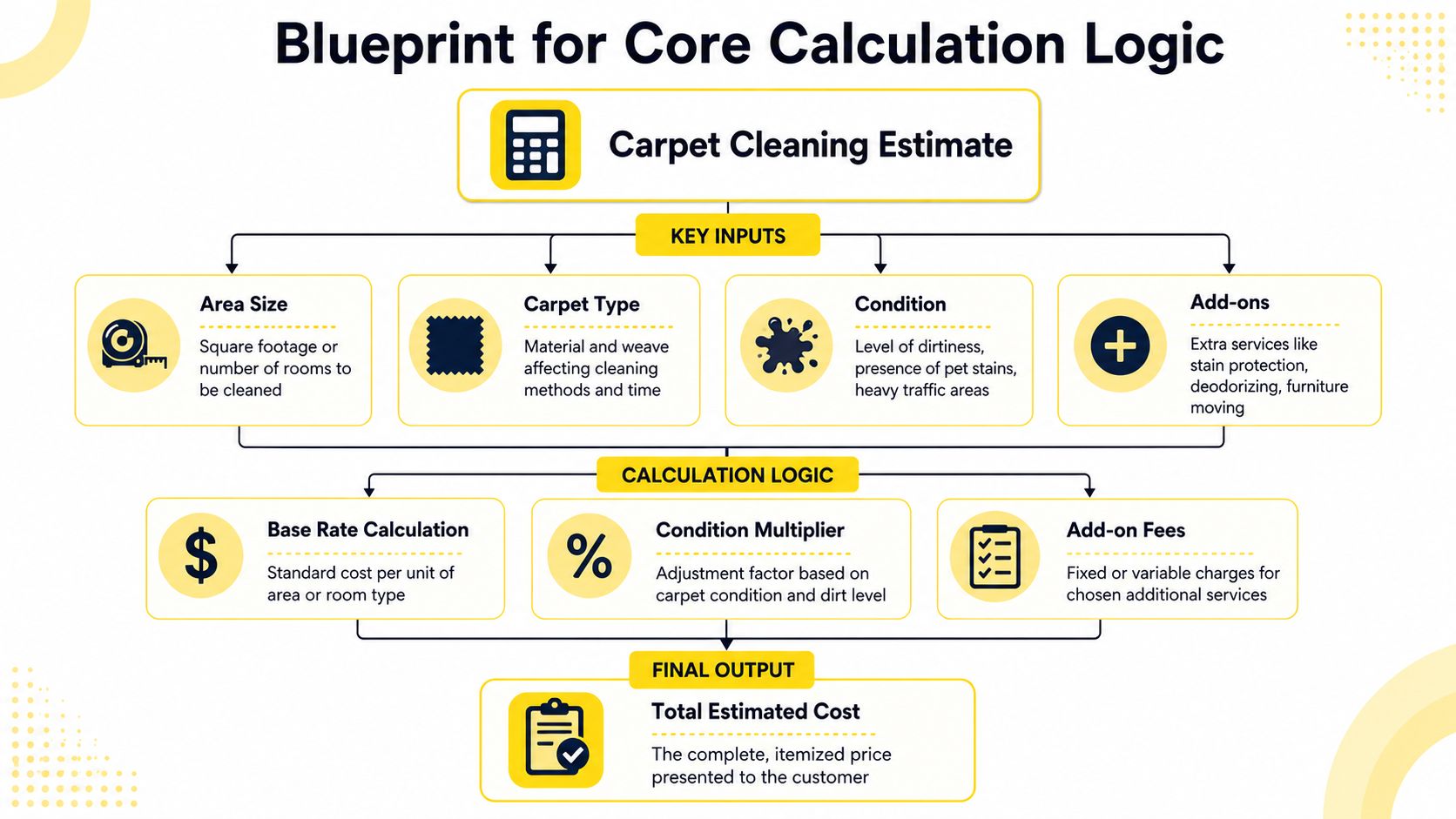
The core inputs should include:
Those inputs should feed a fixed logic chain, not an open-ended “request estimate” black hole. If you're mapping this into a working system, this article on how to estimate cleaning jobs gives a practical framework.
This is the engine:
Total Labor Cost
Labor rate per square foot × total carpet area
Total Direct Costs
Materials + equipment + travel + any job-specific fees
Indirect Cost Markup
Apply markup to labor plus direct costs
Total Project Cost
Labor + direct costs + markup
That sounds basic. Good. Basic is profitable when it's enforced.
A calculator should never hide costs your business still has to pay.
The dangerous part of carpet cleaning isn't obvious underpricing. It's small omissions repeated across dozens of jobs. A few missed minutes here, a little chemical use there, extra drive time nobody priced. That's how owners stay busy and still wonder where the profit went.
Build your logic so every estimate considers:
A simple decision table helps:
| Input | Customer sees | Your calculator does |
|---|---|---|
| Square footage | “How much carpet needs cleaning?” | Calculates base labor |
| Soil level | “How dirty is it?” | Adjusts labor intensity |
| Add-ons | “Anything extra?” | Adds fixed or variable charges |
| Access notes | “Anything we should know?” | Flags for review or friction adjustment |
Fast estimates matter. Bad estimates create callbacks, revisions, and awkward conversations. The best carpet cleaning estimate calculator gives the customer a quick number and gives your team a defensible one.
Use ranges internally. Present a clean estimate externally. And any job that falls outside your known conditions should trigger review instead of forcing false precision.
That's how you protect margin without making the process feel slow.
A calculator that only spits out a base price leaves money on the table. It also sets your team up for the worst kind of conversation: “Why wasn't that included?”
Your estimate tool should sell intelligently. That means it needs to surface add-ons and handle the awkward realities that most cleaners pretend don't exist until the technician arrives.
Customers won't always ask for stain protection or deodorizing on their own. Many will buy them if the options appear at the right moment with plain language.
The most obvious examples are specialty stain treatment and fabric protection. The average cost guide from Inch Calculator notes that spot cleaning and stain removal run around $120 per visit, while fabric protector treatments cost approximately $250 in addition to the base cleaning price, according to the carpet cleaning cost guide at Inch Calculator.
That doesn't mean every business should mirror those exact figures. It means your calculator should treat these services as separate line items, not vague “we'll see on site” extras.
Furniture is one of the biggest revenue leaks in carpet cleaning estimates. The room looks simple until your tech finds beds that won't move, desks packed with cables, or a customer who thought “lightly furnished” meant “everything stays.”
A consumer calculator reference points out that few tools account for furniture inefficiencies, and those issues can waste 20–30% of cleaning time, while 18% of homeowners now prioritize speed over cost for stain emergencies, according to Shifton's house cleaning calculator discussion.
That should change how you build your tool.
Use intake questions like:
The jobs that destroy margin usually looked “easy” on the first phone call.
Emergency demand isn't the same as normal demand. If a homeowner needs service now because of a spill, pet incident, or move-related deadline, speed has value. Your calculator should recognize that.
At minimum, build an urgency selector that either adds a premium or sends the request into manual review. If you ignore urgency, your business absorbs the operational stress while the customer gets rush service at standard pricing. That's bad math.
The same logic applies to obstructed areas. If part of the carpet can't be cleaned properly because of furniture or access restrictions, the estimate should either adjust labor assumptions or present a scoped estimate with exclusions clearly stated. Don't let your technicians negotiate that in the driveway.
A smart estimate calculator doesn't just total services. It prices friction.
For service packaging ideas and how to position optional services clearly, review this sample cleaning service price list.
Once your pricing logic is solid, you've got three ways to deploy it. Each path solves one problem and creates another.
The mistake most owners make is choosing based on setup convenience alone. They think, “I just need something live this week.” Then they discover the tool can't handle commercial logic, urgency screening, or delivery automation.
No-code tools are fine for a first draft. You can build a form, ask for square footage, layer in a few dropdowns, and email the result.
That approach works when your pricing is simple and your sales process is still manual. It breaks when you need branching logic, conditional rules, or instant delivery. Most generic form tools weren't built for cleaning estimates. They were built for collecting information.
If you're still comparing site platforms before adding any calculator, this roundup of compare top website builders is a useful starting point.
A custom calculator gives you flexibility. You can define the logic exactly how you want, shape the customer experience, and connect it to your stack.
You also take on development cost, revision delays, maintenance, and testing headaches. Every pricing change becomes a request. Every bug becomes a project. Unless your business has unusual operational complexity or an internal developer, custom software is often an expensive way to avoid making a clean operational decision.
Here's the trade-off in plain terms:
| Build path | Best for | Main weakness |
|---|---|---|
| No-code form builder | Fast launch | Limited logic and clunky workflow |
| Custom development | Full control | Cost, time, and maintenance burden |
| Specialized estimating software | Cleaning-specific speed | Less appealing if you insist on building from scratch |
A specialized system usually lands in the sweet spot. It handles the kind of pricing structure cleaning businesses use, supports instant delivery, and doesn't force you to become a software manager.
That matters because an estimate calculator isn't a side feature. It sits right in the middle of lead capture, qualification, and booking momentum. If the tool can't move a prospect cleanly from inquiry to estimate to follow-up, it's incomplete.

Decision rule: If your team cleans carpets for a living, don't volunteer to become a software product manager too.
Owners who want broader context on operational platforms should also look at this breakdown of the best cleaning business software.
Choose based on operational fit, not ego. The right tool is the one your staff will use, your customers will complete, and your margins will survive.
A carpet cleaning estimate calculator shouldn't end with “Thanks, we'll get back to you.” That kills momentum. People ask for estimates when they're ready to decide, compare, or solve a problem fast. If your process hands them a dead-end form and a delayed reply, your competitor gets the easier sale.
The smarter setup turns the calculator into the first step of an automated sales flow.
The first job is delivery. Once someone submits job details, your system should send the estimate by SMS and email immediately. That gives the customer something tangible, reduces inbound back-and-forth, and gives your team a record of what was discussed.
Then route the lead into follow-up:
If you're building automations around handoffs and notifications, this guide to Zapier automation for marketing agencies is useful because the workflow principles carry over well to service businesses.
The estimate should feed your CRM, scheduling system, and internal alerts. Otherwise your team ends up retyping lead data, copying messages, and forgetting follow-up windows.
A clean integration flow usually looks like this:
That's where platform connections matter. If you need the estimate tool to hand off information automatically, review the options in Estimatty's Zapier integration overview.
Fast follow-up feels professional. Manual re-entry feels small.
Automation helps you win and process more work. Then capacity becomes the next problem. When the estimate flow improves, labor planning gets harder unless hiring keeps up.
That's where specialized recruiting support matters. If you need a cleaner pipeline for cleaning employee hiring, pipehirehrm.com is worth knowing about, and get.pipehirehrm.com/blog is a useful place to review hiring ideas specific to cleaning operations.
The calculator should sit at the top of a working system, not on an island. If it can't trigger delivery, follow-up, and routing, it's just a polished form.
Publishing the calculator isn't the win. It's the start of the actual work.
Most owners launch, check that it “works,” and move on. Then they miss bad estimate logic, abandoned submissions, weak mobile flow, and add-ons nobody selects because the wording is poor. A calculator can look clean and still leak revenue every day.
Run the calculator through messy jobs, not ideal ones. Test a small apartment with light soil. Test a larger home with stains and blocked rooms. Test a commercial request with recurring service needs. Test an urgent residential stain call. If every path produces a number, that doesn't mean every path should.
Use a short launch checklist:
A lot of practical optimization ideas like these show up on estimatty.com/blog, because the tool only becomes valuable once it performs consistently in the wild.
Submission count is the lazy metric. It tells you almost nothing by itself.
Track the points that change revenue:
| KPI | Why it matters |
|---|---|
| Lead-to-estimate completion rate | Shows whether people finish the flow |
| Estimate-to-booking rate | Tells you whether the pricing and experience convert |
| Average estimate value | Reveals whether add-ons and packaging work |
| Admin response time reduction | Shows whether automation is actually removing friction |
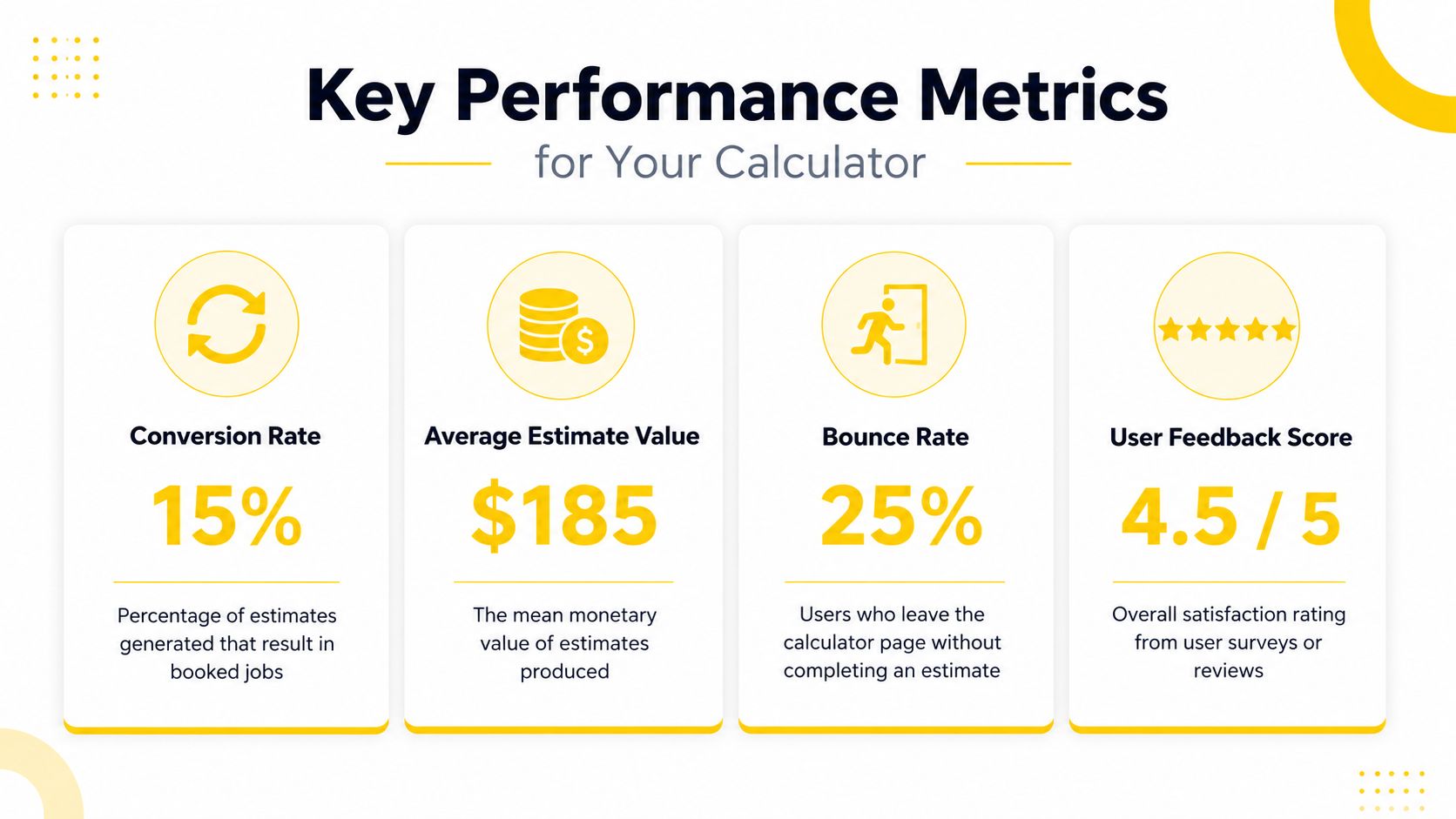
If users drop off at the square footage question, simplify it. If too many estimates need manual correction, your logic is too loose. If nobody picks add-ons, rewrite the offer or change where it appears.
Launching the calculator is easy. Managing it like a sales asset is where the money is.
The best carpet cleaning estimate calculator gets sharper over time. It learns from booked jobs, bad-fit leads, technician feedback, and customer objections. Owners who treat it like a static website feature get mediocre results. Owners who treat it like a revenue engine build a system that sells while they're cleaning, driving, or off the clock.
If you want a faster path, Estimatty gives cleaning businesses an AI-powered way to deliver consistent estimates, capture lead details, send instant SMS and email follow-up, and keep the process running around the clock without building custom software from scratch.