October 12, 2026
Cleaning Office Prices: A Practical Pricing Guide for 2026
Learn how cleaning office prices really work in 2026. Compare per square foot, hourly, and monthly models, plus tips to estimate and present winning quotes.
Sunday, April 12, 2026
Find the best call center scheduling software for your cleaning business. Learn about features, ROI, and integration with AI estimators.
.png)
You’re in a job, gloves on, vacuum running, and your phone lights up with a number you don’t recognize. You let it ring because you’re in the middle of a move-out clean and can’t stop. An hour later, you call back. No answer. By evening, that lead has already booked another company.
That’s how cleaning businesses leak revenue. Not because the service is bad. Because the front end is still manual.
Most owners start there. They answer calls themselves, return voicemails between jobs, text prospects at night, and try to keep a mental list of who asked for what. It works when volume is low. It breaks fast once you add ads, referrals, repeat clients, commercial walkthroughs, and after-hours inquiries.
A missed residential call might mean losing a recurring client. A missed commercial call can cost you a walkthrough, a proposal opportunity, and a long-term account. The frustrating part is that these losses happen while you’re busy doing the exact work that keeps the company running.
That’s why call center scheduling software matters more than most cleaning owners think. This isn't only for big contact centers with rows of agents and headsets. In a cleaning business, it becomes the system that decides: who responds, when they respond, what happens after hours, and whether a lead gets handled or forgotten.
The companies that grow cleanly don’t just market better. They respond better. They route inbound demand better. They follow up faster. And they stop relying on owner memory as an operating system.
A commercial property manager calls at 2:15 p.m. She needs janitorial coverage for a small office, wants to talk through frequency, and asks if your team can handle restrooms, break rooms, and floor care. You’re in the middle of a deep clean. The phone rings out.
At 3:40 p.m., she calls a competitor. Someone answers.
That scenario plays out every week in this industry. The owner is on-site. The office admin is off that day. A spouse is helping with phones but doesn’t know how to qualify a commercial lead. The voicemail fills up. A website form sits unread until dinner.
This is why “we’ll call them back later” is not an effective lead-handling process.
Residential businesses feel it first in volume. Commercial businesses feel it first in deal quality. In both cases, the problem is the same. Inbound demand arrives when your team is busy, and nobody has a structured system to catch, route, and schedule it.
A lot of owners try patching the issue with a shared calendar, a basic phone app, or a virtual assistant who works certain hours. Those can help, but they don’t solve the full operational gap. They don’t decide who should take the lead, how overflow gets handled, or how the business stays responsive during jobs, nights, weekends, and holiday spikes.
Missed calls don’t just cost one booking. They train your business to depend on luck.
If after-hours lead capture is already hurting you, this practical guide to a 24 hour phone answering service for cleaning businesses is worth reviewing. It lines up with what many owners discover the hard way. Speed to response matters as much as price.
The fix is to treat inbound communication like a workflow, not an interruption. That’s where call center scheduling software starts paying for itself.
Call center scheduling software keeps inbound demand from piling up while your team is out cleaning, quoting, or handling existing customers.
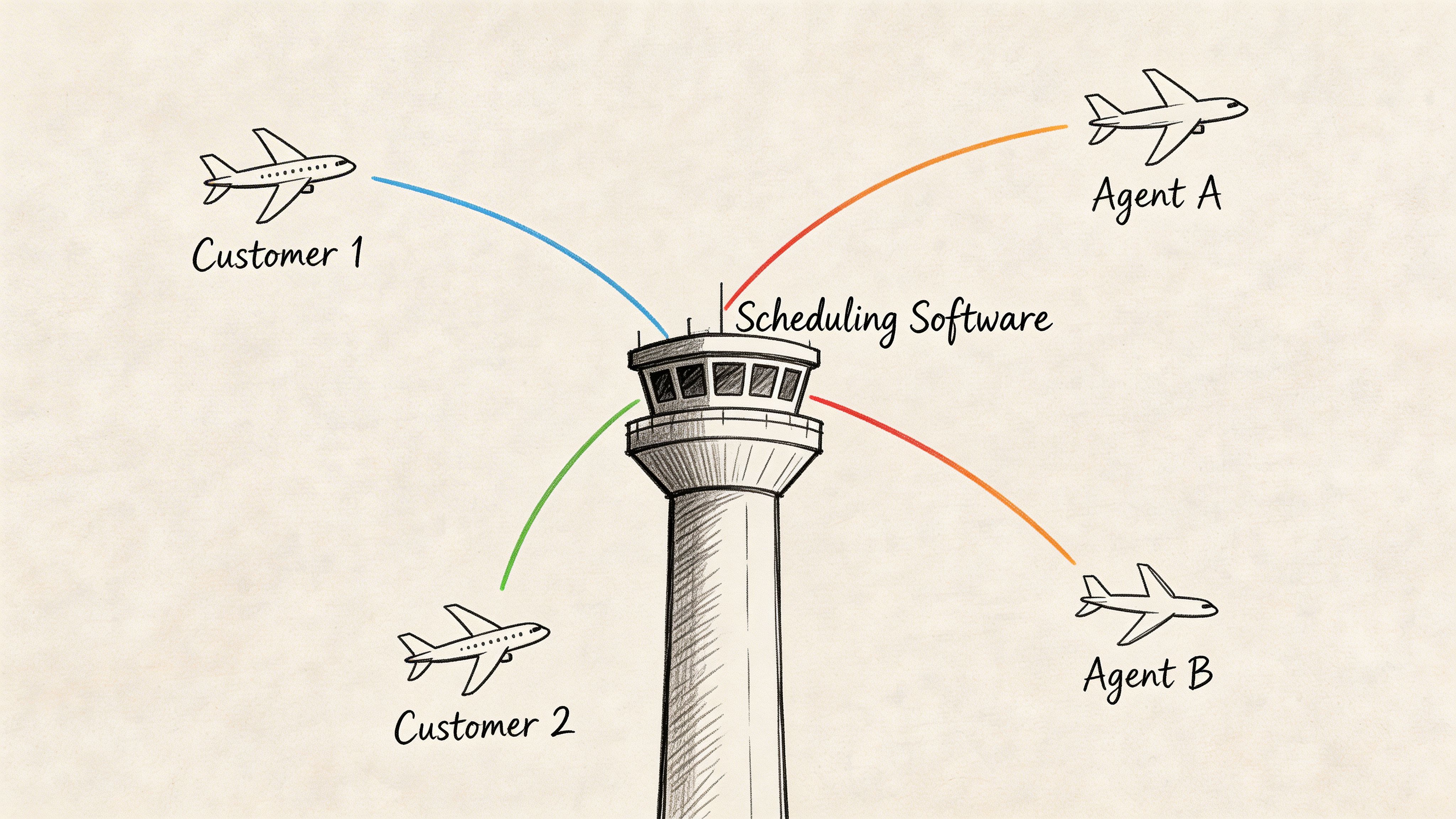
A lot of cleaning owners hear the term and assume it means a staff calendar. It does more than that. The software decides who covers which hours, where calls and messages go, how overflow gets handled, and what happens when the person who usually answers is on a job site, out sick, or already buried.
For cleaning companies, that matters because not every lead should follow the same path. A homeowner asking about biweekly service needs a fast answer and a booking slot. A property manager asking for post-construction cleanup or nightly janitorial service needs qualification, notes, and often a sales follow-up. Good scheduling software separates those paths before your office gets jammed up.
At a practical level, good call center scheduling software handles:
That reduces a common cleaning-business problem. The phone rings, a web lead comes in, a text reply lands, and everyone assumes someone else is handling it.
I have seen this happen in growing maid services and commercial cleaning companies alike. They are not short on demand. They are short on process between inquiry and booked work.
Most small operators start with shared calendars, call forwarding, and sticky-note dispatching. That setup can work for a while. Then the business adds a second crew, starts running estimates during the day, or begins getting commercial inquiries that need a different response flow. The old system stops failing occasionally and starts failing every week.
The problem is not just missed calls. It is misrouted opportunities, slow callbacks, double-booked office coverage, and no clean handoff between whoever answered first and whoever needs to close the job.
Scheduling software works best when it is tied to automation around it. If you are comparing tools in that broader stack, this overview of automated customer service software is useful because it shows how scheduling, AI responses, and follow-up workflows can work together.
For smaller cleaning companies, a virtual receptionist for small business can help cover the phones. The catch is straightforward. Without routing rules, booking logic, and follow-up automation behind that receptionist, you are creating another place where leads can stall.
Practical rule: If the owner, office admin, or a family member is still switching between dispatcher, receptionist, and sales rep, the business needs a better intake system before it needs more headcount.
A primary advantage for cleaning businesses appears when scheduling software is connected to AI sales tools such as Estimatty. A lead comes in. The system captures it, routes it correctly, answers basic questions, pushes qualified prospects toward an estimate or booking, and keeps follow-up moving even while your field team is working. That is the difference between software that manages calls and software that helps build a lead-to-booking machine.
A critical test happens at 8:15 a.m. on a Monday. Overnight web forms came in from homeowners. A property manager wants a same-day turnover. One cleaner called out. Your office manager is answering the phone while trying to reshuffle the field schedule. Good software keeps that hour under control.
Cleaning demand is not random.
Residential companies see spikes after holidays, before weekends, and in the evening when homeowners finally have time to call. Commercial companies get a different rhythm. Office managers call during business hours, facility teams request bids near contract renewals, and move-out work piles up at month-end.
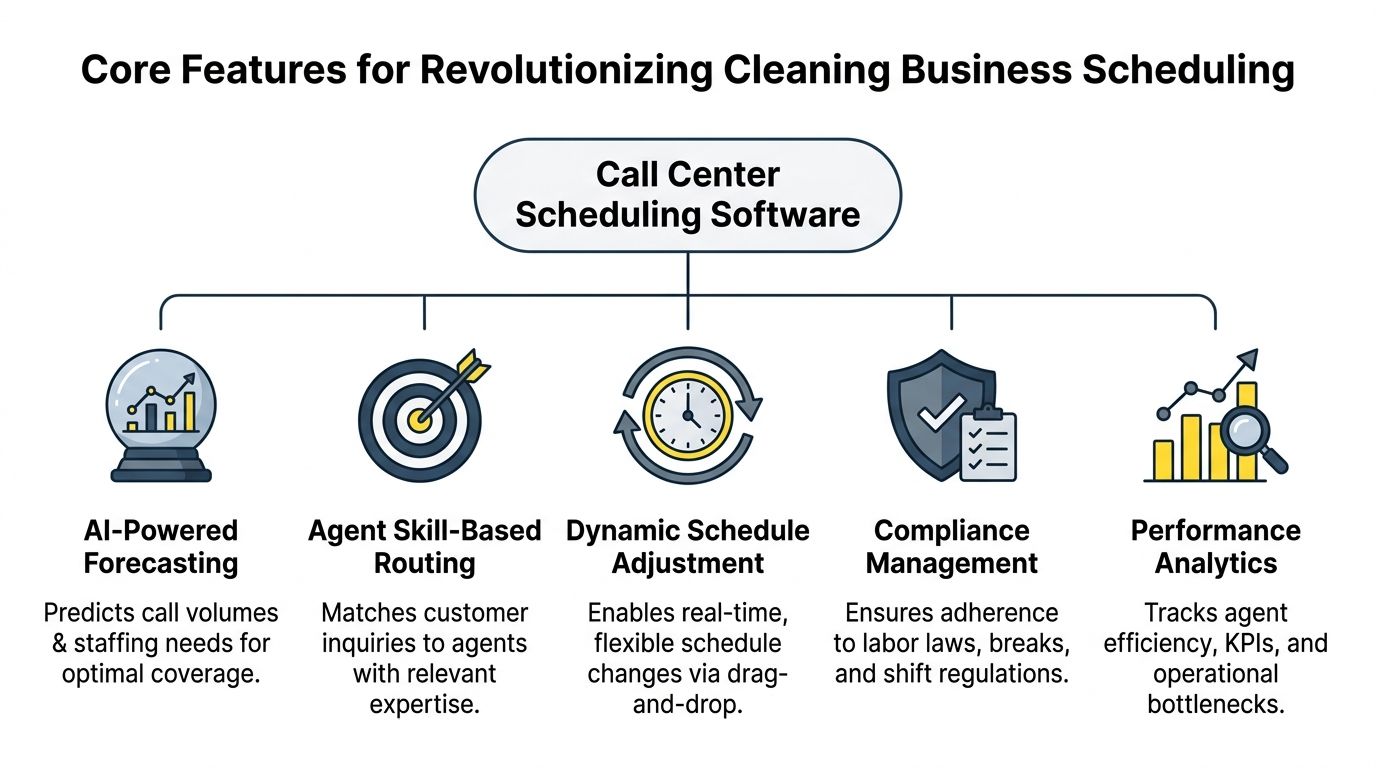
Advanced scheduling platforms use historical call and contact data to forecast demand. In Assembled’s call center scheduling software guide, the company reports lower overstaffing, fewer service-level drops from understaffing, less manual planning time, and better agent utilization when forecasting is handled well.
For cleaning businesses, the practical win is clear. You stop staffing the phones based on guesswork.
If evenings drive residential bookings, put coverage there. If commercial leads need a stronger sales rep during the day, schedule for that. If Estimatty is handling instant responses on forms and missed calls, forecasting gets even better because your data is cleaner and your follow-up volume is easier to predict.
Every lead should not go to the same person.
A standard recurring house cleaning inquiry can follow a fast booking path. A dental office, school, church, or multi-location commercial account needs a different handoff. Those jobs usually involve scope questions, walkthroughs, insurance requirements, and pricing judgment that a basic call taker should not handle alone.
Strong routing rules help protect revenue by sending the right inquiry to the right person the first time. In practice, that often looks like this:
Integrations are especially important here. If your phone system, forms, CRM, and quoting flow do not connect, routing breaks down into Slack messages, sticky notes, and manual forwarding. Cleaning companies that want a tighter handoff should review integration options between scheduling, CRM, and AI booking tools before they commit.
No cleaning office gets a perfect week.
A janitorial client asks for emergency coverage. A team runs long on a deep clean. Traffic delays an afternoon arrival. The front office has to adjust intake coverage while operations adjusts the field.
Software should make those changes fast. Drag-and-drop edits help. Mobile visibility matters too, especially if your office manager, salesperson, and field supervisor all need the same schedule view. If a change requires texting three people and updating two spreadsheets, the software is not solving the actual problem.
The best setups connect front-end booking with operations. A lead gets booked, the office sees it immediately, and the team can judge capacity before promising a time slot that will create problems later.
Owners feel this problem before they can name it.
Callbacks slip. Lunch-hour coverage disappears. Web leads sit too long. Everyone says they were busy, and sometimes that is true. The problem is the business has no clean record of what was handled, what was delayed, and where the handoff failed.
Good scheduling software gives that visibility. You can see whether after-hours follow-up happened, whether inbound inquiries were assigned properly, and whether your office coverage matched the schedule you thought you had in place.
That matters in cleaning more than many owners expect. The same person who misses a callback on a house cleaning lead might also delay a profitable commercial walkthrough request. Once response standards are visible, coaching gets easier, staffing decisions get clearer, and service does not depend on the owner hovering over the inbox.
The right feature set does more than organize calls. It gives cleaning companies a repeatable intake system that turns leads into booked work with less admin strain.
A cleaner finishes a deep clean at 4:30. Two new leads came in during the job. One was a homeowner who wanted recurring service. The other was a property manager who needed a walkthrough for a small office. If those requests sit until evening, the residential lead may keep shopping and the commercial lead may call the company that answered first.
That is why this software matters.
In a cleaning business, call center scheduling software protects revenue on the front end and gives the owner more control on the back end. It does more than place calls on a calendar. It helps turn scattered inquiries into booked jobs, quoted walkthroughs, and consistent follow-up.
Cleaning is a service people often buy quickly. They need help before guests arrive, before a move, before a tenant turnover, or before Monday morning in the office. The company that responds clearly and books the next step usually has the advantage.
As noted earlier, analysts have tied poor customer service to major business losses, and call center software adoption keeps rising as companies invest more in AI and better response systems. For cleaning owners, the takeaway is simple. Speed and consistency now affect sales as much as cleaning quality.
The strongest setup connects scheduling software with an AI sales layer. Estimatty can qualify leads, respond after hours, and push the right prospects into the booking workflow. That is how a cleaning company stops relying on whoever happens to notice a missed call first.
Owners lose a surprising amount of time babysitting intake.
I have seen cleaning companies with good crews and solid demand stall because the owner spends half the day checking voicemails, confirming appointments, and patching holes between the phone, inbox, and schedule. That work feels necessary because it is necessary. It also keeps the owner trapped in admin.
A better system changes where that time goes. Instead of chasing basic communication, the owner can focus on hiring, training, route quality, upsells, and commercial account development.
That trade-off matters. A company does not usually grow because the owner answered more calls personally. It grows because leads were handled well without pulling the owner out of operations.
Residential customers want convenience. Commercial buyers want reliability.
Office managers, facility coordinators, and property managers pay attention to how your company handles the first interaction. If walkthrough requests are missed, reminders are inconsistent, or nobody confirms the next step, they assume the service will run the same way. Good scheduling software improves that impression because it creates a cleaner process for intake, follow-up, reminders, and handoff.
Appointment reminders are part of that system. Reviewing 12 best appointment reminder software options can help if your current process still depends on manual texts and calendar notes.
Small cleaning companies benefit significantly here. They can present themselves like a disciplined operation without hiring a large office team first.
This is the strategic shift many owners miss.
If your software only helps answer calls, you solved one problem. If it connects calls, web forms, quoting, reminders, follow-up, and capacity planning, you built a sales process. Add AI to that flow and the result is stronger. Leads get a fast first response, routine questions get handled automatically, and your team spends time on real opportunities instead of inbox cleanup. This guide on how to automate customer service shows what that looks like in practice.
Buyers decide whether your company feels dependable before they ever judge the cleaning.
For residential and commercial cleaning businesses, call center scheduling software becomes part of the sales engine. It helps you book more of the leads you already paid for, reduce office drag, and build a company that runs with less owner intervention.
Most software demos look polished. That’s the trap.
A tool can look organized on-screen and still fit your cleaning business badly. The right choice depends less on branding and more on whether the software matches how leads enter your company, how your team works in the field, and how residential and commercial sales differ.
A solo cleaner with a few subcontractors needs something different from a multi-location company with office staff, field supervisors, and separate commercial sales coverage.
Write down how your business works today:
If you skip this step, you’ll end up buying software for the business you wish you had, not the one you run.
Cleaning businesses don’t suffer from a total lack of tools. They suffer from disconnected tools.
If the phone system doesn’t talk to your CRM, and your CRM doesn’t connect to your booking workflow, your team will fill gaps with memory, sticky notes, and text messages. That works until somebody is sick, busy, or gone.
You want software that connects with your website, CRM, and automation stack. If you’re still deciding what should sit at the center of that stack, this guide to the best CRM for cleaning business is a good starting point.
And if appointment no-shows or forgotten walkthroughs are part of the problem, this roundup of 12 best appointment reminder software options gives useful context for the follow-up layer many cleaning companies overlook.
Here’s a practical scoring tool I’d use with a cleaning company owner before signing any contract.
| Feature/Capability | Why It Matters for Cleaning | Your Rating (1-5) |
|---|---|---|
| Omnichannel intake | Leads come by phone, web form, chat, and text. One dashboard prevents missed handoffs. | |
| Skill-based routing | Commercial leads and recurring residential leads shouldn’t go through the same path. | |
| Mobile access | Owners, office staff, and field managers need visibility when they’re not at a desk. | |
| Real-time schedule changes | Call-outs and rushes happen. You need live adjustments, not end-of-day cleanup. | |
| Integration with CRM | If lead records don’t sync, follow-up falls apart. | |
| Integration with estimating workflow | Fast response is wasted if pricing and qualification happen manually. | |
| Self-service for staff | Shift updates, time-off requests, and swaps shouldn’t require a manager text chain. | |
| Reporting and visibility | You need to see missed calls, slow callbacks, and coverage gaps clearly. | |
| Residential and commercial workflow support | High-volume house cleaning and high-value commercial opportunities need different handling. | |
| Ease of setup | If rollout is too complex, your team won’t adopt it. |
Generic software questions produce generic answers. Ask things like:
Also spend time reading practical operating content, not only vendor pages. Both estimatty.com/blog and get.pipehirehrm.com/blog are useful because they speak to the practicalities of lead handling, hiring, and process building in service businesses rather than abstract software theory.
Buy for workflow fit first. Fancy dashboards won’t save a broken intake process.
At 6:15 p.m., your crew is still finishing a move-out clean, your office manager has gone home, and a property manager calls asking for a walkthrough tomorrow morning. If that request lands in voicemail and sits until the next day, you may lose a high-value commercial account before anyone even sees it.
That is what implementation solves. The software itself does not fix missed handoffs, slow follow-up, or inconsistent quoting. The setup does.
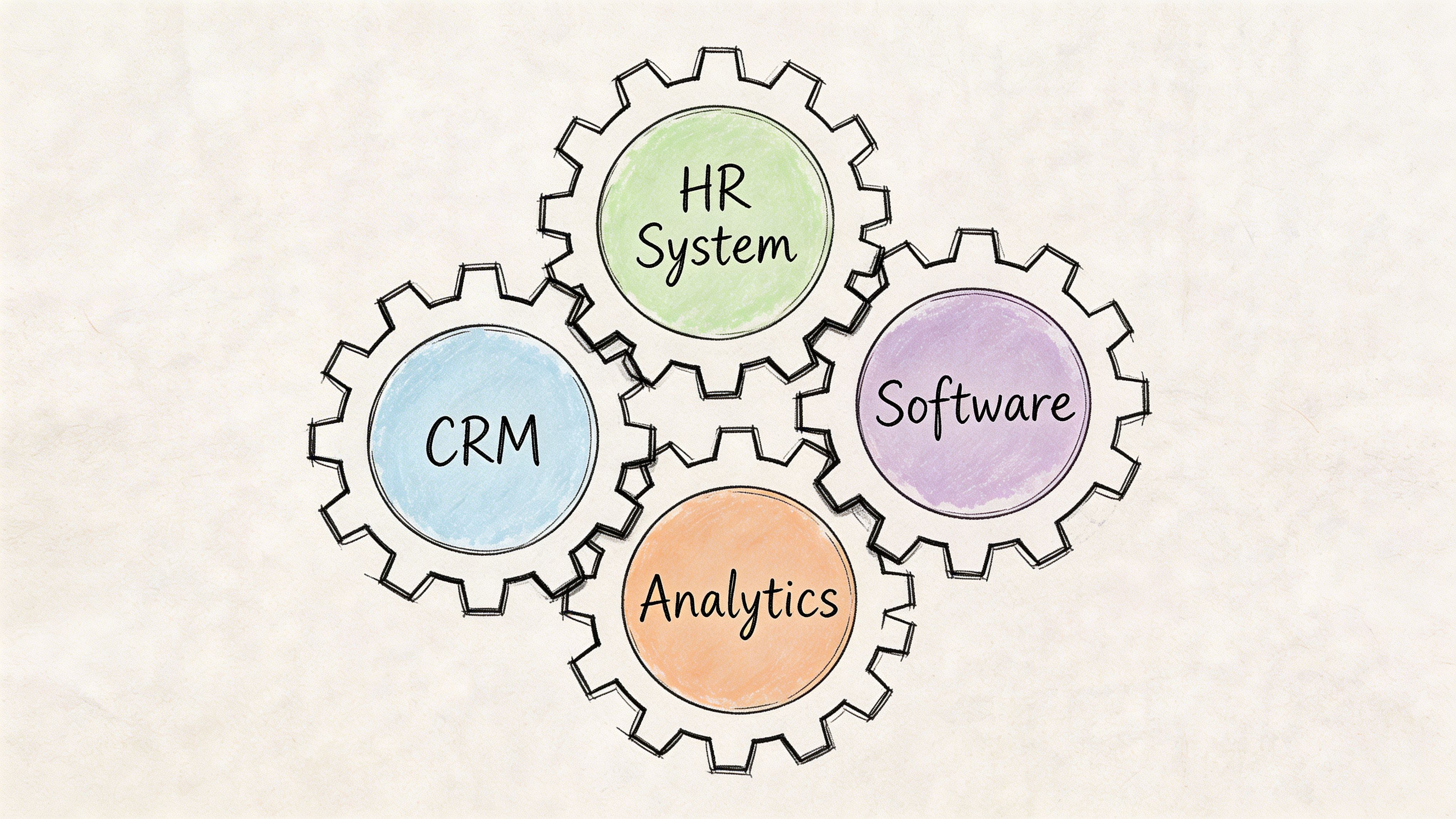
In cleaning companies, the weak point is rarely “scheduling” by itself. The weak point is the gap between first contact and booked work.
A typical messy process looks like this. A homeowner calls after hours. Voicemail answers. Someone calls back the next morning between dispatch issues and cleaner callouts. The customer has already booked with another company or wants a price that your team now has to build manually.
A better setup closes that gap fast:
For cleaning businesses using AI sales tools like Estimatty, the system then starts acting like a lead-to-booking machine instead of a pile of apps. The scheduler handles timing and routing. The AI layer handles intake, qualification, and estimate follow-up. Your team steps in where judgment matters.
Do not start with every edge case. Start with the calls you get every week.
Define the rules that drive revenue and response time:
Cleaning owners make one of two mistakes. They either overbuild the workflow on day one, or they leave too much up to staff memory. Both create friction. A simple rule set that your team follows every day will outperform a complicated setup nobody trusts.
As noted earlier in the article, many teams have AI in the stack but never put it into daily operating workflow. That is a key lesson here. AI only helps when it is tied to routing, scheduling, follow-up, and estimating, not parked in a demo account.
The happy path is easy. The profitable path includes interruptions.
Office staff should know exactly what to do when:
Here, strong operators differentiate themselves. They do not just train staff on scripts. They train staff on exceptions, ownership, and escalation. That keeps leads from stalling when the day gets messy, which it always does in cleaning.
Here’s a useful visual walkthrough to think through how connected systems should behave in practice:
Cleaning companies get into trouble when two tools are both “kind of” handling the same thing.
Keep ownership clear:
If your scheduler is also acting like a CRM, and your CRM is also being used as a pricing tool, staff will duplicate work and miss steps. I have seen this happen in growing maid services and commercial janitorial firms alike. The symptom is always the same. Leads get touched by multiple people, but nobody owns the next action.
Software helps when each tool has a clear job and the handoff between tools happens automatically.
That is the standard to aim for. Not more software. Better flow.
Owners don’t need a finance lecture. They need a clear answer to one question. Will this make or save enough money to matter?
In most cleaning businesses, the answer becomes obvious quickly if the software helps you capture leads you were already paying to attract.

Use a back-of-the-napkin test.
If better scheduling and routing help you book even a small number of missed opportunities each month, the system often pays for itself quickly. That might be a few recurring house cleans, one saved move-out booking, or one commercial walkthrough that would have slipped through the cracks before.
Don’t limit ROI to booked jobs, either. Count reclaimed admin time. Count fewer evening callbacks. Count fewer dropped handoffs between office and field. Count the stress reduction when your team isn’t improvising all day.
A practical scorecard should include:
Most disappointments come from avoidable decisions.
A simple app may work for one location and one admin. It breaks when you add channels, locations, or more complex lead routing.
If the intake process improves but your estimate process stays manual, the bottleneck just moves. Fast response followed by slow pricing still loses business.
If nobody agrees on what “good response” looks like, the software won’t fix much. Your team needs a target, even if it starts simple.
Software creates visibility. Owners still have to look at it.
If you never review missed calls, callback lag, or lead assignment patterns, you’ll pay for reporting and keep managing from gut feel.
The software doesn’t create ROI on its own. Your process does. The software just exposes whether the process is working.
That’s why implementation discipline matters as much as vendor choice.
Not if you’re missing calls, juggling callbacks, or losing web leads. A small business doesn’t need enterprise complexity. It needs a reliable system for intake, routing, and follow-up.
A CRM stores lead and client information. Call center scheduling software helps manage who responds, when they respond, and how coverage is handled. They solve different problems and work best together.
Yes, if they’re on-site most of the day. Solo operators miss a high percentage of inbound opportunities because they’re doing the work and answering the phone themselves.
Yes, if the software supports different lead paths. Residential work usually needs speed and easy booking. Commercial work usually needs qualification, a site visit, and more deliberate follow-up.
Start with after-hours coverage, missed-call handling, and lead routing. Those create quick operational improvement.
They will if the rollout is simple and the software removes work instead of adding it. If staff still need to update three systems manually, adoption will suffer.
Any serious software decision should include a review of security, permissions, and vendor practices. Ask direct questions about who can access data, what gets recorded, and how the system handles customer information.
Sometimes it reduces the need for immediate hiring. Sometimes it helps an existing admin perform better. It works best as a tool for efficiency, not as a total substitute for human judgment.
If your cleaning business is losing leads after hours, struggling to respond fast, or still sending manual estimates, Estimatty is built for exactly that gap. It gives residential and commercial cleaning companies an AI-powered web and voice sales estimator that engages prospects instantly, captures job details, and sends accurate estimates fast so more inquiries turn into booked work without adding headcount.